StakMax Microplate Handling System User Guide
5016072 A 57
Automatic Windows 7 StakMax Driver Installation
If you are using a computer running Windows 7, after the StakMax
Software USB cable is connected and the new hardware is recognized,
the driver automatically installs.
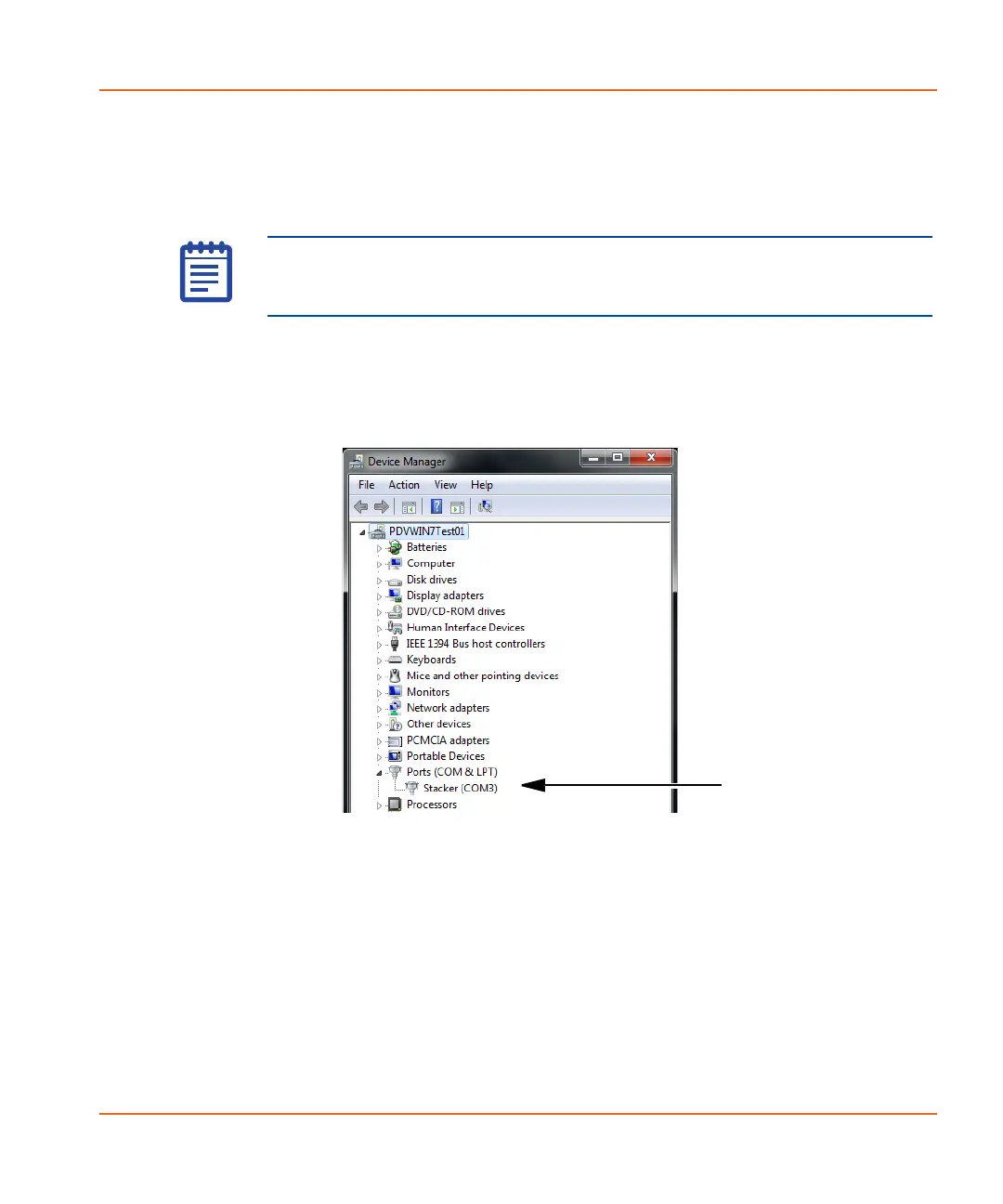
To verify the driver installation
1. Go to Device Manager > Ports (COM & LPT) > Stacker
(COM#).
Figure 2-49 Locating the StakMax USB driver.
2. If this is the first time connecting your StakMax, you must now
align the StakMax gripper. See Aligning the StakMax Gripper on
page 58.
Note: In the event that you need to find the driver files, the
StakMax.inf and StakMax64.inf driver files are located in the
C:\Program Files\Molecular Devices\SoftMaxPro 6.1 folder.
StakMax-UG-5016072A.book Page 57 Friday, October 21, 2011 3:51 PM














 To Next Page