StakMax Microplate Handling System User Guide
5016072 A 59
To align the StakMax gripper
1. Double-click the SoftMax Pro 6.1 icon located on the desktop to
open the SoftMax Pro Software.
2. Click Operations > Plate Stacker. After a few seconds, the
StakMax software interface appears.
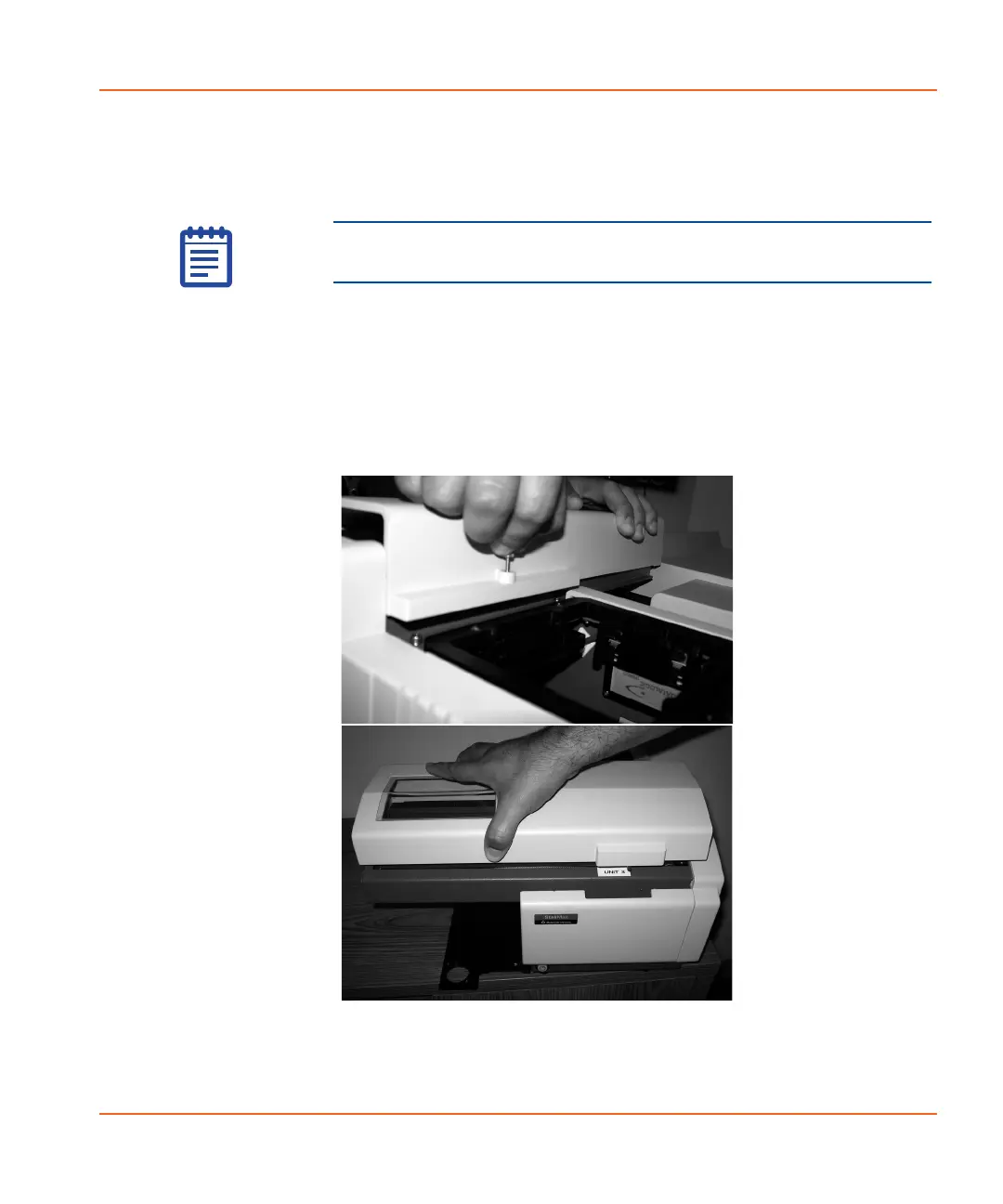
3. On the stacker arm cover, loosen the silver thumbscrew between
the arm and the Input stack. See Figure 2-51.
4. Lift off the cover from the stacker arm and firmly tighten the
baseplate screws. See Figure 2-51.
Figure 2-51 Removing silver thumbscrew (top) and cover
(bottom).
Note: You must have SoftMax Pro Software version 6.1 or later
to operate the StakMax microplate handler.
StakMax-UG-5016072A.book Page 59 Friday, October 21, 2011 3:51 PM














 To Next Page