StakMax Microplate Handling System User Guide
5016072 A 49
Installing the StakMax Driver
If this is the first time connecting your StakMax microplate handler, the
StakMax USB driver must be installed. The StakMax USB driver enables
the StakMax Software, which installs with the SoftMax
®
Pro Software
6.1 (or later). The installation process varies depending on the
computer operating system running. Likely installation options include:
• Automatic Windows XP StakMax Driver Installation on page 49
• Manual Windows XP StakMax Driver Installation on page 51
• Automatic Windows 7 StakMax Driver Installation on page 57
Automatic Windows XP StakMax Driver Installation
1. After installing the SoftMax Pro Software, turn on the StakMax
microplate handler and connect the USB cable from the
instrument to the computer.
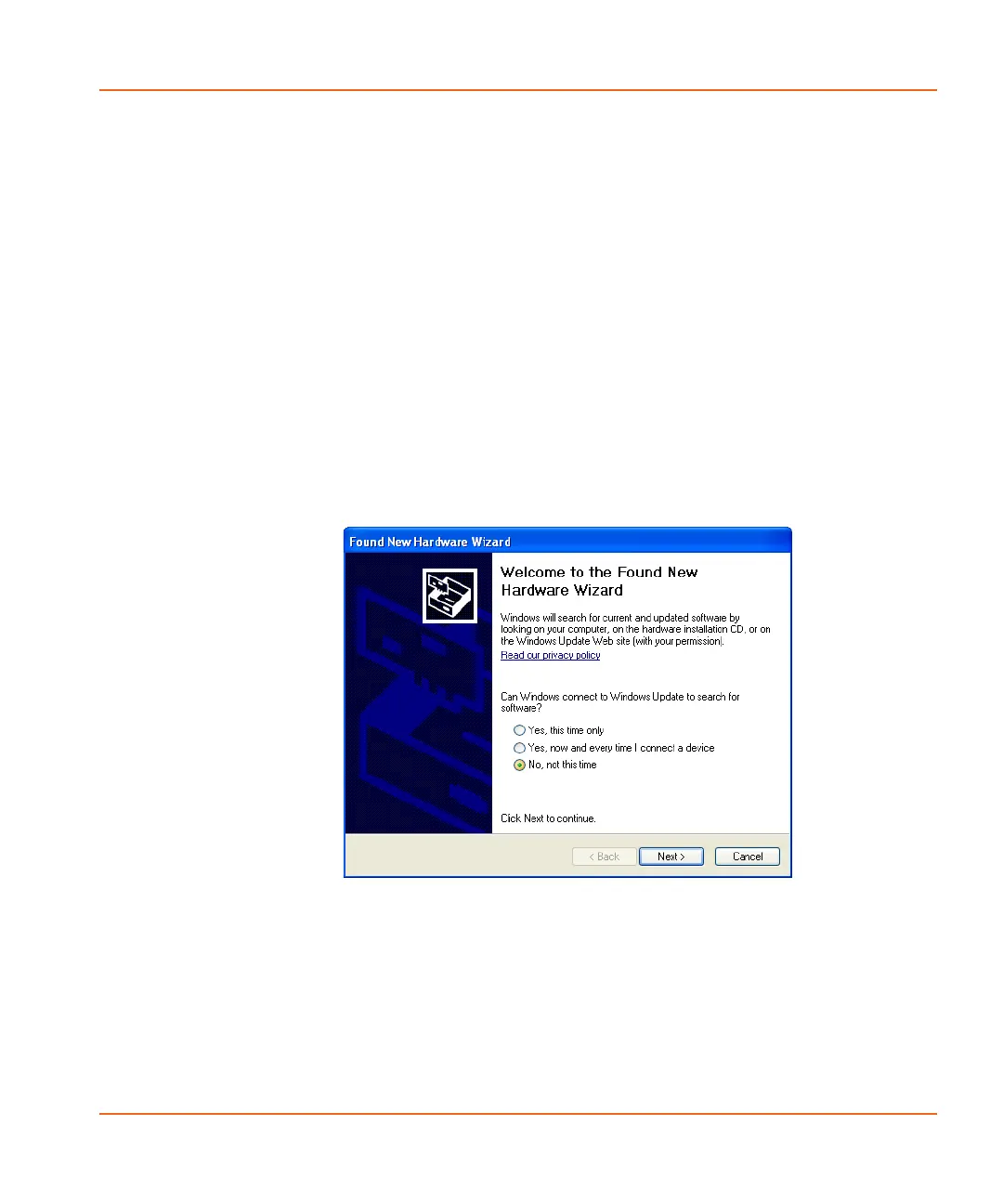
2. In the Welcome to the Found New Hardware Wizard screen
that appears, click No, not this time. See Figure 2-41.
Figure 2-41 Can windows connect to Windows Update.
3. Click Next.
StakMax-UG-5016072A.book Page 49 Friday, October 21, 2011 3:51 PM














 To Next Page