3.4DeletingEncryptionKeys
ProcedureSteps
1SelectManagekeysontheKVLmainscreen.
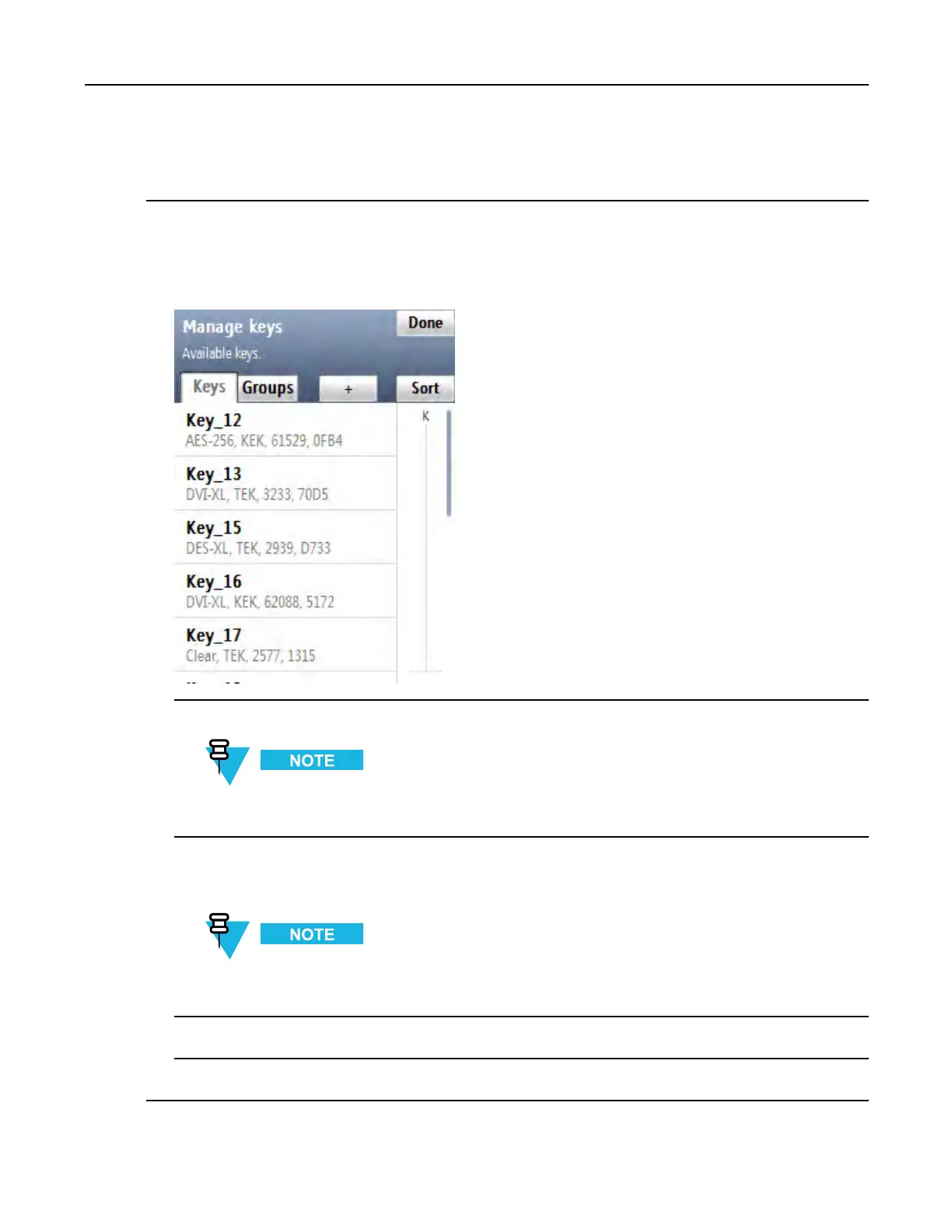
Stepresult:TheManagekeysscreenappearswiththelistofavailablekeys.
Figure3-13ManageKeysScreen–DeletingaKey(Example)
2Fromthelistofavailablekeys,selectthekeyyouwanttodelete.
Youcanusethesmartbarontherightsideofthescreentoscrollthroughthelistorquicklyjumpwithin
thelisttoaselectedarea.Ifthelisttscompletelyonthescreen,thesmartbarisdisabled.
3TapDelete.
Stepresult:Thekeyhasbeendeleted.
Ifyouwanttorestorethedeletedkey,tapUndobeforeleavingtheconrmationscreen.
4TapAccepttoconrm.
5TapDonetoreturntotheKVLmainscreen.
6871018P37-F-January2013
3-17

 To Next Page
 Loading...