Network Setup
4-76
4.6 Viewing Associated MUs
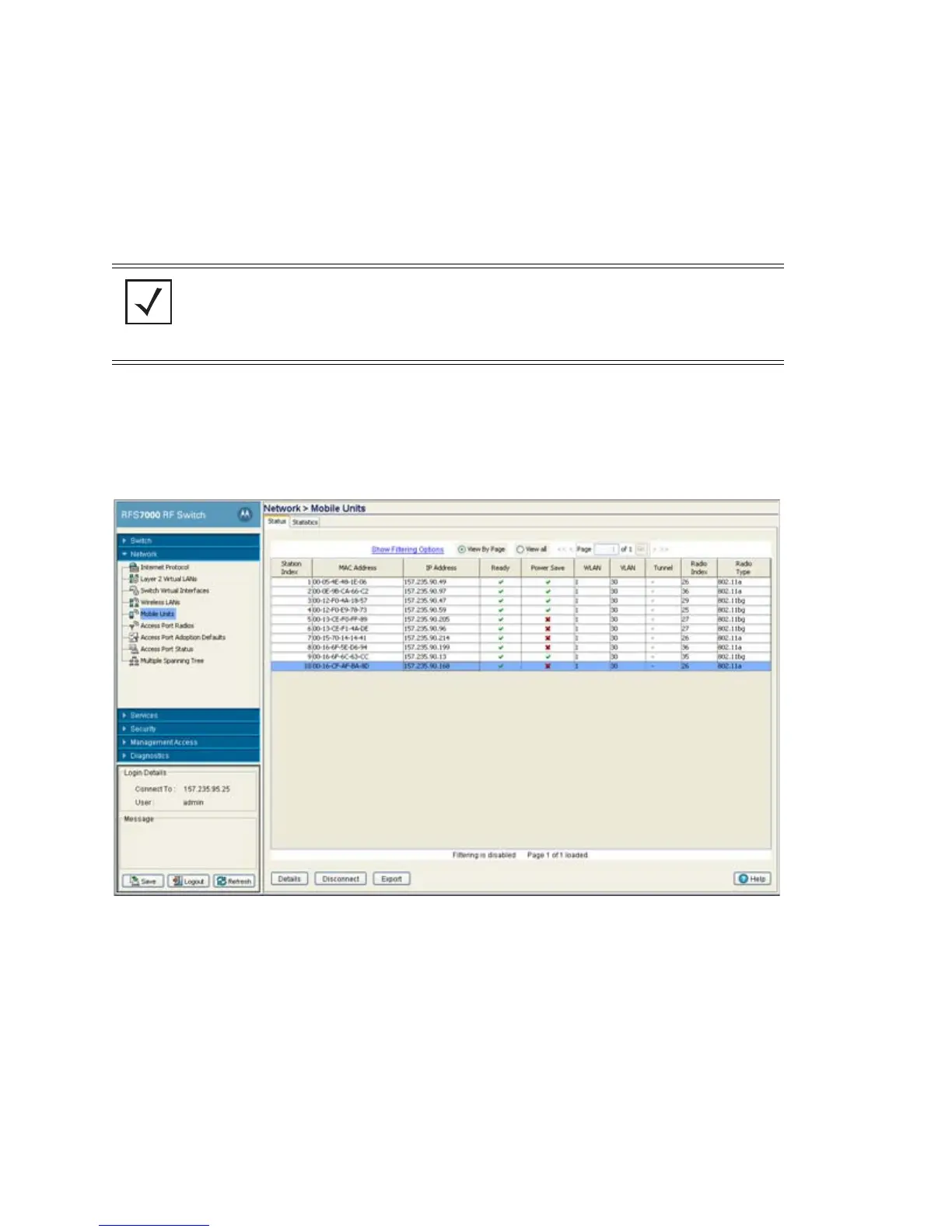
The Mobile Units screen displays read-only device information for MUs interoperating with the switch
managed network. The Mobile Units screen consists tabs supporting the following configuration activities:
• Viewing MU Status
• Viewing MU Statistics
4.6.1 Viewing MU Status
To view MU Status is detail:
1. Select Network > Mobile Units from the main menu tree.
2. Click the Status tab.
The Status screen displays the following read-only device information for MUs interoperating within
the switch managed network.
NOTE The Motorola RF Management Software is a recommended utility to plan the
deployment of the switch and view its configuration once operational. Motorola
RFMS can help optimize switch positioning and configuration in respect to a
WLAN’s MU throughput requirements and can help detect rogue devices. For more
information, refer to the Motorola Web site.
Station Index Displays a numerical device recognition identifier for a specific
MU.
MAC Address Each MU has a unique Media Access Control (MAC) address
through which it is identified. This address is burned into the ROM
of the MU.



 To Next Page
 Loading...








