Bolt X Quick Start Guide
47
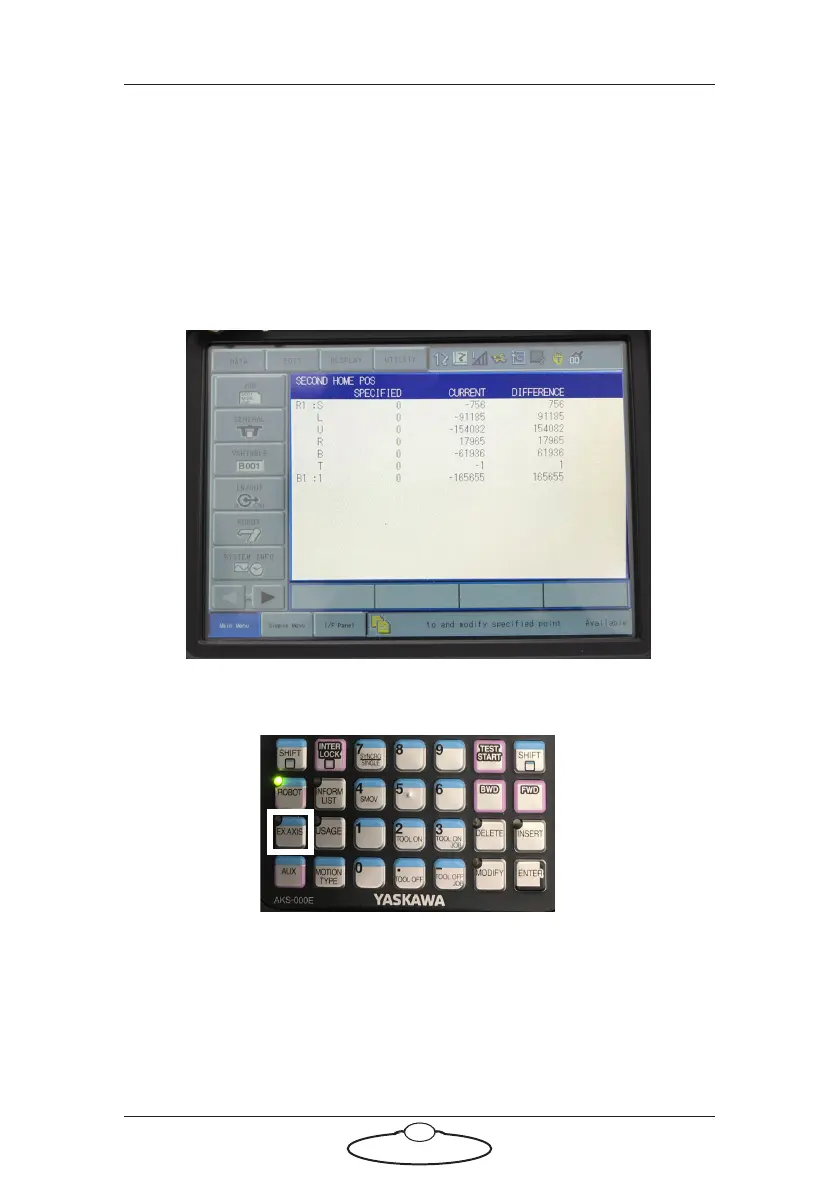
4. Move all axes to the SPECIFIED POSITION so that the values in the
DIFFERENCE column are zero or close to zero. To do this enable
the robot and press and hold FWD. Use the Fast/Slow buttons to
alter the robot speed during this movement. The axes will all move
to stored second home position so that the values in the Current
position column are the same as those in the Specified position
column and the Difference will be 0. Sometimes, you might need to
move each axis individually.
If you want to move the Base, move from ROBOT to EX. AXIS.
5. Press DATA.
6. Click on Confirm Position. You might need to do this twice.
The error should now clear.
7. Switch the key back to ‘Remote’ and engage Flair in the usual way.



 To Next Page