MAINTENANCE AND OPERATING MANUAL
Quick guide
HAS T 070÷140
2
ENGLISH
EN
The data in this manual are not binding and they can be modified by the manufacturer without notice. Reproduction of this manual is strictly prohibited.
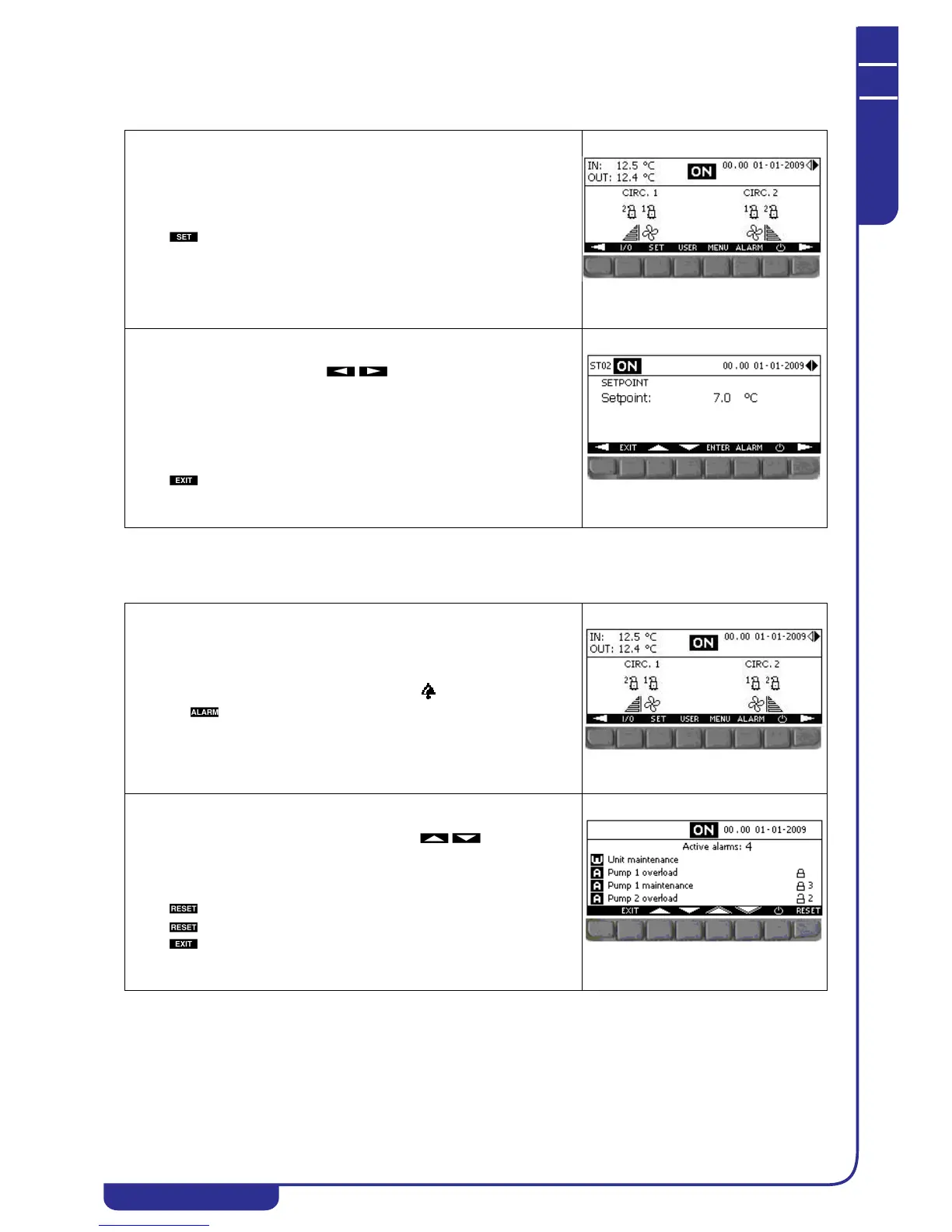
0.3 Changing the setpoint
0.4 Alarms
The unit can be either on or off.
Press in the main menu to open the setpoint menu.
Scroll through the menu with the keys until reaching mask ST02.
Use the key to select the setpoint.
Press .
Use the keys to set the value.
Press to confirm.
Press to quit the menu.
The presence of active alarms is signalled by the icon.
Press the key to enter the mask to display the alarms.
The mask contains a list of active alarms. Use the keys to scroll
the list.
The symbol shows that the alarm is resettable.
Press to reset an individual alarm.
Press and keep it pressed for 2 seconds to reset all active alarms.
Press to quit the mask.



 To Next Page