MAINTENANCE AND OPERATING MANUAL
Electronic controller
HAS T 070÷140
50
ENGLISH
EN
The data in this manual are not binding and they can be modified by the manufacturer without notice. Reproduction of this manual is strictly prohibited.
Each auxiliary device has a CANbus address that can be set by means of the relative dip switches. Consult the electrical
wiring diagram to check addressing and the electrical connection of the auxiliary devices.
6.2 Using the display
The display makes it possible to view the status of the unit and change the main operating parameters. At the time of first
power-up the display presents a configuration menu; at the time of successive power-ups the display presents the unit's main
menu, which provides access to all the other submenus of the display.
6.2.1 First power-up
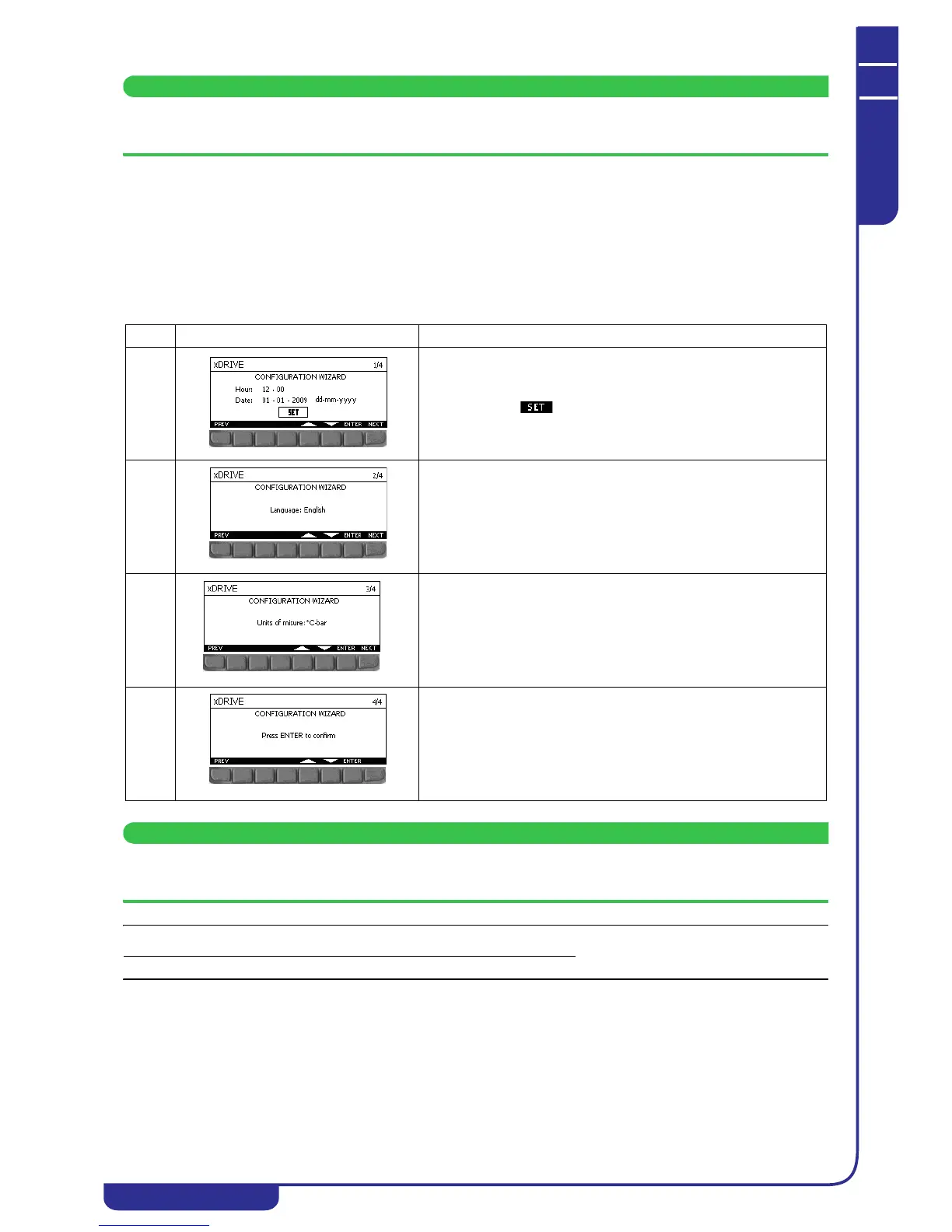
The configuration menu (wizard) provides the facility to set the main operating parameters, namely the date and time, the
display language and the temperature and pressure measurement units.
The configuration procedure may take several minutes, depending on the set parameters.
Do not switch off or disconnect the display during this procedure.
The configuration menu is displayed only the first time the unit is powered up. Once the configuration procedure has been
completed the unit is ready for normal operation.
Ref. Mask Description
1/4 Used to set the unit's date and time and the date display format in the
various display masks.
Changing the date and time requires the electronic controller to be
restarted. Select and confirm to validate the changes and
restart the controller.
2/4 Used to set the language used in the display masks.
3/4 Used to select the units of measurement utilised for temperature and
pressure values between °C/bar and °F/PSI.
4/4 Used to confirm the settings made and enable normal operation of the
unit.



 To Next Page