MAINTENANCE AND OPERATING MANUAL
Electronic controller
HAS T 070÷140
60
ENGLISH
EN
The data in this manual are not binding and they can be modified by the manufacturer without notice. Reproduction of this manual is strictly prohibited.
6.5.1 Autostart
The autostart function, when enabled, allows the unit to restart automatically after an electrical power loss.
6.5.2 Display language
From the USER menu you can personalise various display properties, including the language utilised in the masks (Ref.
US04), choosing from among:
• English
• Italian
•French
•German
•Spanish
• Russian
6.5.3 Buzzer
The buzzer sounds in the presence of an alarm. If the alarm suspends operation of the entire unit, the buzzer sounds
continuously; if it suspends operation of one circuit, the buzzer sounds intermittently. Activation of a warning is not
accompanied by an audible signal.
6.5.4 Backlighting and contrast
Backlighting is activated automatically when a key is pressed in order to improve visibility of the information shown on the
display. The duration of backlighting can be modified from the USER menu up to a maximum of 200s, beyond which time
the display backlighting remains on constantly (Ref. US05). In the menu also display contrast can be adjusted (Ref. US05).
6.6 Alarm Menu
With the key you can access the menu to display the alarms.
The presence of an alarm is accompanied by an audible signal, if enabled, and a digital output of the electronic controller.
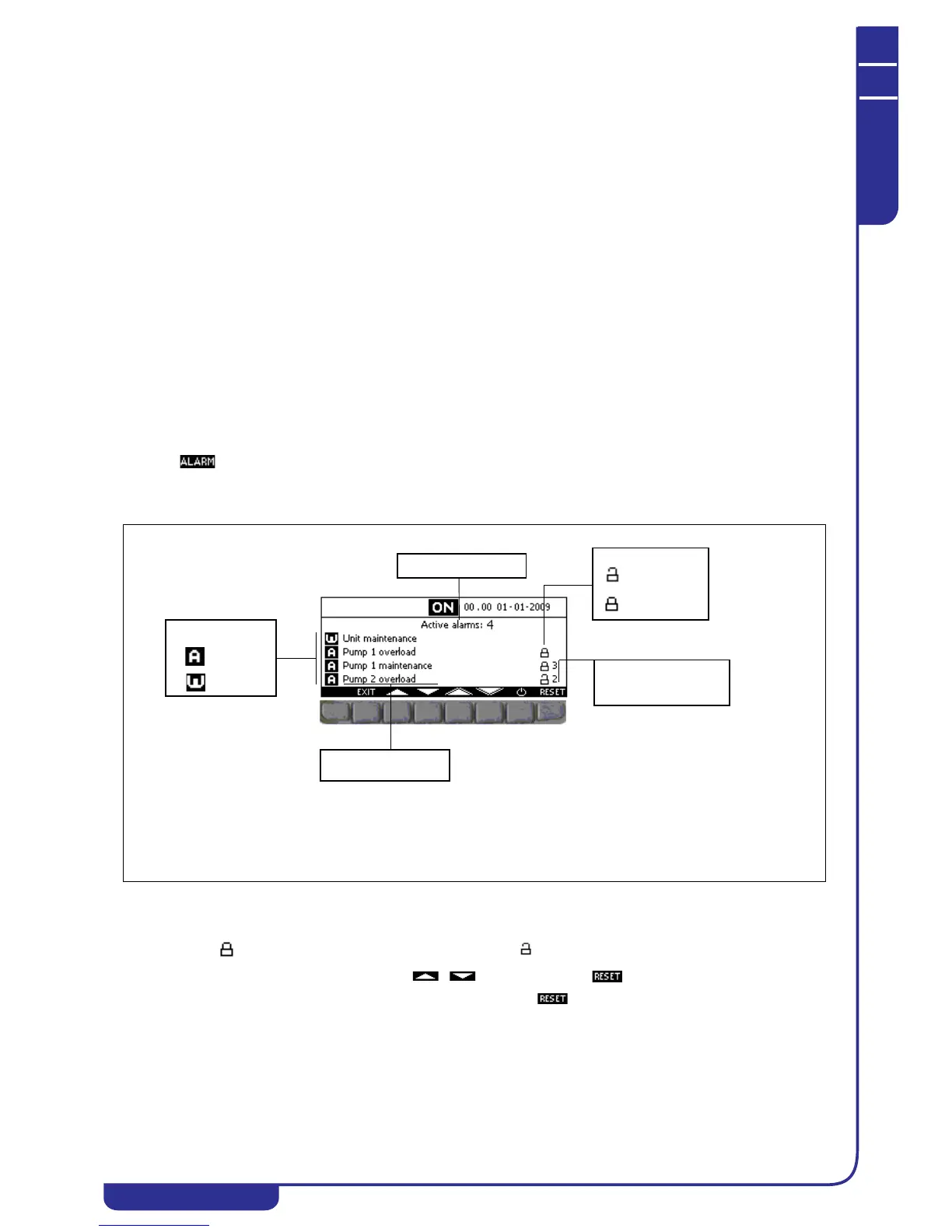
The ALARM menu is structured as follows:
MANUAL RESET
The manual reset involves resetting of normal operation only following an operation on the display. An alarm message
followed by the icon denotes an alarm that cannot be reset. The icon indicates an alarm that can be reset. An alarm
is reset by selecting the relative message with the keys and pressing . You can simultaneously reset all
the alarms displayed with a single operation by a prolonged press of the key.
AUTOMATIC RESET
The automatic reset occurs for alarms that do not require manual operation on the display. If the alarm condition ceases, the
message is cleared. No padlock icon is associated with automatic reset alarms.
ALARMS COUNTER
For alarms with which this facility is associated, at the end of the display line the number of times the alarm has tripped in the
past 24 hours of operation is shown.



 To Next Page