The unit must be restarted by means of the key which appears in the menu, to confirm the entered data.
6.7.16 Time bands
The starting/stopping of the unit can be managed in accordance with the current time and date. One of the following
operating bands can be set up:
1. Hourly band. This mode allows the start time and end time of the band to be defined, so that the unit can be
started only when the current time is within the band. If the time set as the end of the band is before the time set as
the start of the band, the time band will terminate on the day after the current day.
2. Weekly band. Provides the facility to set a day of the week for the start and one for the end of the operating band,
allowing the unit to be started only when the current date is within the band. If used in combination with the
hourly time band, the weekly band can be of two types:
• From date to date: the unit is active from the starting time of the time band starting date until the ending hour
of the band ending date
• Day by day: from the starting day of the band to the ending day of the band the unit is active each day from the
starting time to the ending time
3. Deactivation bands. Two deactivation bands can be enabled to manage shut-down periods (e.g. holidays,
weekends). Within each period, defined by a starting date and month and an ending date and month, the unit
remains off.
With hourly band, weekly band or deactivation band enabled, a holding setpoint can be programmed. In this manner, in
chiller mode, if the regulation temperature increases beyond the set value, the unit is restarted even outside the bands.
In heat pump mode the unit is started if the temperature falls below the holding setting.
6.7.17 Modularity
The parameters for configuration of a modular system can be defined in the menu.
The menu is accessible by means of the service level password and with modularity enabled. Modularity can be enabled in
the configuration menu. For more information on modular systems, refer to the xCONNECT connectivity manual.
A modular system is composed of a master module which regulates and monitors correct operation of the entire system, and
a series of slave modules. The maximum number of modules permissible within a modular system is 10.
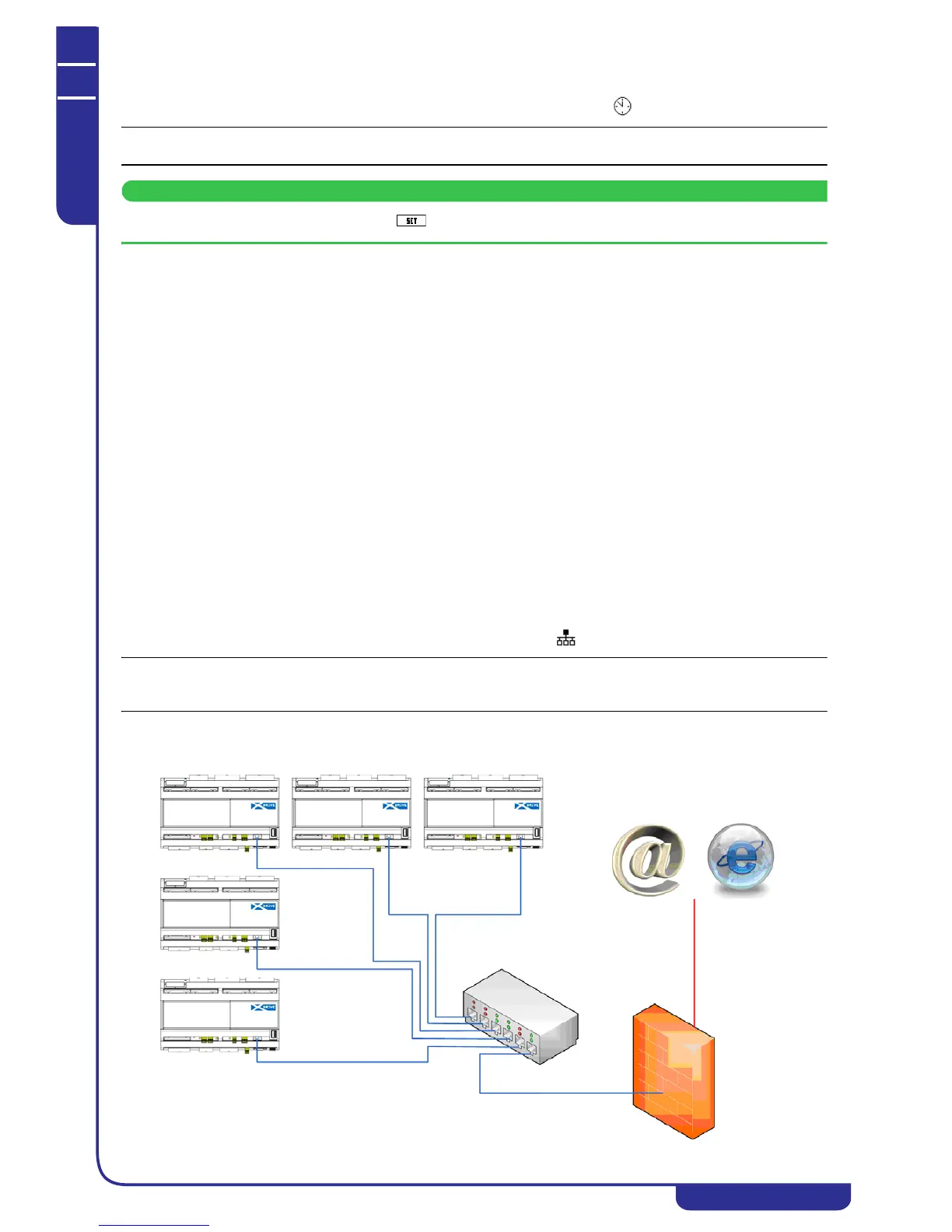
The connection between modules is created with an Ethernet network as shown in the following diagram:



 To Next Page