MAINTENANCE AND OPERATING MANUAL
Electronic controller
HAS T 070÷140
51
ENGLISH
EN
The data in this manual are not binding and they can be modified by the manufacturer without notice. Reproduction of this manual is strictly prohibited.
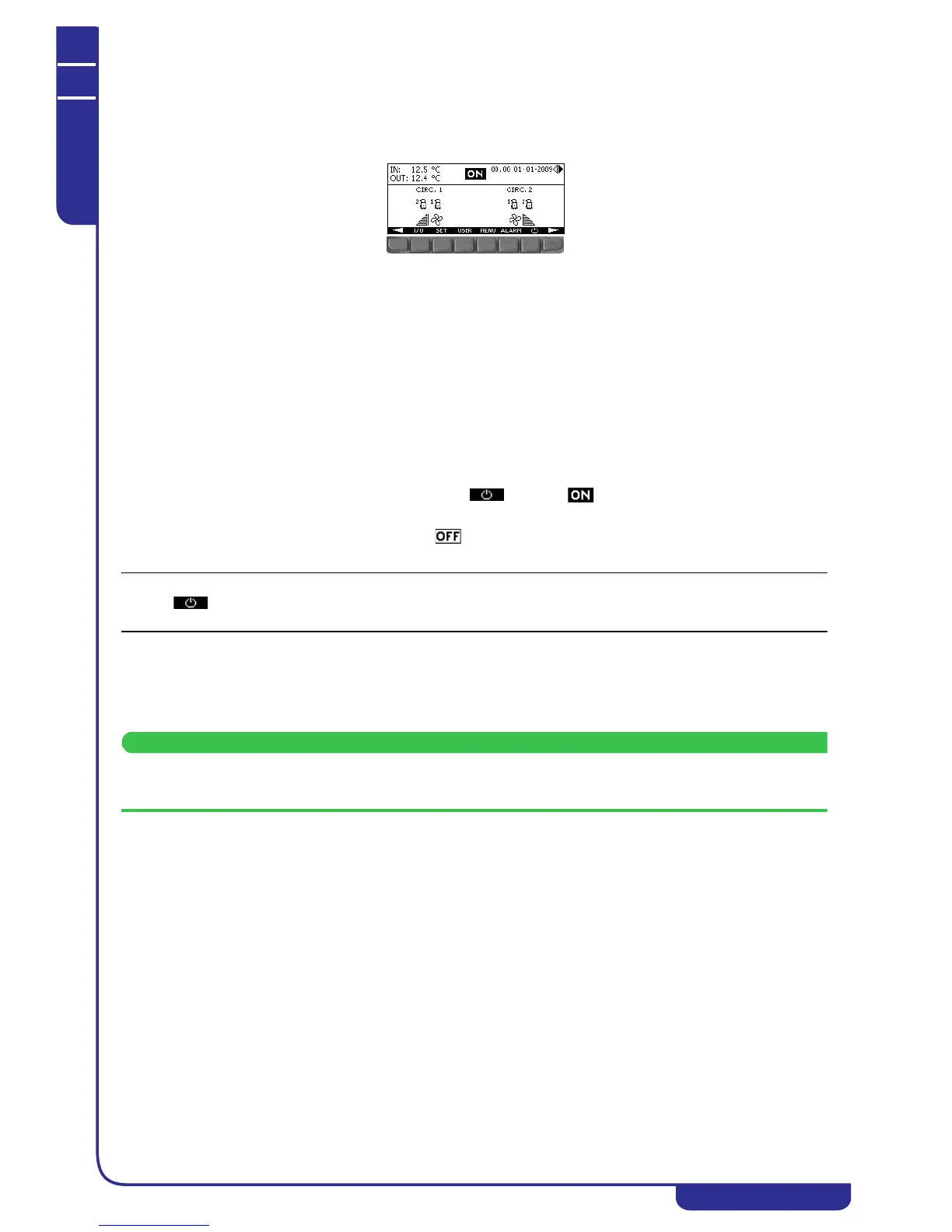
6.2.2 Main menu
The main menu is the most important mask of the display. In the area at the top of the screen it shows the unit inlet and outlet
water temperature and the operating mode. The area at the bottom of the screen contains a representation of the unit's circuits
and shows the operating status of the compressors. The same area shows the status of fans and the other special functions
present in the unit.
The keys at the bottom are used to gain access to the other display menus and switch the unit on/off (see "6.2.7 Keys").
6.2.3 Display menus
The submenus that can be accessed from the main menu are as follows:
I/O: displays the value of all the unit's temperature and pressure parameters and the status of all devices present (pumps,
compressors, fans, solenoid valves, see "6.3 I/O menu")
SET: display and edit the setpoints for water thermoregulation (see "6.4 Setpoints Menu")
USER: display and edit the unit's general operating parameters, namely the autostart function and the operating mode (see
"6.5 User Menu")
MENU: provides access to reserved and password-protected submenus from which all the unit's operating parameters can be
edited (see "6.7 Reserved menu")
ALARM: shows the status of active alarms in the unit (see "6.8 Alarms")
6.2.4 Powering up the unit
The unit is powered up by means of a prolonged press of the key. The icon present in all masks of the display
shows that the unit is running.
The same procedure is used to power off the unit. The icon present in all masks of the display shows that the unit is
off.
The key is present in all display masks. Unit power-up and power-down can be performed using different methods
(from the supervision system, a digital input, by time bands, by remote input, and by the modularity function).
6.2.5 Power-on from a digital input
If enabled, allows the unit to be powered on/off by means of a digital input of the electronic controller.
6.2.6 Power-on by supervision system
If enabled, allows the unit to be powered on/off by means of the supervision system (see "6.7.18 Supervision").
"Unit on" means that the machine can perform water temperature regulation and control the operation of all its devices
(pumps, compressors, fans and solenoid valves).



 To Next Page