MAINTENANCE AND OPERATING MANUAL
Electronic controller
HAS T 070÷140
59
ENGLISH
EN
The data in this manual are not binding and they can be modified by the manufacturer without notice. Reproduction of this manual is strictly prohibited.
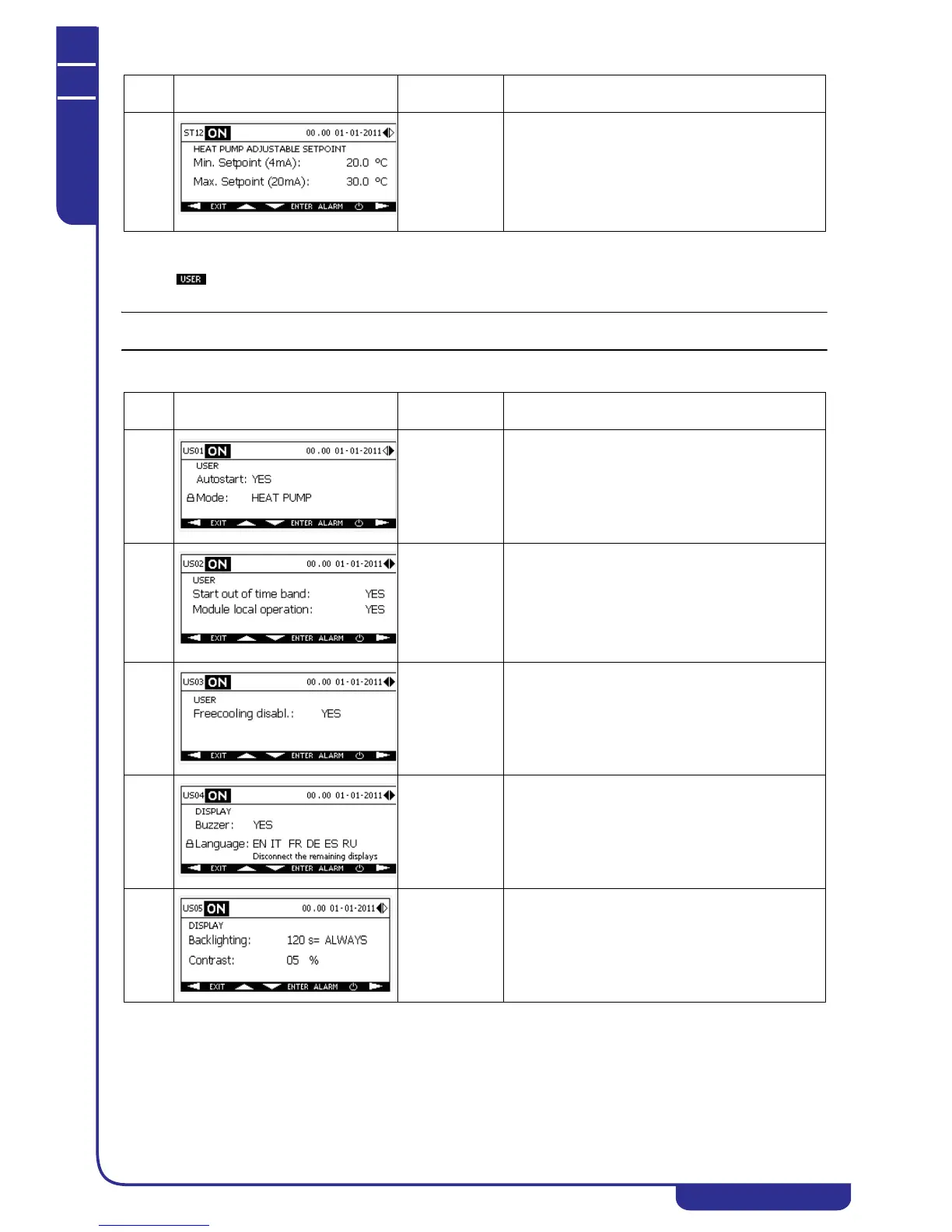
6.5 User Menu
Press the key in the main menu to access the menu in which you can edit the general functions of the unit: autostart,
forced enabling/disabling of special functions and personalisation of the display (language, buzzer, backlighting, contrast).
From the USER menu you can set the unit's operating mode as chiller or heat pump.
ST12 With adjustable
setpoint enabled
Facility to edit the minimum setting of the adjustable
setpoint (see "6.7.8.1 Setpoint types") in heat pump
mode, corresponding to a 4mA signal.
Displays the maximum setting of the adjustable
setpoint (see "6.7.8.1 Setpoint types" ) for heat pump
mode, corresponding to a 20mA signal. Corresponds to
the fixed setpoint and editable from mask ST03.
Ref. Mask
Display
conditions
Description
US01 Facility to enable the autostart function (see "6.5.1
Autostart") and select the operating mode as chiller or
heat pump.
US02 With time bands
and modularity
enabled
If starting by time bands is enabled, provides facility to
force activation of the unit outside the time band (see
"6.7.16 Time bands").
If modularity is enabled, provides facility to force local
operation of a module (see specific xCONNECT
manual).
US03 With free-
cooling enabled
If free-cooling is enabled on the unit, provides facility
to disable it temporarily (see "6.7.21 Free-cooling").
US04 Facility to enable display buzzer (see "6.5.3 Buzzer").
Facility to select the language used in the display
masks (see "6.5.2 Display language").
US05 Facility to set duration of backlighting and display
contrast (see "6.5.4 Backlighting and contrast").
Ref. Mask
Display
conditions
Description



 To Next Page