OPERATING AND MAINTENANCE MANUAL
Chapter 7 - Electronic controller
TAEevo Tech 015÷802 60 Hz UL
36
The data in this manual are not binding and they can be modified by the manufacturer without notice. Reproduction of this manual is strictly prohibited
ENGLISH
EN
7.8 How to display the internal values of a circuit
This chapter is not applicable to single circuit units.
In normal operating mode circuit no. 1 is always displayed by default.
To switch from one circuit to another use the or buttons to select an identification label within a circuit and press
the button.
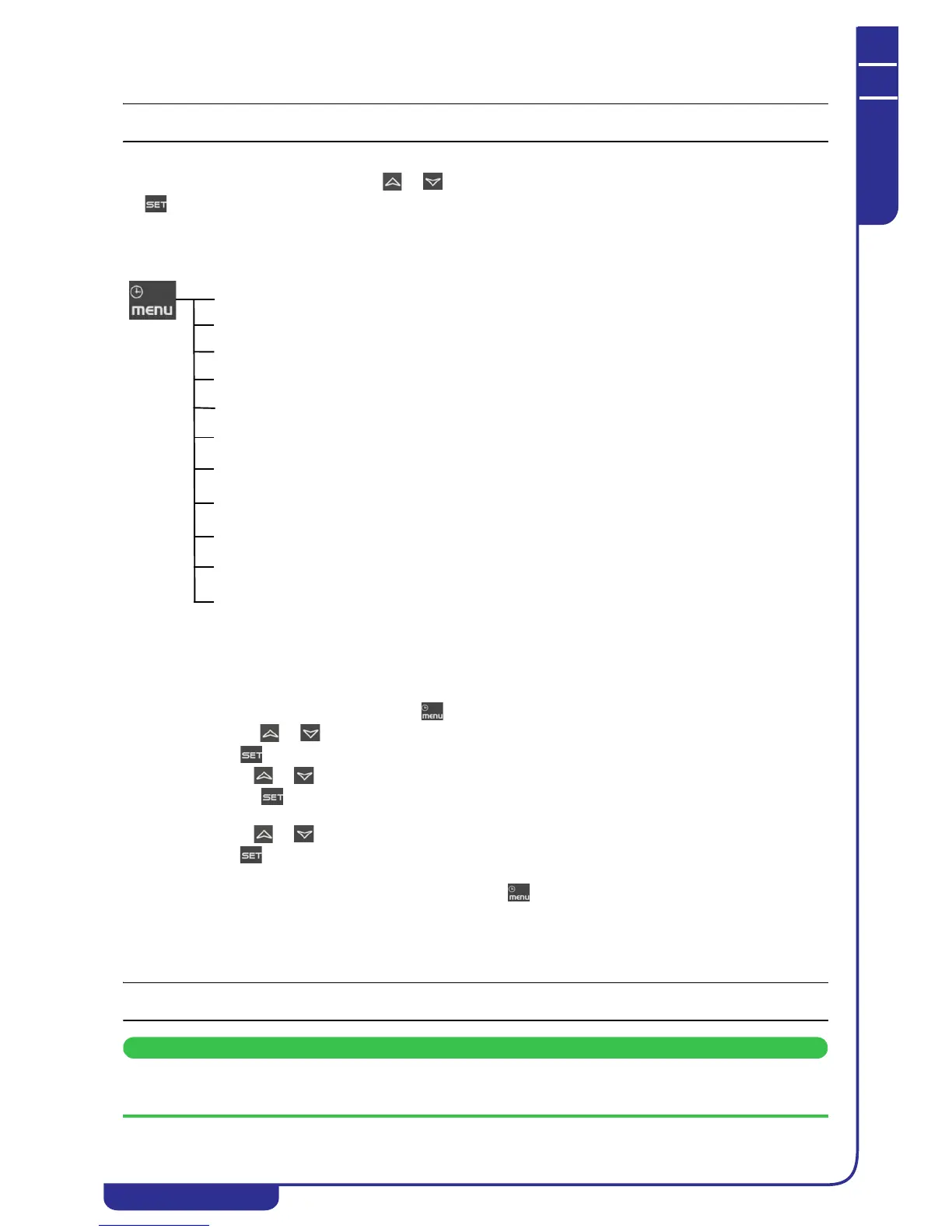
7.9 Functions menu button “Menu”
Access to Functions Menu enables the user to:
7.9.1 CrEn - Enable or disable the single circuit
With the CrEn submenu the operation of a single circuit can be disabled for maintenance purposes or to isolate it in the event
of malfunctions.
Proceed as follows:
• Open the functions menu by pressing
• With the or buttons select the function CrEn on the lower display;
• Press . The lower display shows Cr1E while the upper display shows En;
• Use the or buttons to display the label Cr1E or Cr2E;
• Press the button for 3 seconds in correspondence with label Cr1E or Cr2E. The upper display shows En
in flashing mode;
• Use the or buttons to select label diS (circuit operation disabled) or En (circuit operation enabled);
• Press to confirm the set function and proceed to the next circuit (only the loads associated with the circuit
are disabled);
To exit the CrEn function and return to normal display mode press or wait for the time-out.
In normal operation if one of the circuits is set to diS the lower display shows a flashing label alternated with the parameter
shown at that time.
If circuit 1 is in diS mode the label shown on the lower display is b1dS = circuit 1 disabled.
If circuit 2 is in diS mode the label shown on the lower display is b2dS = circuit 2 disabled.
Label b2dS is present only on units with two refrigerant circuits.
The CrEn function is enabled also on single circuit units. If you proceed to disable the only circuit present on these
units, the unit will suspend its entire cooling capacity.
ALrM function
Display and reset active alarms (see 7.11.1).
Display and clear the alarms log (see 7.12.12).
Upload instrument parameters to the smart key (see 7.14).
Enable / disable operation of a single circuit
ALOG function
UPL function
CrEn function
COEn function
COSn function
Cond function
dF function
Enable / disable operation of a single compressor
Display and reset the number of starts of each compressor
Display and reset the running hours of the controlled loads
Display the percentage of operation of the proportional outputs for control of the
condensing fans speed
Tank heater probe display
Display the time remaining before the start of the defrost cycle (heat pumps only).
uS function
Hour function
ENABLE or DISABLE the operation of a water pump using the key (if present)
POEn function




 To Next Page