OPERATING AND MAINTENANCE MANUAL
Chapter 7 - Electronic controller
TAEevo Tech 015÷802 60 Hz UL
70
The data in this manual are not binding and they can be modified by the manufacturer without notice. Reproduction of this manual is strictly prohibited
ENGLISH
EN
7.38 Parameters programming with Hot Key
Mask Description
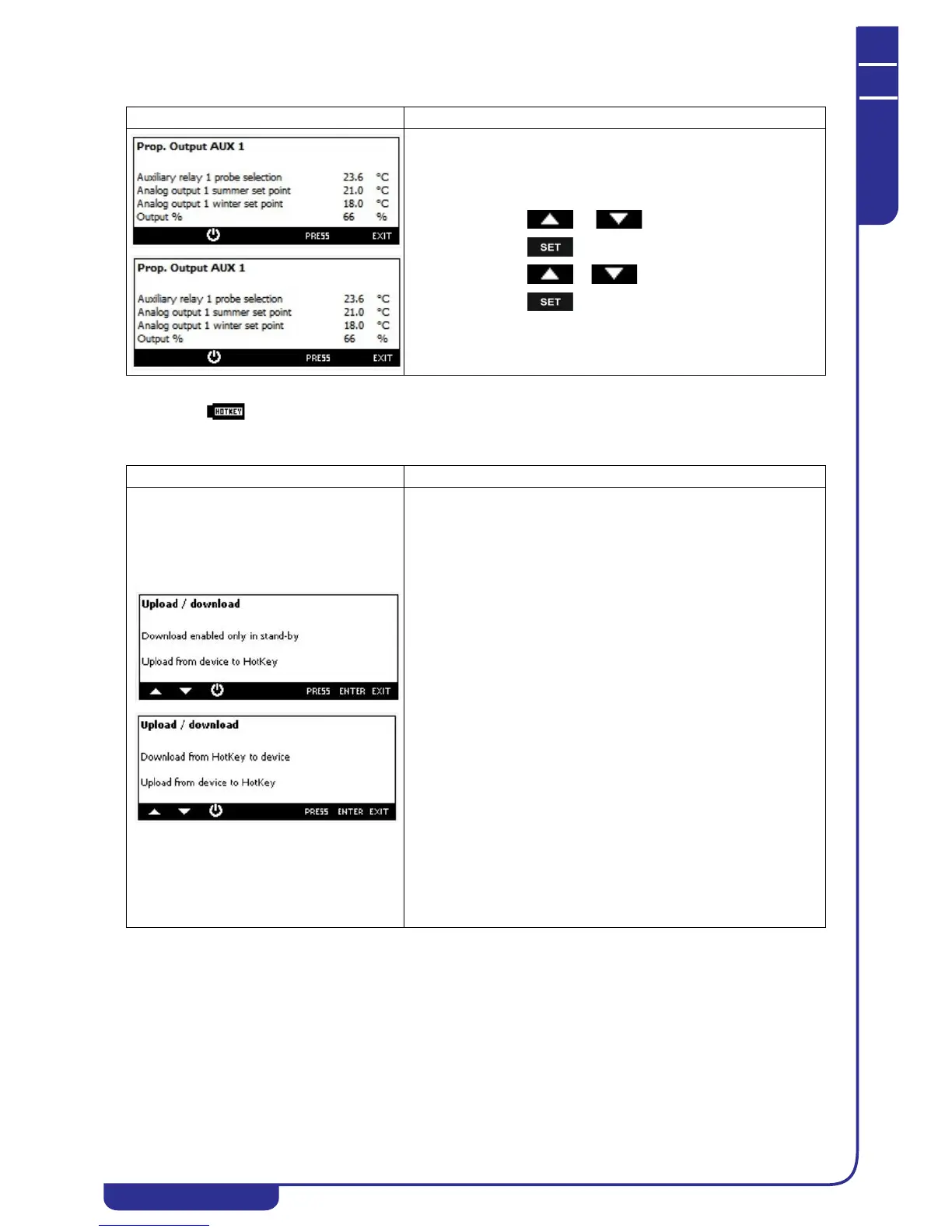
To view / modify the set point of operation of the analog outputs:
• press or to select the set point
• press
• press o to modify the value
• press to confirm the operation
Mask Description
It is possible to use the HotKey 64 for:
• copy the parameter map from the HotKey 64 to the control
(Download)
• copy the parameter map from the control to HotKey 64
(Upload)
Download from HotKey 64 to control:
this operation is enabled only if the control is in STD-BY or remote OFF,
otherwise the display shows the message "Download enabled only in
stand-by".
Download procedure:
• Insert the Hot Key 64 into the 5 ways connector through
the hole at the top of the control (see image below)
• Select "Download from HotKey to device"
• Press ENTER
• if the operation was successful the display shows "OK",
otherwise shows "ERR"
Upload from Ichill to Hot Key 64:
Upload procedure:
• Insert the Hot Key 64 into the 5 ways connector through
the hole at the top of the control (see image below)
• Select "Upload from device to HotKey"
• Press ENTER
• if the operation was successful the display shows "OK",
otherwise shows "ERR"
In case of Upload / Download failure:
• Hot Key 64 not properly inserted in the 5 ways connector
• Hot Key model different to Hot Key 64




 To Next Page