OPERATING AND MAINTENANCE MANUAL
Chapter 7 - Electronic controller
TAEevo Tech 015÷802 60 Hz UL
65
The data in this manual are not binding and they can be modified by the manufacturer without notice. Reproduction of this manual is strictly prohibited
EN
ENGLISH
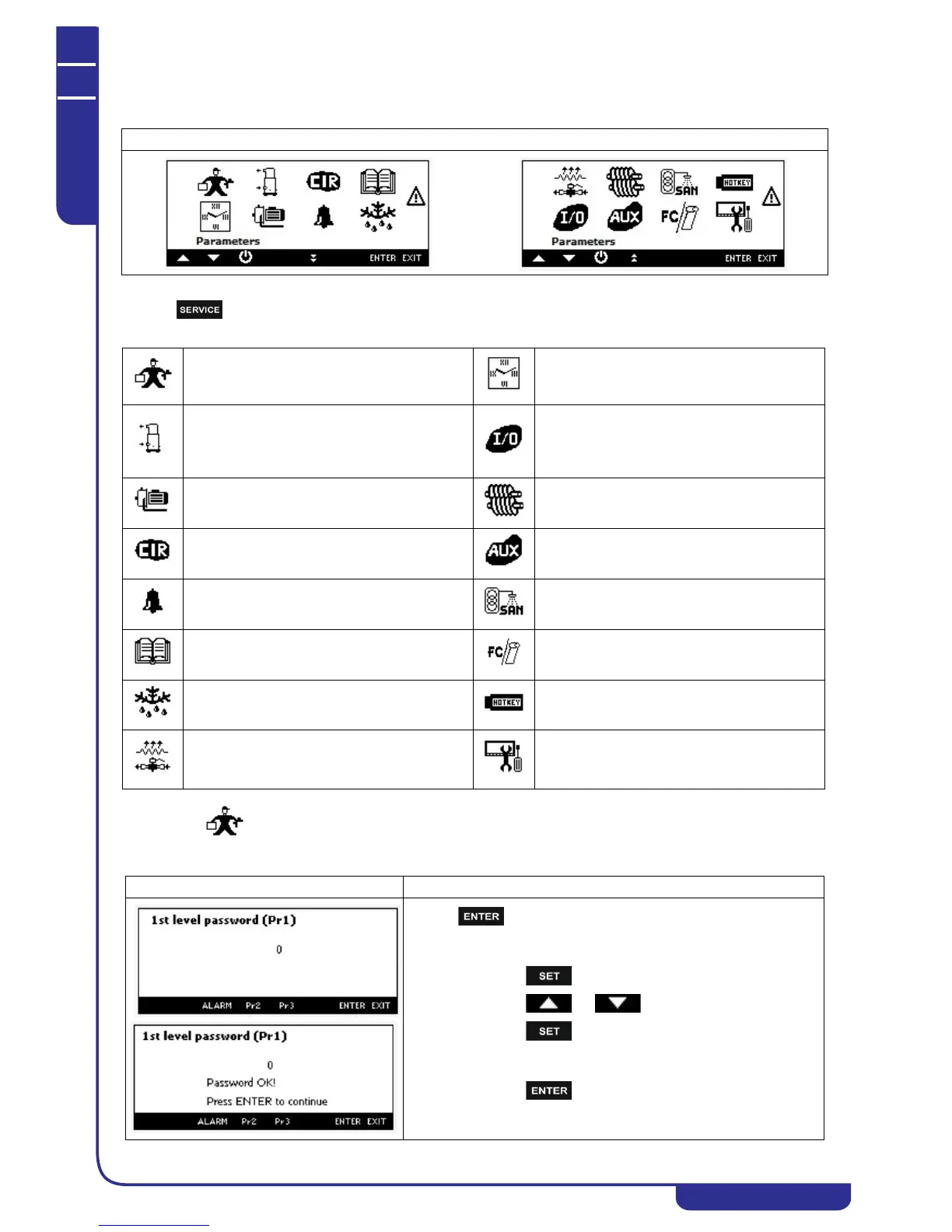
7.28 Menu service visualization
Pressing it is possible to read the following information:
7.29 Parameters programming
Mask
Parameter programming
Programming clock
Energy saving and ON/OFF scheduling (Function not
available)
Compressor maintenance
It is possible to disable the compressor for
maintenance, read the working hours and number
of start up (and reset them)
I/O status
Water pump maintenance
It is possible to read / reset the working hours
Screw compressor information (Function not
available)
Circuit maintenance Auxiliary output status
Visualization and reset of the alarms
Sanitary water status, sanitary water temperature,
antilegionella status, etc. (Function not available)
Visualization and reset of the alarm log
Free cooling and Solar panel visualization (Function
not available)
Defrost status (Function not available) Upload e Download mappa parametri con Hot Key
Electrical heater
Visograph configuration
It is possible to change the language, to set the
contrast and the backlight.
Mask Description
Pressing it is possible to read/modify the parameters value:
• select the level 1 (default) or level 2 or level (by pressing
Pr2 or Pr3 key)
• press
• press or to enter the password
• press to confirm.
• the display shows "Password OK!" (otherwise repeat the
procedure)
• press to visualize the parameters.
If the value of the password is incorrect, the display will remain in
setting passwords and will be replayed the steps listed above.




 To Next Page