5.3 IRRIGATION (IRR) MODE (CONTINUED)
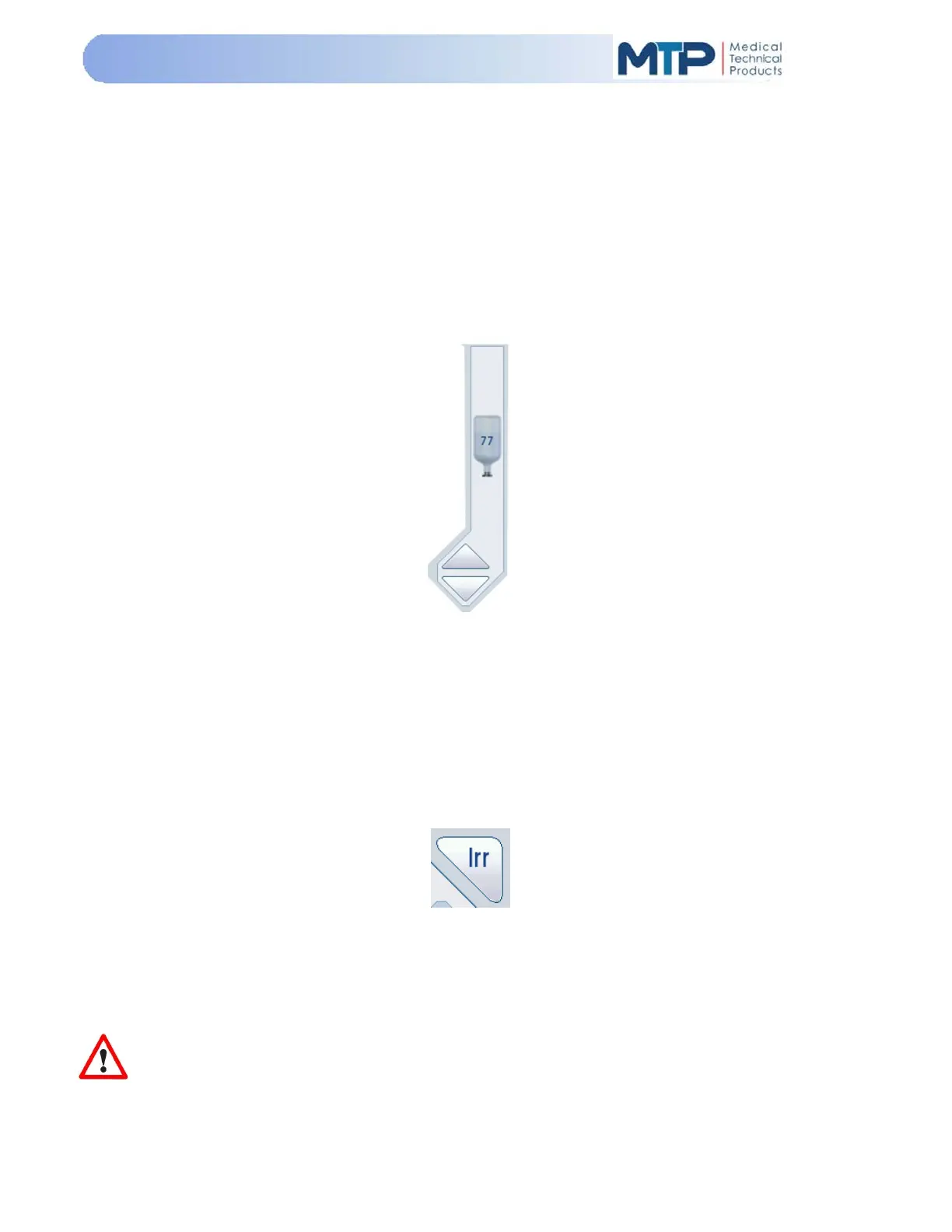
IV Pole: If the optional cart with IV pole is connected to the Model 3000 console, the pole height
may be controlled by touching and sliding the bottle on the touch screen to the desired height or
by pressing the UP or DOWN arrow keys below the bottle height symbol.
The number displayed on the bottle represents the IV pole height in inches.
Each time the UP or DOWN arrow is pressed, the IV pole will rise or lower by one inch.
The arrow keys can also be pressed and held to move the solution container to a desired height,
and then pressed to obtain the exact height.
A drip chamber with connecting irrigation tubing is attached to the solution container and routed
through the irrigation pinch valve by way of the tubing cassette and then attached to the ultrasonic
handpiece irrigation port.
Manual Irrigation may also be performed by pressing the “Irrigation (
IRR
)” soft-key.
The (IRR) soft-key is outlined in red when activated. The (IRR) soft-key controls irrigation valve.
Activated (IRR) soft-key opens the irrigation valve and allows fluid to flow from solution container.
Press the (IRR) soft-key a second time to close the irrigation valve and stops the flow of fluid.
IMPORTANT: If the Irrigation (IRR) soft-key is pressed on the console and the irrigation
function
is activated, the foot pedal has no effect on the irrigation pinch valve operation until the (
IRR
)
soft-key is deactivated.


 To Next Page