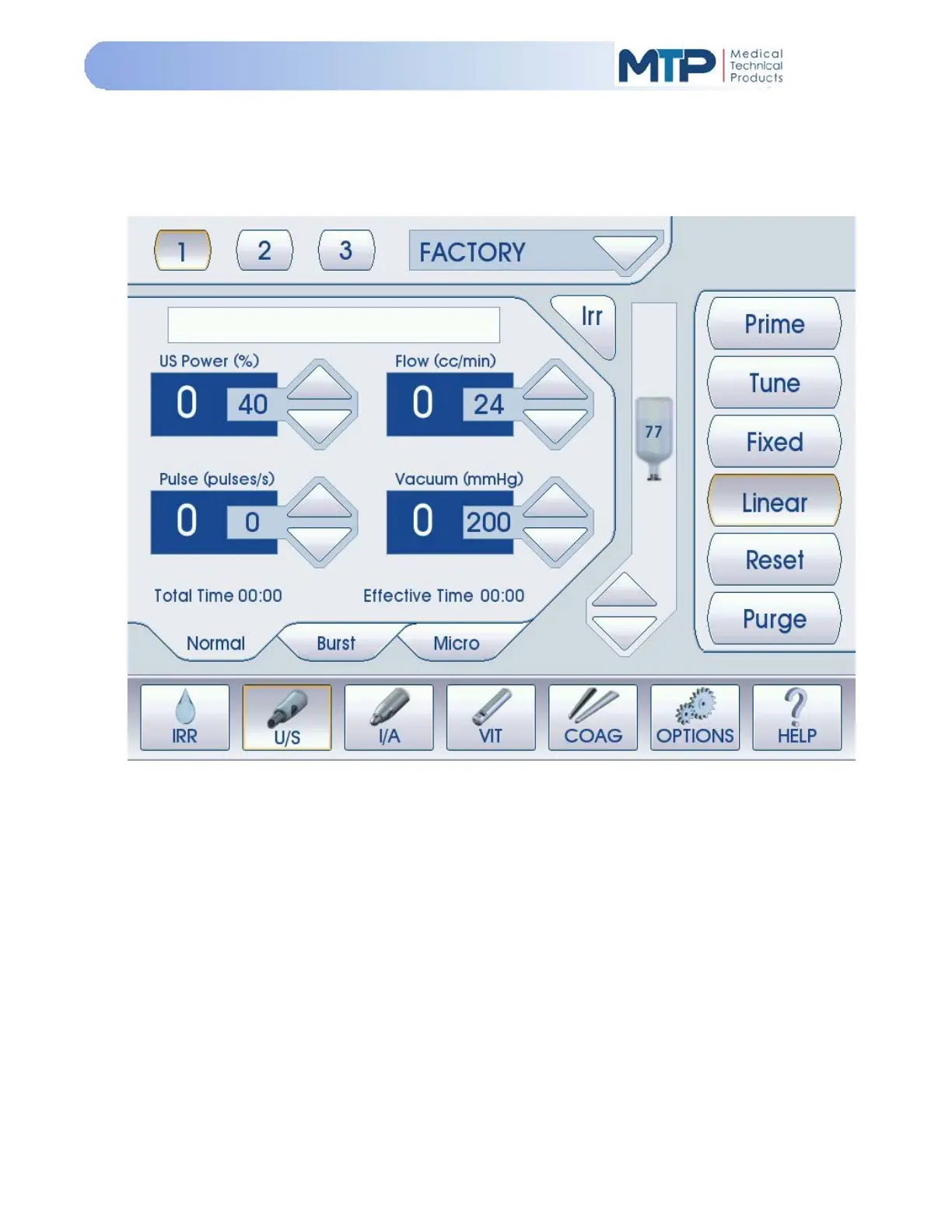
5.2 MAIN MENU
When the console is first turned ON, the initialization screen with the MTP logo is momentarily
displayed. The Main Menu (U/S Phaco Mode) screen will be displayed after the initialization
screen.
The main menu screen is designed for easy navigation between all operational modes and user
functions.
The Model 3000 has five (5) basic Modes of operation:
1. Irrigation (IRR)
2. Phaco (U/S)
3. Irrigation / Aspiration (I/A)
4. Vitrectomy (VIT)
5. Coagulation (COAG)
These five (5) operational Modes are commonly used during anterior surgery procedures. An
“Options Mode” is also available with settings and functions that are specific to system operations,
user programs, foot pedal settings and software upgrades. Note that the software upgrade
function is for factory use only.
The “HELP” soft-key is used to display help information with most screen operational functions.
See Section 5.8 Help Mode for additional information on the HELP function.


 To Next Page