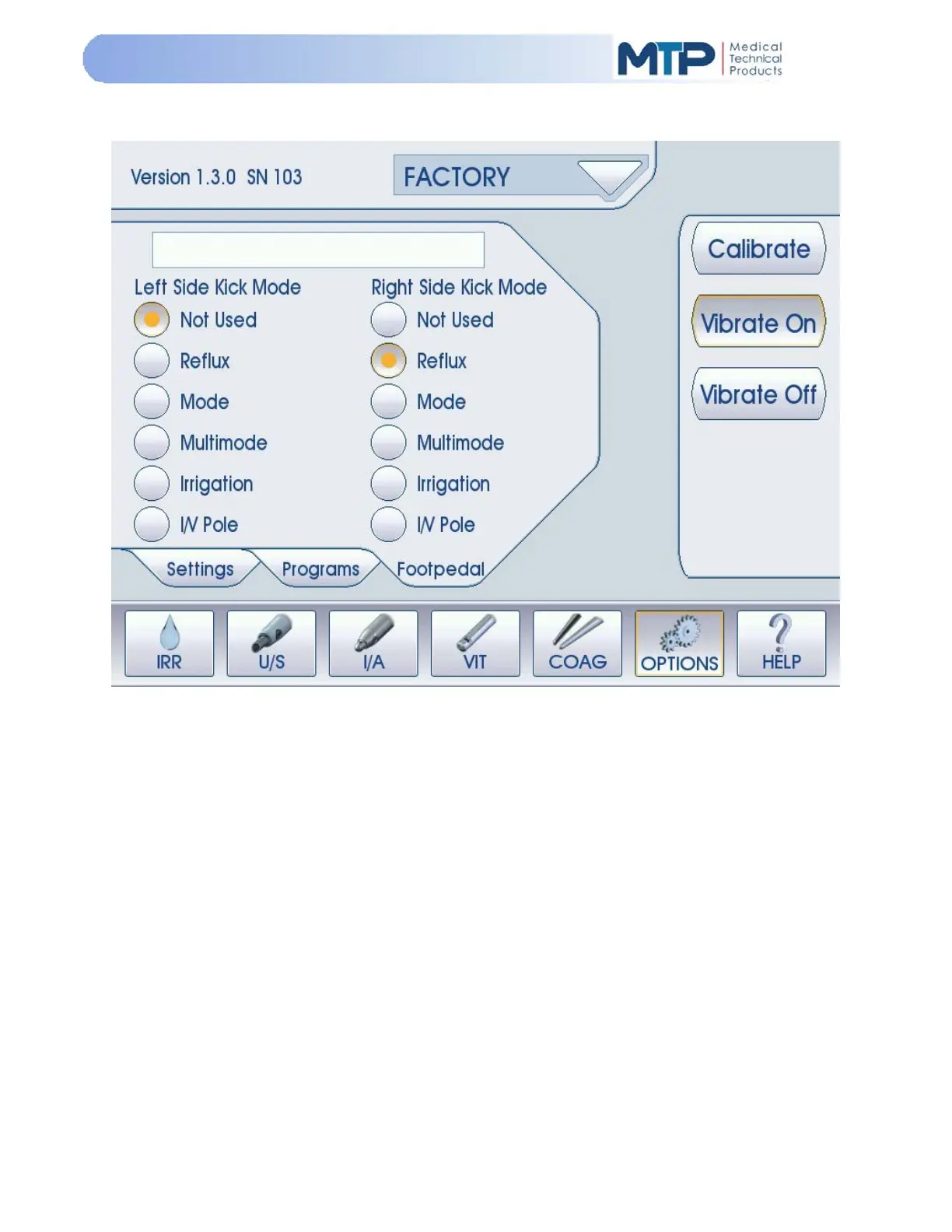
5.9.16 FOOT PEDAL MODE
The Foot Pedal Mode allows the user to select a variety of operational functions that are specific to
the foot pedal actuation during the operation of the Model 3000. Refer to Section 3.6, Section 4.1, and
FIGURE 4-5 for foot pedal description.
Calibrate: Pressing the Calibrate soft-key will enter into Foot Pedal Calibration
(See Section 5.9.17 Foot Pedal Calibration Procedure).
Vibrate ON: Pressing the Vibration ON soft-key enables tactile feedback on the foot pedal.
When depressing the foot pedal between positions 1, 2, and 3, the vibration
motor will be activated.
Vibrate OFF: Pressing the Vibration OFF soft-key disables the tactile vibration feedback on the
foot pedal.


 To Next Page