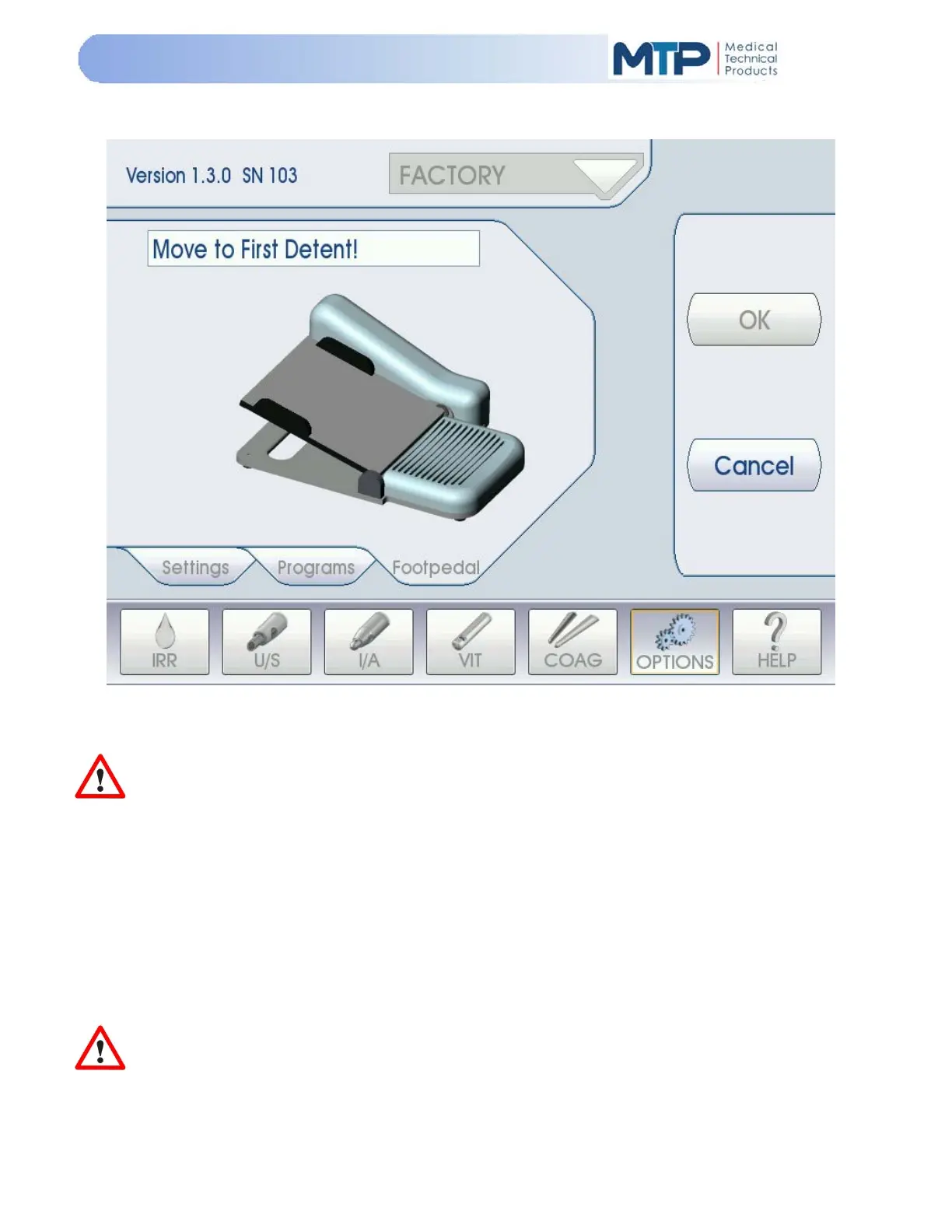
5.9.17 FOOT PEDAL CALIBRATION PROCEDURE
The Model 3000 comes pre-calibrated with the foot pedal included in the original system package.
However, the foot pedal can be recalibrated at any time to the three (3) foot pedal positions you desire.
IMPORTANT: The foot pedal should always be recalibrated if there is a problem with the
operation of the foot pedal, or if the foot pedal has been repaired or replaced.
For recalibrating the foot pedal, perform the following steps:
5.9.17.1 Press the power switch on the back panel to the “ON” position.
5.9.17.2 Wait for the system to boot up to the U/S Phaco screen (default).
5.9.17.3 Press the “OPTIONS” soft-key at the bottom of the screen.
5.9.17.4 Press the “Footpedal” tab.
5.9.17.5 Press the “Calibrate” soft-key on the right-hand side of the OPTIONS screen.
IMPORTANT: The foot pedal calibration procedure must be completed in its entirety
once it has
been started. If you do not want to carry out the procedure, press the “Cancel” soft-key to exit
the procedure.


 To Next Page