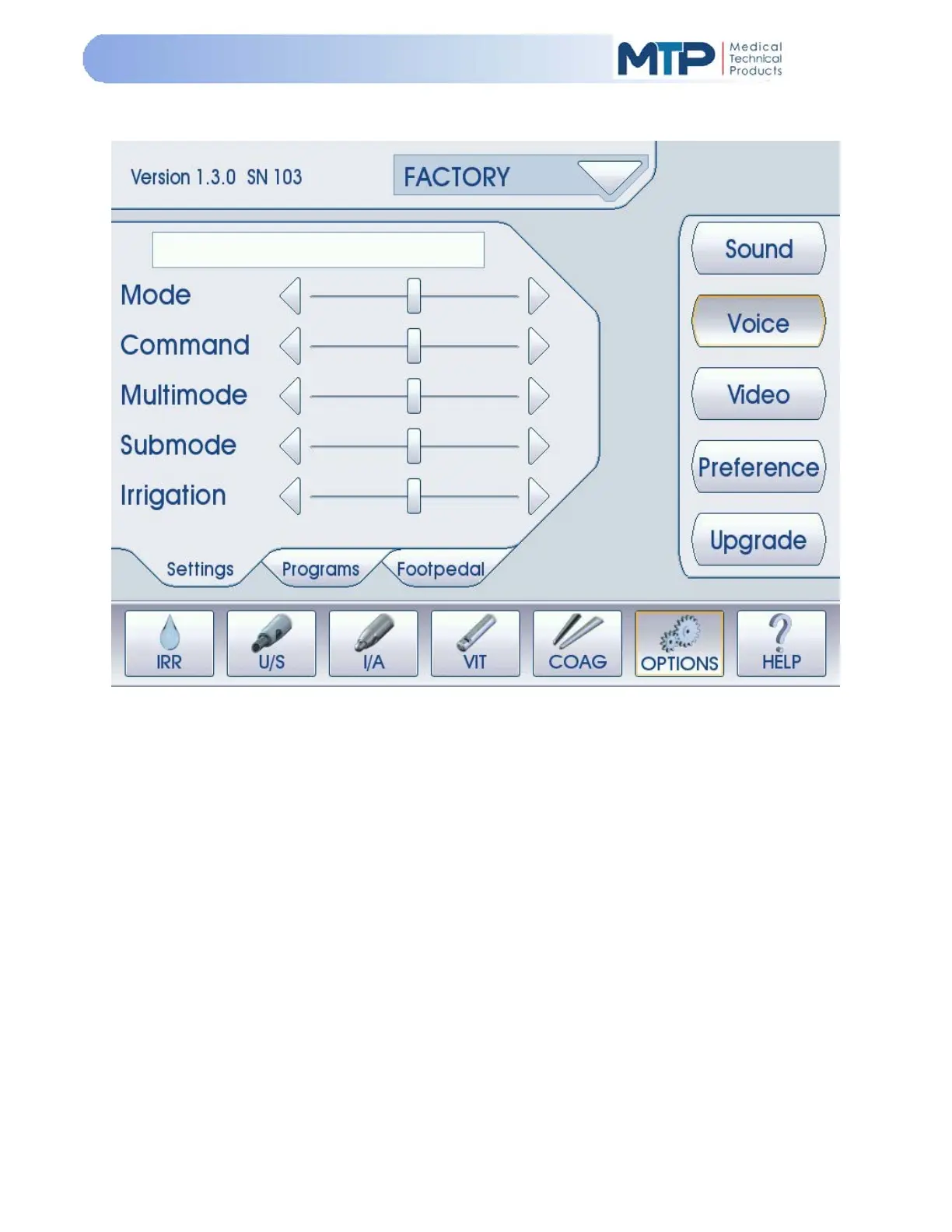
5.9.10 VOICE
The Voice Mode allows the user to set their preferences for the audible voice indicators. The Voice
indictors are used to state the changes selected to the following areas:
Mode: Controls the voice volume for the MODE soft-keys at the bottom of the screen
(IRR, U/S, I/A, VIT, COAG, OPTIONS, HELP)
Command: Controls the voice volume for all soft-keys on the right side of the screen.
Multimode: Controls the voice volume for the soft-keys at the top of the screen. (U/S
Phaco Multimodes 1, 2, 3; I/A Multimodes I/A1, I/A2, Cap Vac.)
Submode: Controls the voice volume for the “tabs” in the following modes:
(U/S Phaco: Normal, Burst, Micro; OPTIONS: Settings, Programs, Footpedal)
Irrigation: Controls the voice volume for the Irrigation (IRR) soft-key just below the
PROGRAM soft-key at the top of the screen.
(On all modes except COAG)


 To Next Page