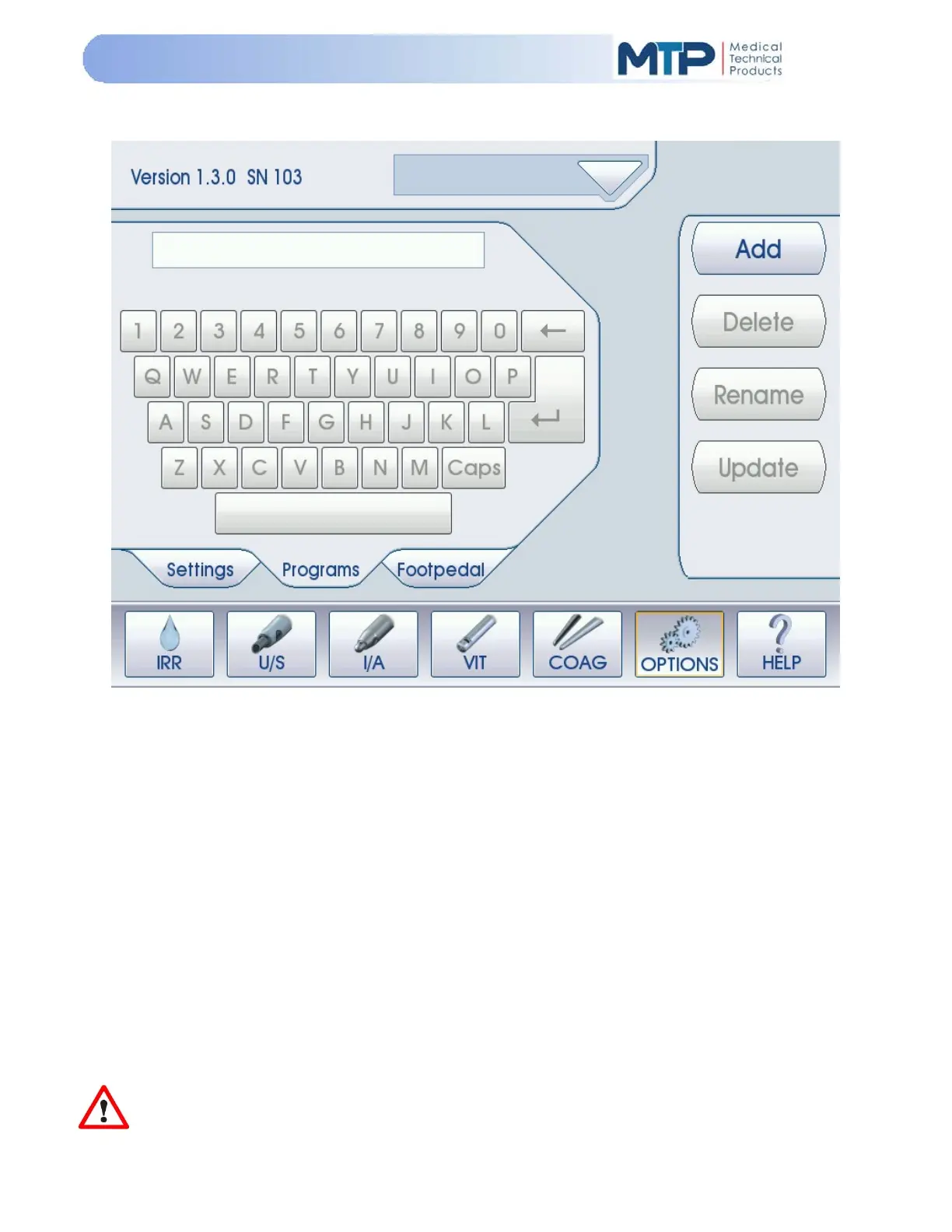
5.9 OPTIONS MODE
5.9.1 PROGRAMS MODE
The Programs Tab in the Options menu allows the user to edit and save all parameters in all
modes in one easy access location. Twenty-four (24) programs can be created and stored long-
term at any given time.
The Programs Mode allows the user to perform the following programming functions:
System Overview
System Setup
System Settings
System Operation
System Cleaning and Storage
System Troubleshooting
An alphanumeric keyboard appears on the Programs Tab of the Options Menu which allows the
user to enter a custom program name up to 11 characters including spaces.
NOTE: When the system is powered ON, all programs and parameters will default to
their
original FACTORY settings until a custom program is chosen from the “PROGRAM” list by
pressing the DOWN arrow soft-key at the top of the screen.


 To Next Page