Operation
User manual 9000-41011-0200000_hdb_en_20 80 / 92
7.1.5 Mico Pro flex
Schematic wiring dia-
gram
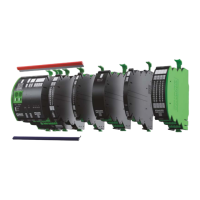
Fig. 7-9: Schematic wiring diagram
7.2 Adjust
7.2.1 Mico Pro fix
Connecting and discon-
necting consumer cir-
cuits
There are 3 options
ATTENTION:
- If a consumer circuit (channel) is disconnected manually using the "ON/
OFF" button, it can only be reconnected manually by means of the "ON/
OFF" button.
- If a consumer circuit (channel) is disconnected via the "CTRL" terminal, it
can only be reconnected via the "CTRL" terminal.
Manually
Connect and disconnect by means of the "ON/OFF" button directly
on the consumer circuit (channel)
Signals via control inputs
On the Mico Pro PM module, connect all consumer circuits (channels)
after an overload in the complete system via the "ON" terminal
On the Mico Pro PM module, disconnect and connect all consumer cir-
cuits (channels) via the "CTRL" terminal
Fig. 7-8: Operation overview
1ON/OFF LED indication
ON/OFF button
2 LED indication
1 ... 10 I
out
or 11 ... 20 I
out
markable optical fiber
1 ... 10 I
out
or 11 ... 20 I
out
3Set button
4CTRL terminal
5ON terminal
690-% terminal
7Alarm terminal


 To Next Page
 Loading...