MX Series Voice Gateway User Manual
New Rock Technologies, Inc. 119
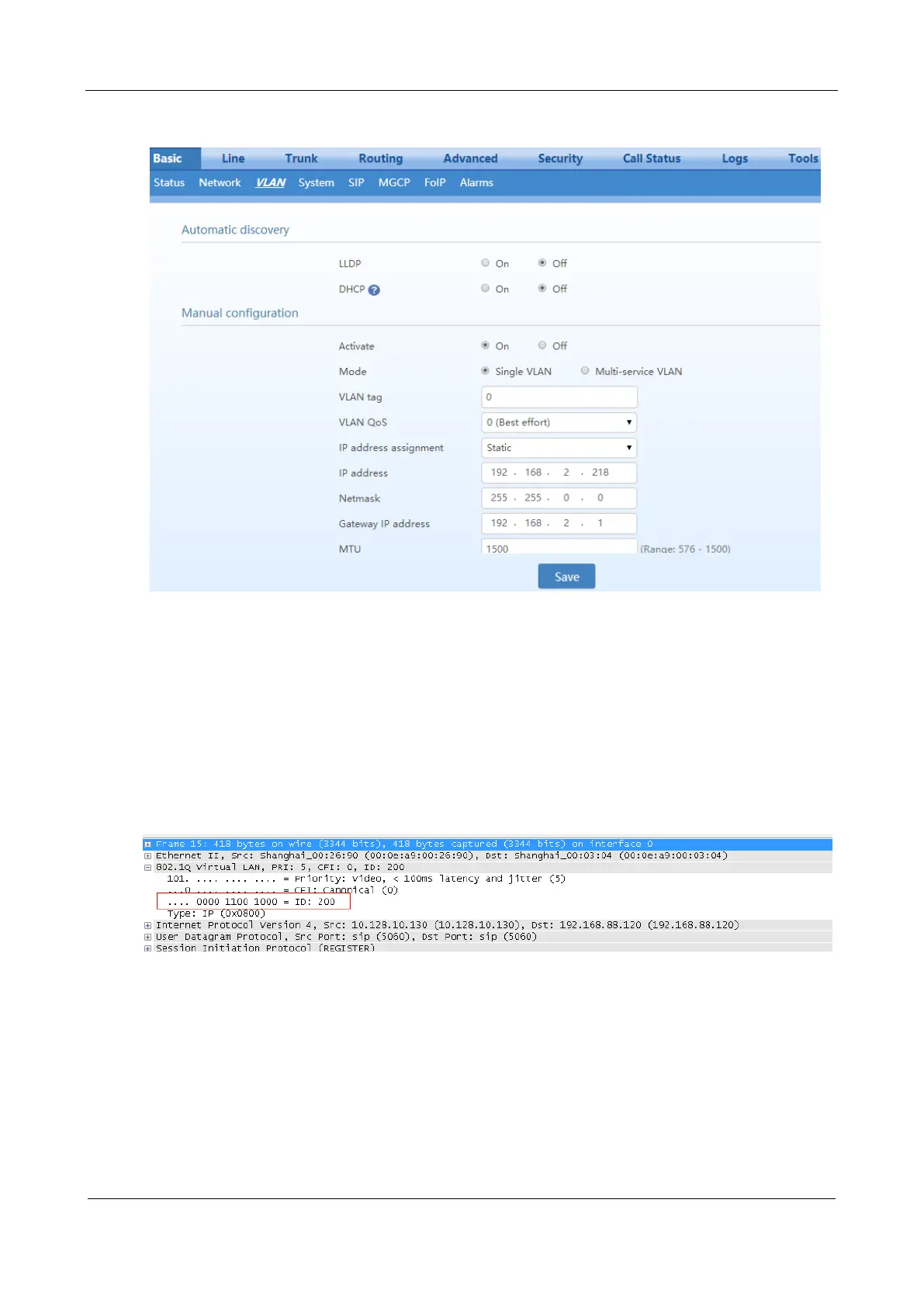
Figure 3-91 Configuring the Single VLAN
Example of Single VLAN
Configure the device to work in single VLAN mode with a corresponding VLAN tag of 200, and restart
the device. Check that all data packets sent by the device carry a VLAN ID 200, as shown in Figure 3-92.
Figure 3-92 A Data Packet Carrying a Corresponding VLAN Tag in the Single VLAN Mode
3.2.2 Multi-Service VLAN
In the multi-service VLAN mode, the device can configure a VLAN tag, a priority for the voice service
(SIP signaling and RTP/T.38 media stream), and a management service (HTTP/HTTPS, Telnet,). The
device carries a different VLAN tag in data packets for different services. In this mode, the physical
network port of the device can have a separate address or obtain an address from a non-VLAN network.



 To Next Page