User Manual MX Series Voice Gateway
48 New Rock Technologies, Inc.
Using notify instead of
401/402
Set whether the gateways report “offhook events” to replace 401 messages in NTFY or
report “on-hook events” to replace 402 messages in NTFY when responding to messages
sent by the proxy server. Default not selected.
Selected: the gateways will use NTFY messages to replace 401 and 402 messages.
No name in default package
Select if a package name is included when the gateways reply to the default package.
Default not selected.
Keep connection when on-
hook
Select if the gateways actively cancel connection disconnect when subscribers hook on.
Default not selected.
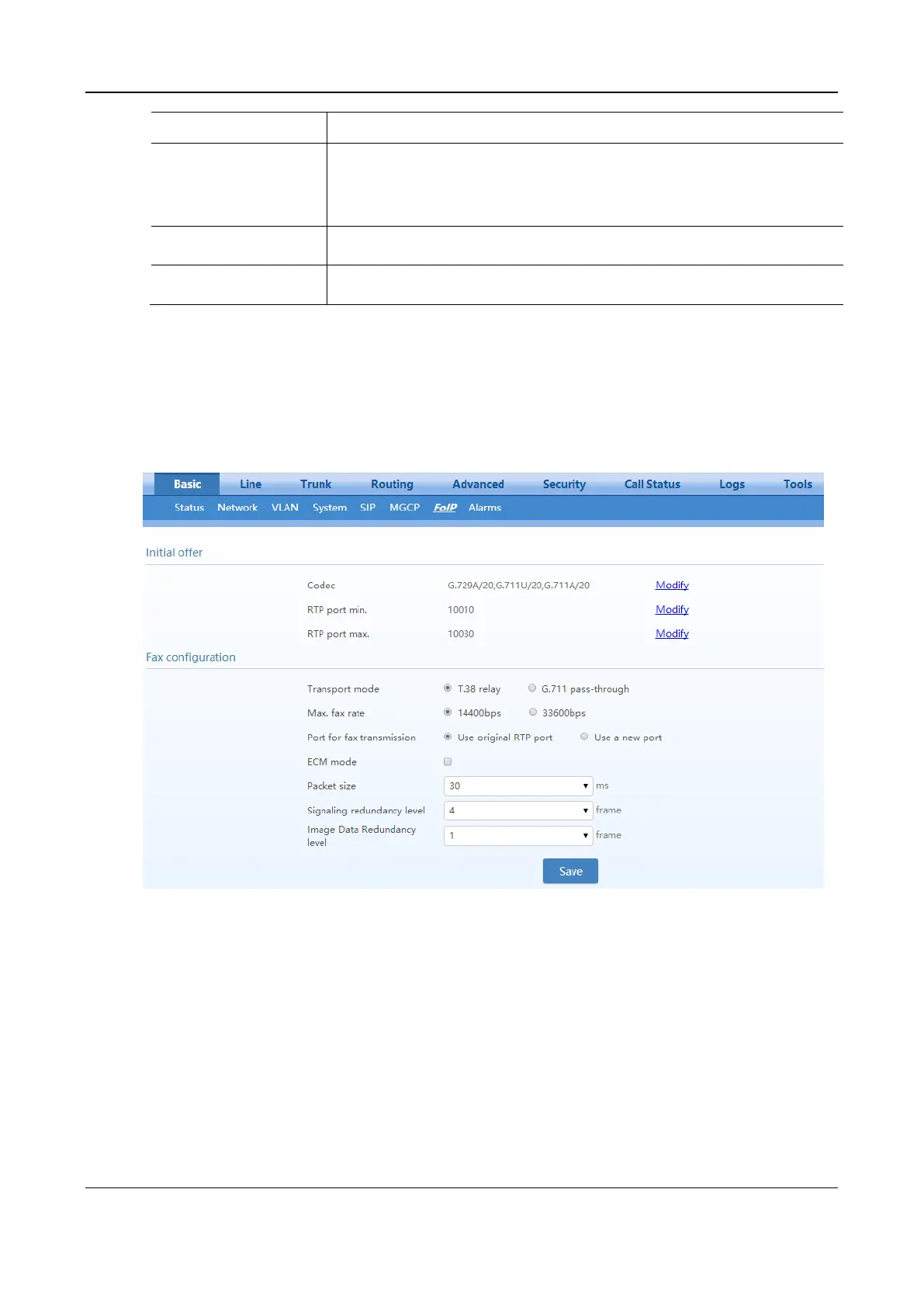
2.2.9 FoIP
After login, click Basic>FoIP to open this interface.
Figure 2-28 Fax Configuration Interface (HX4E/MX8A)



 To Next Page