MX Series Voice Gateway User Manual
New Rock Technologies, Inc. 59
Configure ring
patterns for ring
cadence 1
Configure ring patterns for ring cadence 1.
e.g. 1: if the ring patterns are set to 2, 500, 500, 1000, 3000, the ringing cadence is 0.5s on, 0.5s
off; 1s on, 3s off.
e.g. 2: if the ring patterns are set to 2000, 4000, the ringing cadence will be 2s on, 4s off.
Match with ring cadence 2.
Configure ring
patterns for ring
cadence 2.
Configure ring patterns for ring cadence 2. It is used with Alert-Info 2.
Match with ring cadence 3.
Configure ring
patterns for ring
cadence 3
Configure ring patterns for ring cadence 3
Match with ring cadence 4.
Configure ring
patterns for ring
cadence 4
Configure ring patterns for ring cadence 4. It is used with Alert-Info 4.
2.4 Trunk
2.4.1 Phone Number
Only a gateway with FXO ports can display this interface.
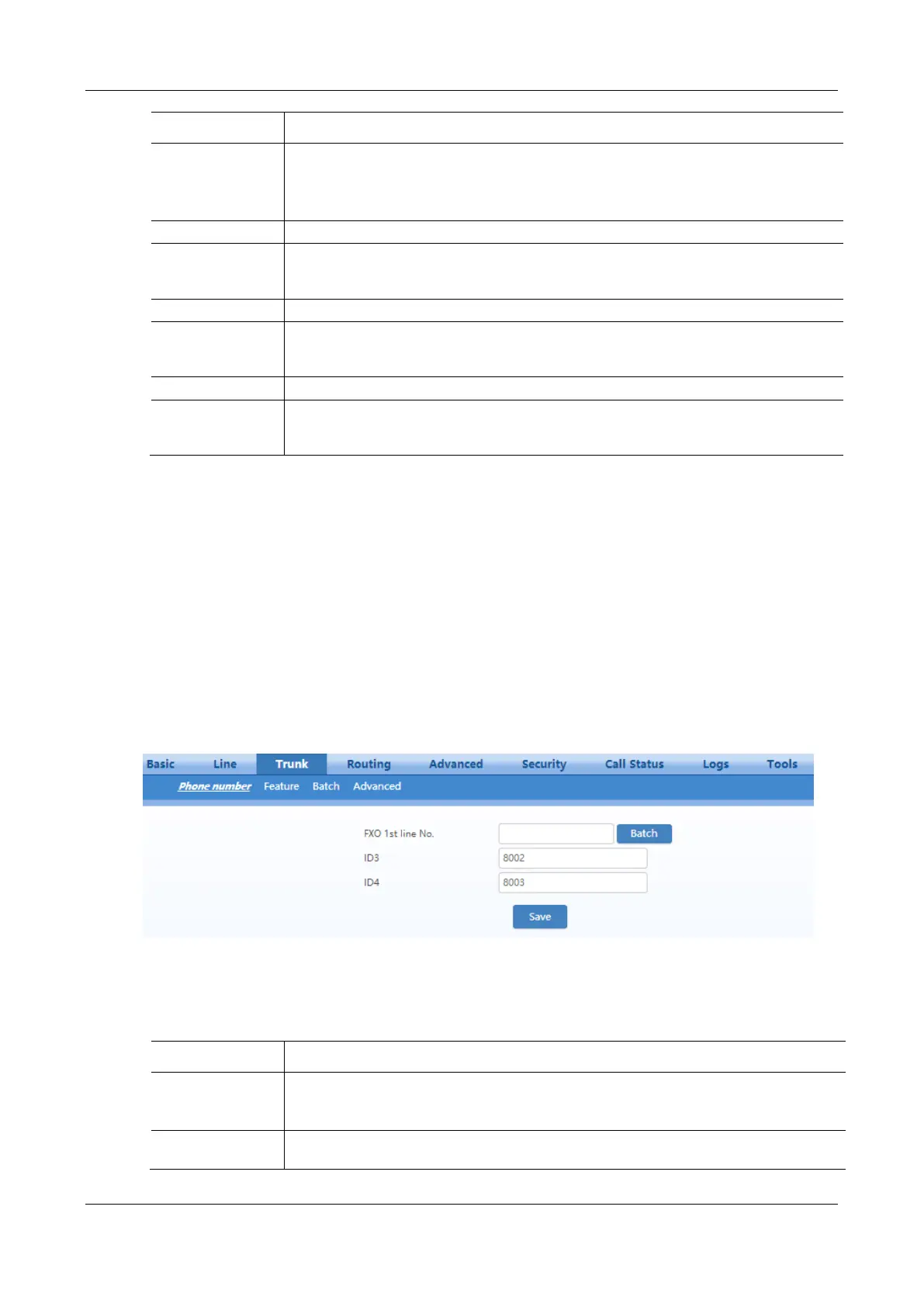
After login, click Trunk > Phone number to open the configuration interface.
Figure 2-36 Phone Number Configuration Interface
Table 2-16 Configuration Parameters of FXO Phone Number
This number is used for the batch setup of trunk line.
Click Batch after filling in initial number, the number of Line 1 adopts initial number; that of
Line 2 increases 1 progressively based on that of Line 1, and so on.
Fill in the telephone number associated with the trunk n (FXO port). This should be manually
performed if Batch mode is not used.



 To Next Page