MX Series Voice Gateway User Manual
New Rock Technologies, Inc. 91
If this parameter is selected, terminals are allowed to access the device through SSH. It is not
selected by default.
When accessing the device through SSH, you should login with user operator, and use su root
command to change to user root.
Please disable SSH in time after accessing is finished.
Set the SSH port for the device. The default value is 22.
Set password of user root or operator. Password must meet the following requirements:
6 to 20 characters
At least the two of following: English letters, numbers, and symbols
Excluding & = “
Block or unblock the Ping requests. The device block the ping requests by default.
2.7.2 Access list
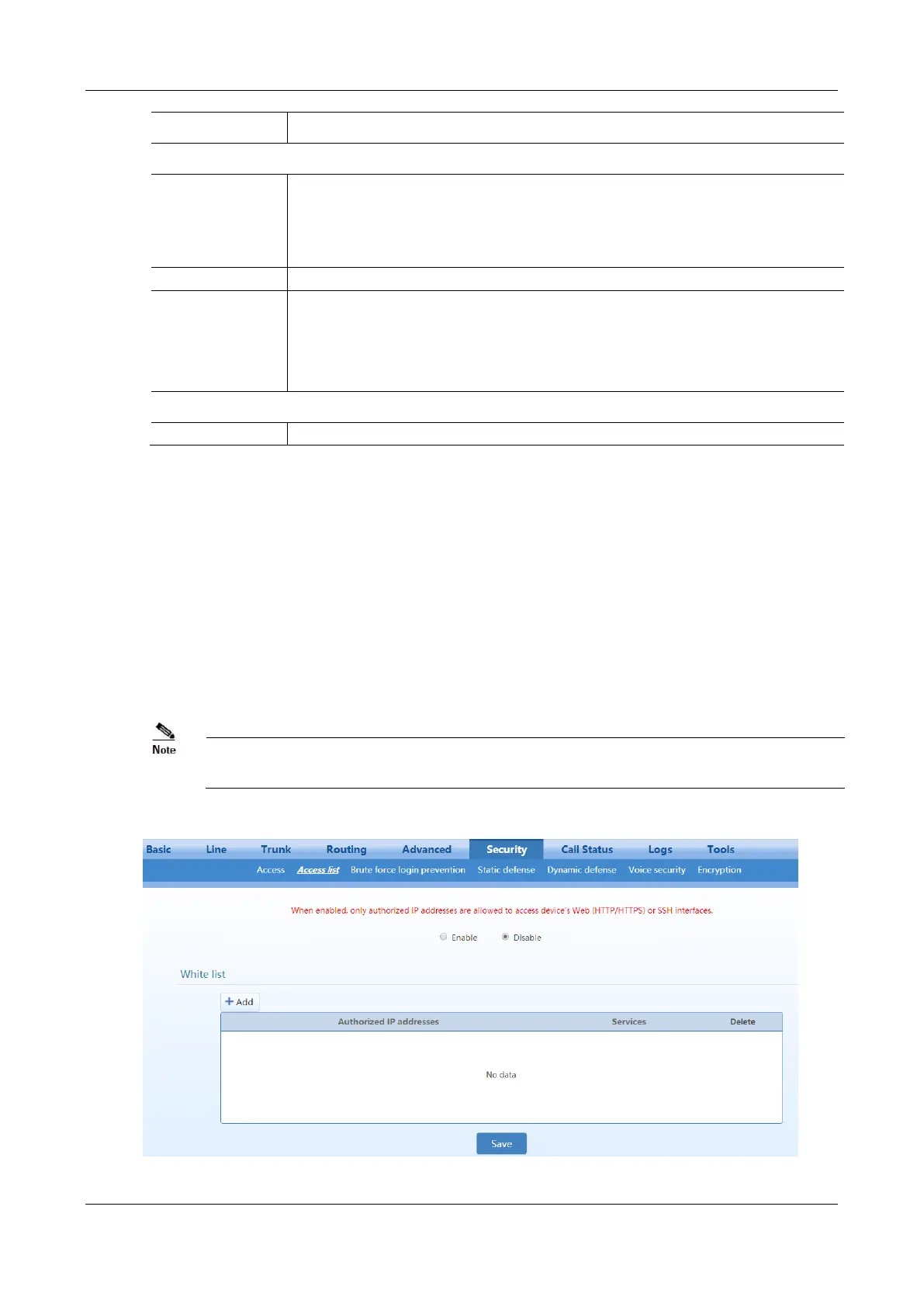
Access list is used to specify the source addresses which are allowed to access the device through Web GUI
(HTTP/HTTPS) or SSH.
After login, click Security>Access list to open the configuration interface.
Once access list is enabled, only addresses specified here are allowed to access the device through Web GUI
or SSH.
Figure 2-56 Access list configuration Interface



 To Next Page