MX Series Voice Gateway User Manual
New Rock Technologies, Inc. 63
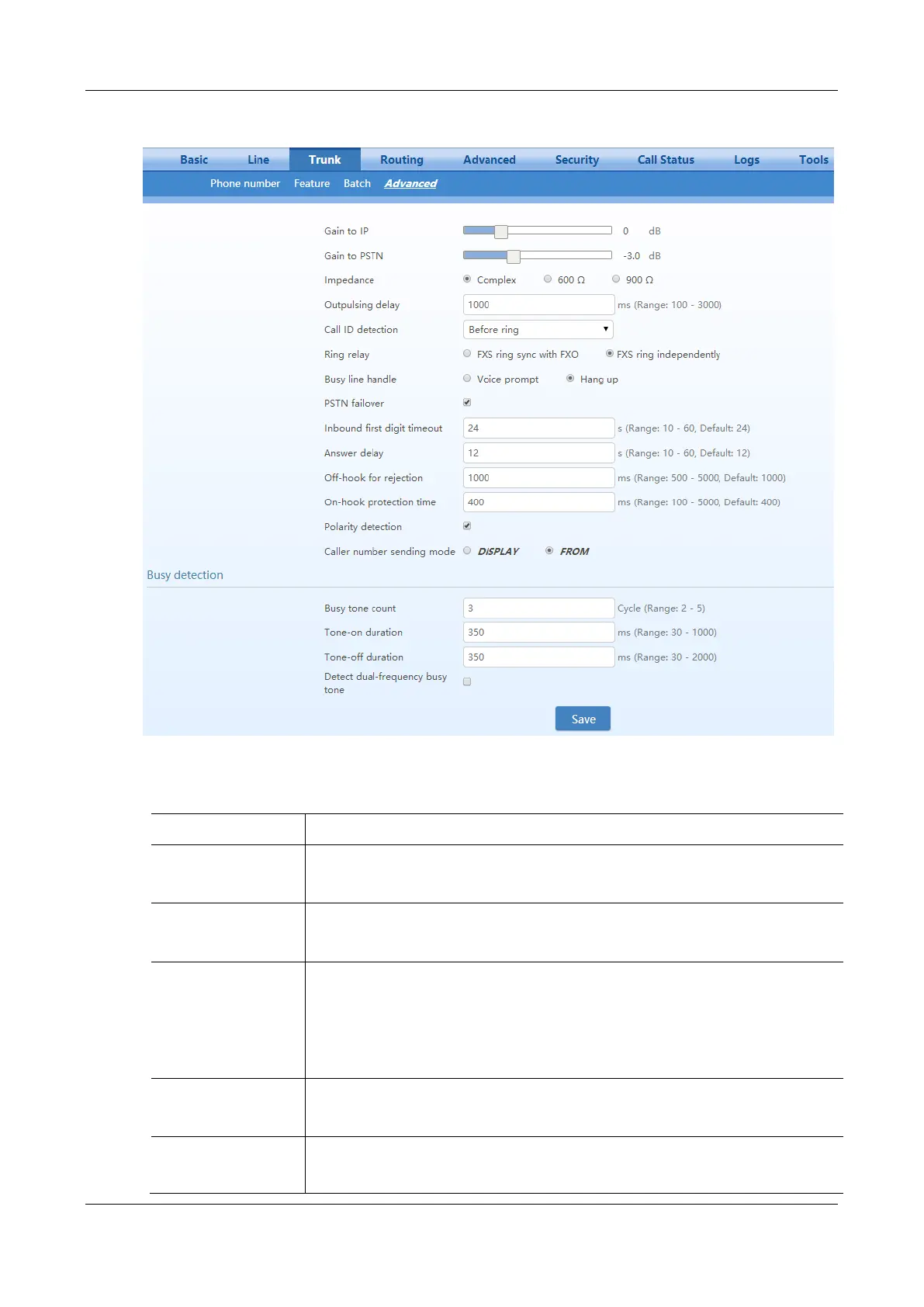
Figure 2-39 Trunk Characteristics Configuration Interface
Table 2-18 Trunk Characteristics Configuration Parameter
Adjust the volume of the voice sent from the PSTN to the device.
Increase the value when the volume received by internal party is low.
Range: -3.0 - +9.0 dB. It is set to 0 dB by default.
Adjust the voice volume sent from the device to the PSTN.
Increase the value when the volume received by external party is low.
Range: -6.0 - +3.0 dB.
Set the parameter of FXO impedance, with the default of 600 ohm. The optional settings are
below:
Complex (default value)
600 (ohm)
900 (ohm)
Set the time interval between the FXO going off-hook and the outpulsing of the first digit to
the PSTN. The default is 600 in milliseconds.
Note: This parameter is used to match the digit receiving response time of the PSTN PBX.
Before ringing;
After ringing. The After ringing mode is generally used.



 To Next Page