User Manual MX Series Voice Gateway
94 New Rock Technologies, Inc.
Figure 2-58 Brute Force Login Prevention (Lockout IP Addresses) Interface
Table 2-36 Brute Force Login Prevention (Lockout IP Addresses) Information
Indicates a locked IP address.
Indicates the date when an IP address is locked.
Indicates the login method of the locked IP address (Web or SSH).
You may perform the following maintenance operation:
Delete : Remove the IP address from the locked list.
2.7.4 ACL-based Traffic Filtering
Access Control List (ACL) based filtering provides predictable traffic filtering. You can configure filtering
rules to allow or deny receiving packets from specified IP addresses to certain ports on the device. For
example, if a remote host (with the IP address x.x.x.x) allowed to connect to a certain service using port X,
create an ACCEPT rule to allow traffic from IP x.x.x.x destined to port X on MX.
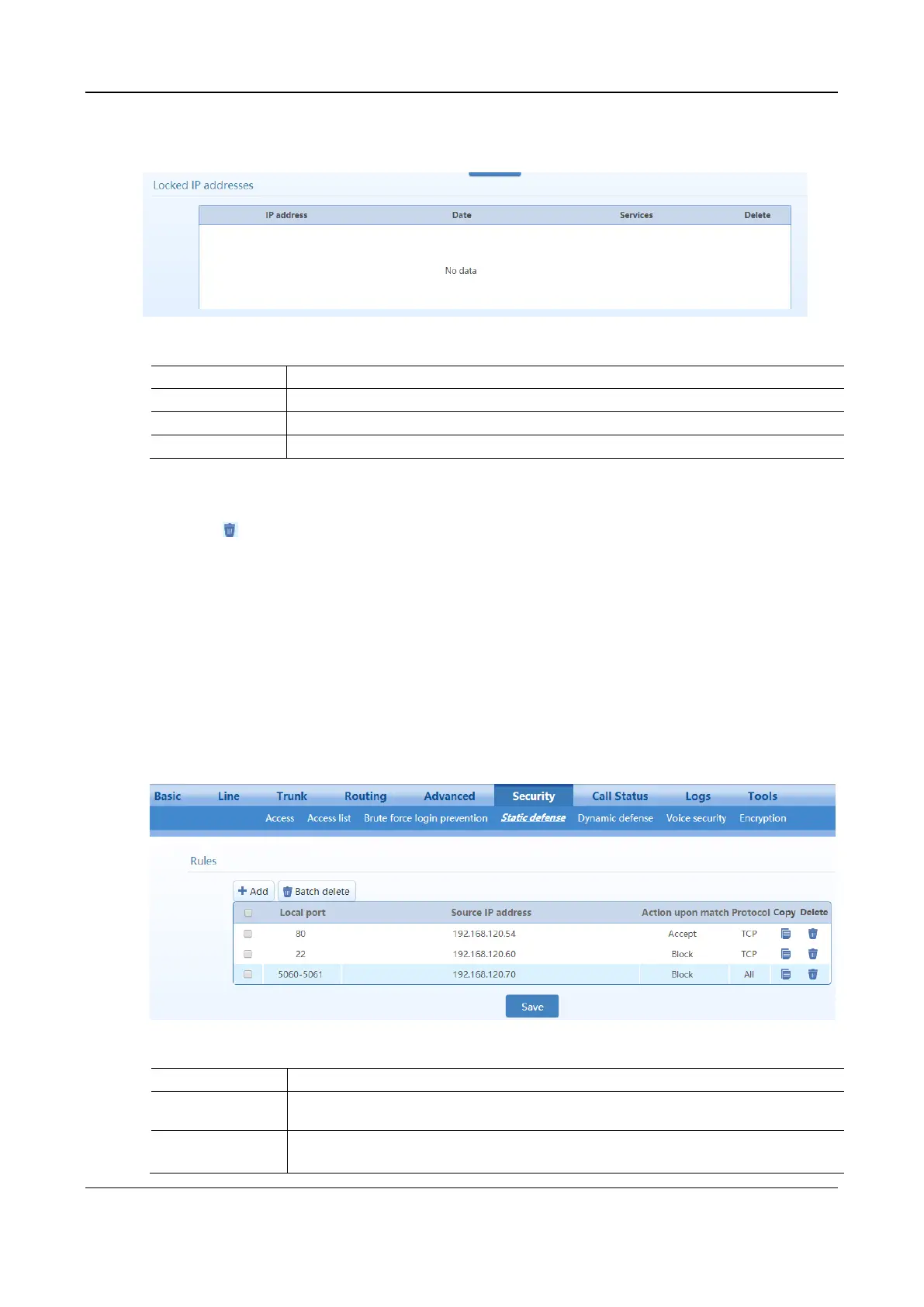
After login, choose Security > Static defense to go to the configuration interface.
Figure 2-59 Static Defense Configuration Interface
Table 2-37 Static Defense Configuration Parameters
Specify whether to receive or block data packets when the specified conditions are matched
(source IP address, local port, protocol).
Specify the local port range of the device for receiving data packets.
Range is 0 to 65535.



 To Next Page