MX Series Voice Gateway User Manual
New Rock Technologies, Inc. 37
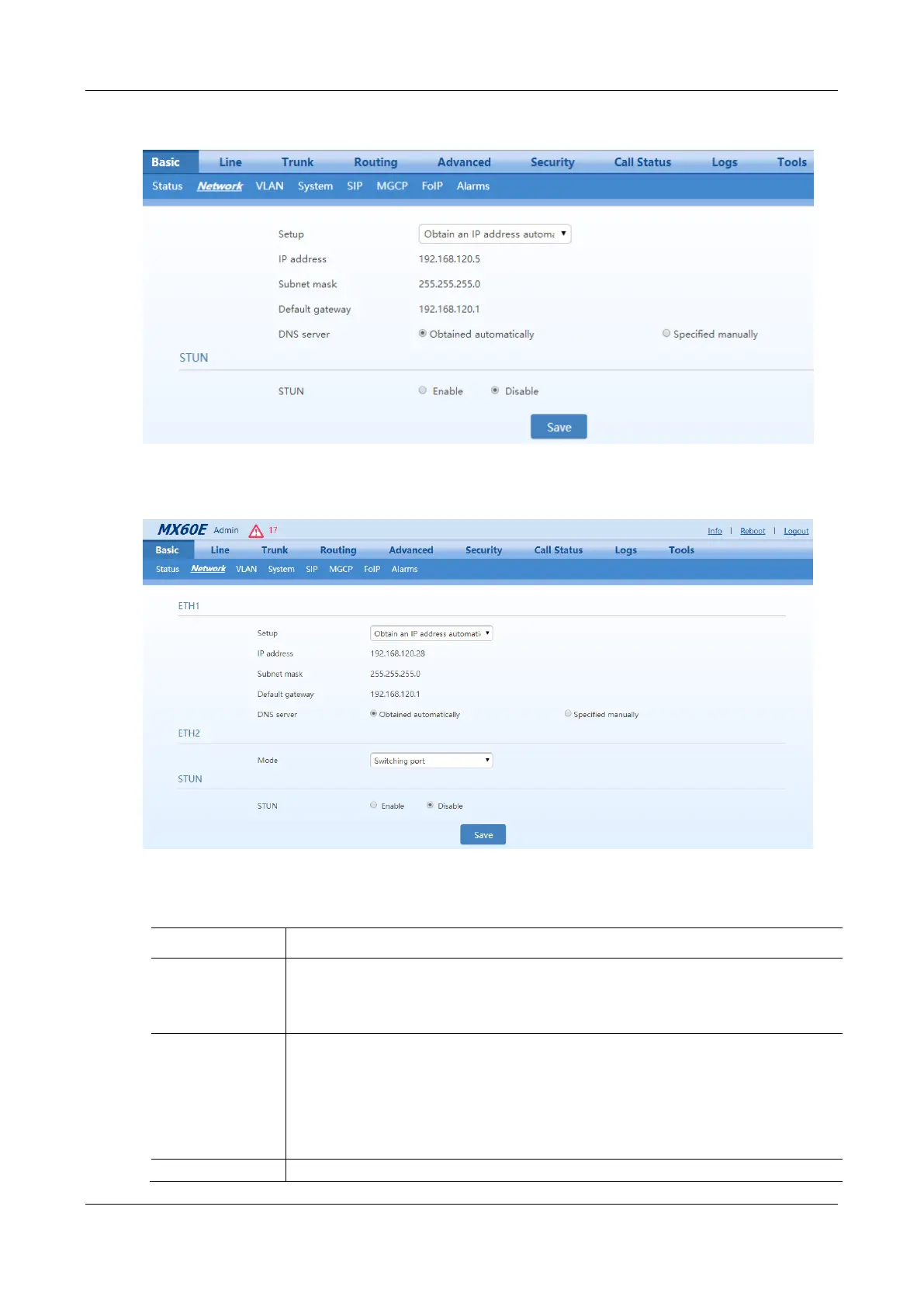
Figure 2-20 Network Configuration Interface (HX4E/MX8A)
Figure 2-21 Network Configuration Interface (MX60/MX60E/MX120G)
Table 2-3 Network Configuration Parameters
ETH1 configurations.
MX60, MX60E, and MX120G each have two network ports: ETH1 and ETH2.
HX4E and MX8A each have only one network port.
Methods for obtaining an IP address.
Static IP address: static IP address is used;
Obtain an IP address automatically: use the dynamic host configuration protocol (DHCP) to
obtain IP addresses and other network parameters;
PPPoE: PPPoE service is used.
Enter an authentication user name if PPPoE service is selected, and there is no default value.



 To Next Page