NG-MB1/NG-MB2 User Manual
Page | 22 Copyright©2022 NGTeco. All rights reserved.
3.2 Employee
Users can make attendance punch through face/fingerprint/card number★ /password
verification methods. For further details, please refer to 2.5 Verification Modes
.
4 Main Menu
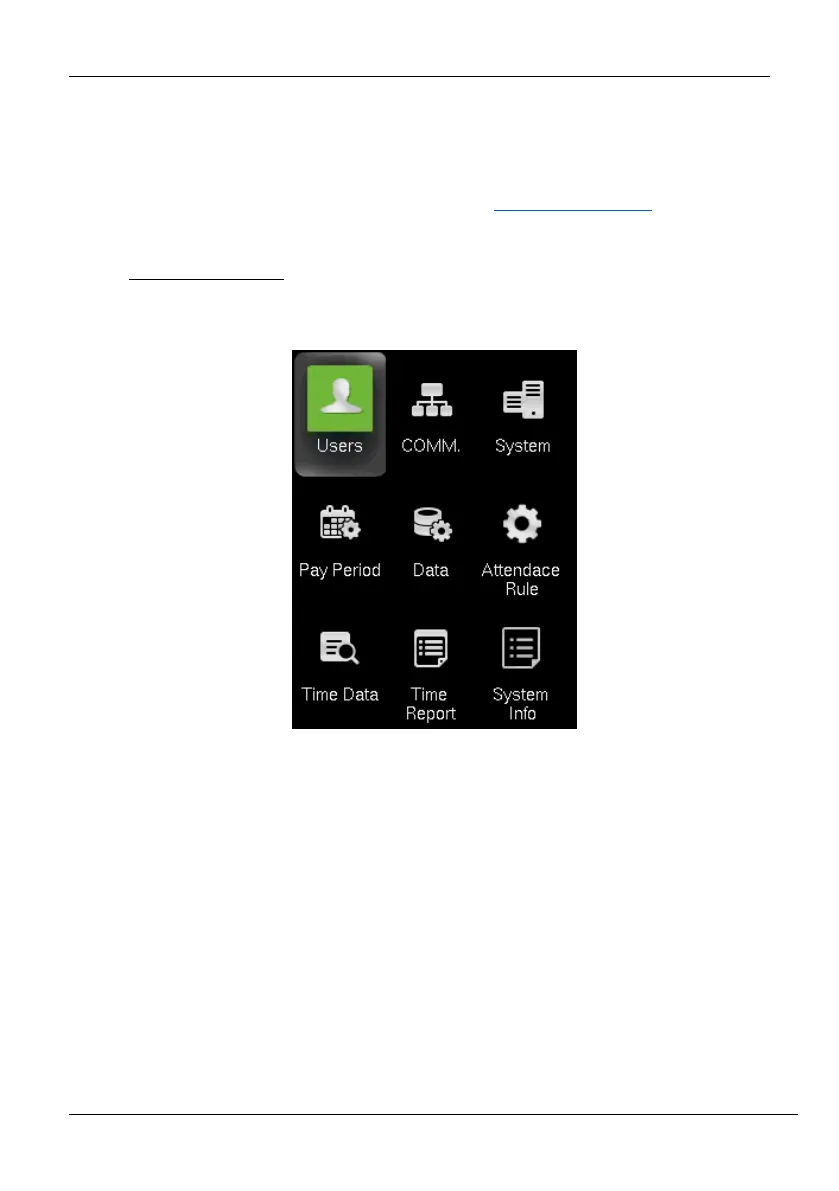
The device comprises the following menu. Long press 3s <M/OK> to enter the menu.
Function Definition:
Users (User Management): Add, Edit, and Delete user’s information, including User ID, Frist
Name, Last name, User role, Verification mode. Use the USB disk to Upload or Download the
user’s function.
Comm. (Communication Settings): Set the communication parameters between device
and PC, such as DHCP, IP Address, Subnet mask, Gateway, Wi-Fi, WIFI setup by USB, set the
App connection.
System: Set the system parameters, such as Date Time, Face parameters, Autotest, Reset,
Firmware Upgrade and Help Menu.



 To Next Page