NG-MB1/NG-MB2 User Manual
Page | 37 Copyright©2022 NGTeco. All rights reserved.
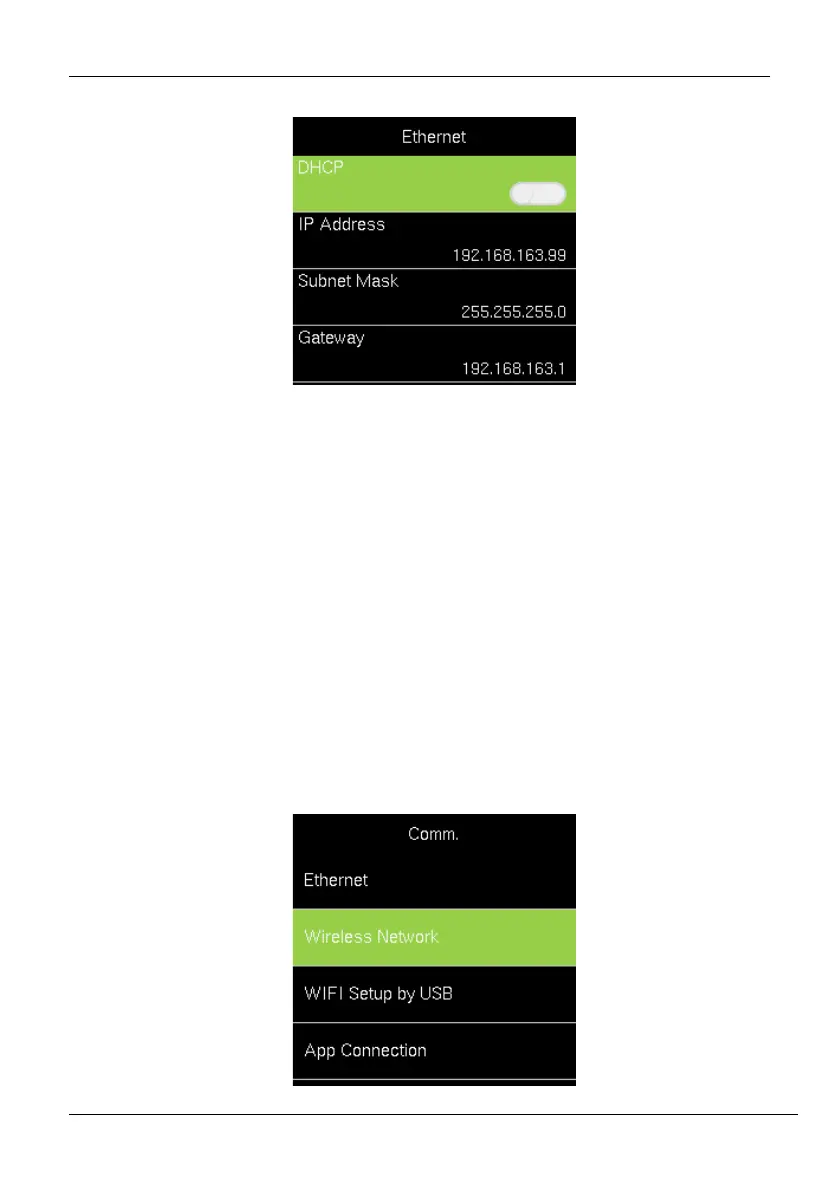
2. Set Ethernet parameters.
Enable DHCP: Dynamic Host Configuration Protocol, which is used to allocate
dynamic IP addresses to clients by a server.
IP Address: Modify if necessary. It cannot be the same with PC.
Subnet Mask: Modify it if necessary.
Gateway: It is necessary to set an address if the device and PC are in different
network segment. Modify if necessary.
6.2 Manual Wi-Fi Configuration
6.2.1 Connection to an Existing Wi-Fi
The steps to connect to Wi-Fi is given below:
1. Go to [Comm.] then [Wireless Network].



 To Next Page