NG-MB1/NG-MB2 User Manual
Page | 55 Copyright©2022 NGTeco. All rights reserved.
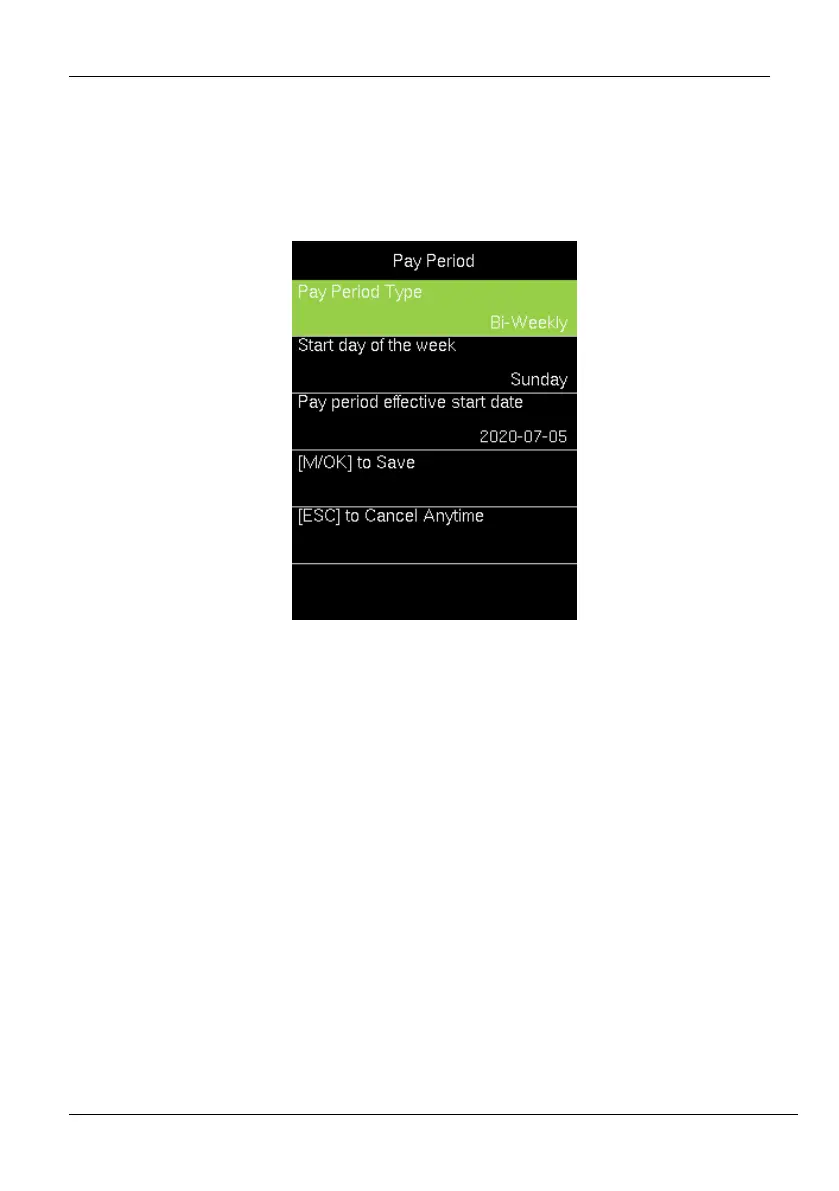
Perform the following steps to set the Bi-Weekly Pay Period:
1. Go to [Pay Period].
2. Press <M/OK> to view the available pay period options.
3. Select [Bi-Weekly Pay Period].
Start day of the Week: It means that the start of the week is counted from this
day.
Pay period effective start date: This date is bi-weekly pay start day.
4. Then press <
> to navigate and set the effective starting date of the pay period.
5. Press <
> to select the start day of the week.
6. Then navigate to [M/OK to Save] and press <M/OK>.
8.3 Semi-Monthly Pay Period
A semi-monthly pay period consists of 24 pay periods in a year. Each month will have exactly
2 pay periods. By default, the first pay period runs from the 1
st
-15
th
date of the month and the
second pay period runs from 16
th
to the last date of the month. (Note: The start day of Semi-
month may vary for each company)



 To Next Page