NG-MB1/NG-MB2 User Manual
Page | 78 Copyright©2022 NGTeco. All rights reserved.
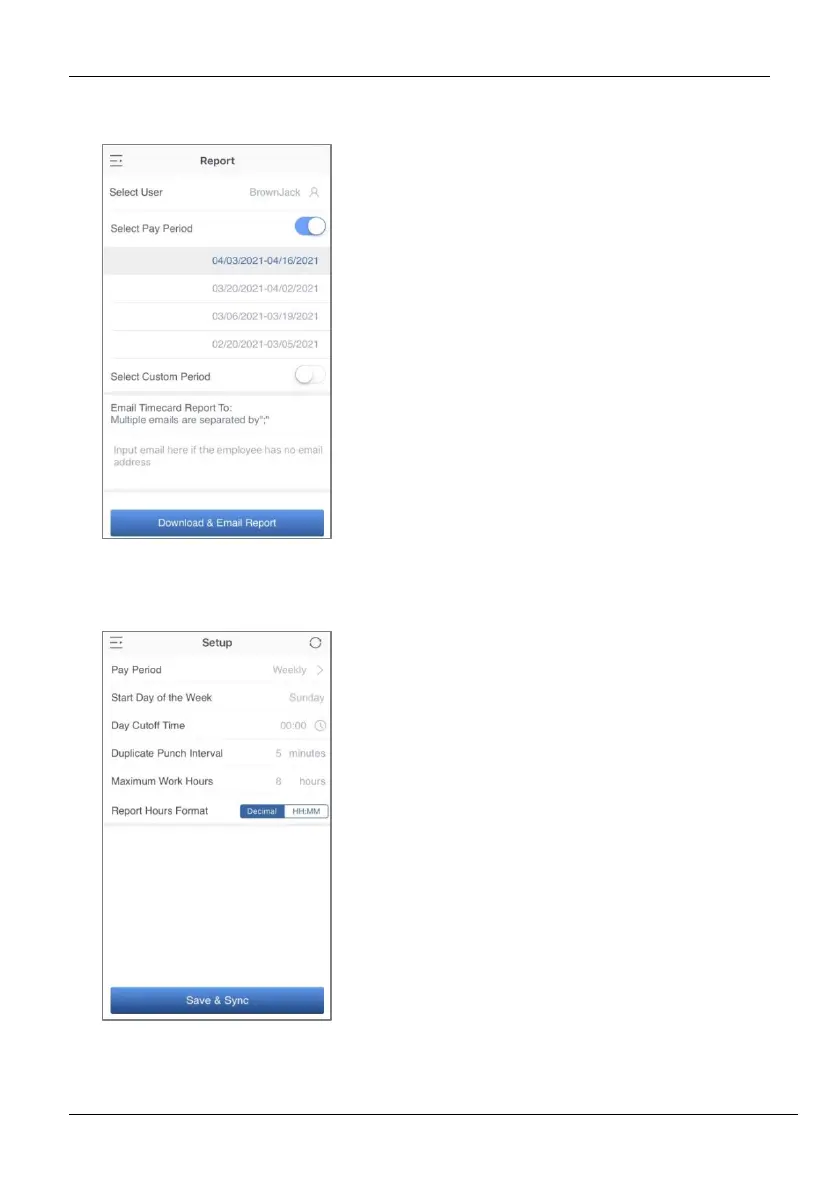
14.3 Download Time Report from App
14.4 Setup Pay Period and Attendance Rule from App
1. Go to Report menu.
2. Select a user or all the users.
3. Select the specific Pay Period.
4. Or, select Custom Period and set a
date range within 31 days.
5. Enter the email addresses.
6. Click Download & Email Report to
generate the time report.
Note: Connection to a computer and
remote download of reports is not
supported.
1. Go to Setup menu.
2. Set the Pay Period.
3. Set the Start Day of the Week.
4. Set the Day Cutoff Time.
5. Set the Duplicate Punch Interval.
6. Set the Maximum Work Hours.
7. Set the Time format for report
generation. Click Save & Sync to
sync the settings to the device.



 To Next Page