NG-MB1/NG-MB2 User Manual
Page | 6 Copyright©2022 NGTeco. All rights reserved.
1 Overview
This document outlines the menu operations of the NG-MB1/NG-MB2. The device provides
convenience for users and minimizes the requirement of the computer skills of users. The
device allows the setting of attendance rules, managing user information, managing user
privileges, setting pay periods, generating timecard reports and attendance logs, etc.
Key Features
Easy to monitor and straight-forward services.
Reduces management cost for attendance related procedures.
Advanced attendance analytics.
Granular visibility into attendance patterns.
Greatly reduces month-end hassles and compliance challenges.
2 Operational Procedure
Note: Press and Hold <M/OK> key for 3 seconds to open the menu.
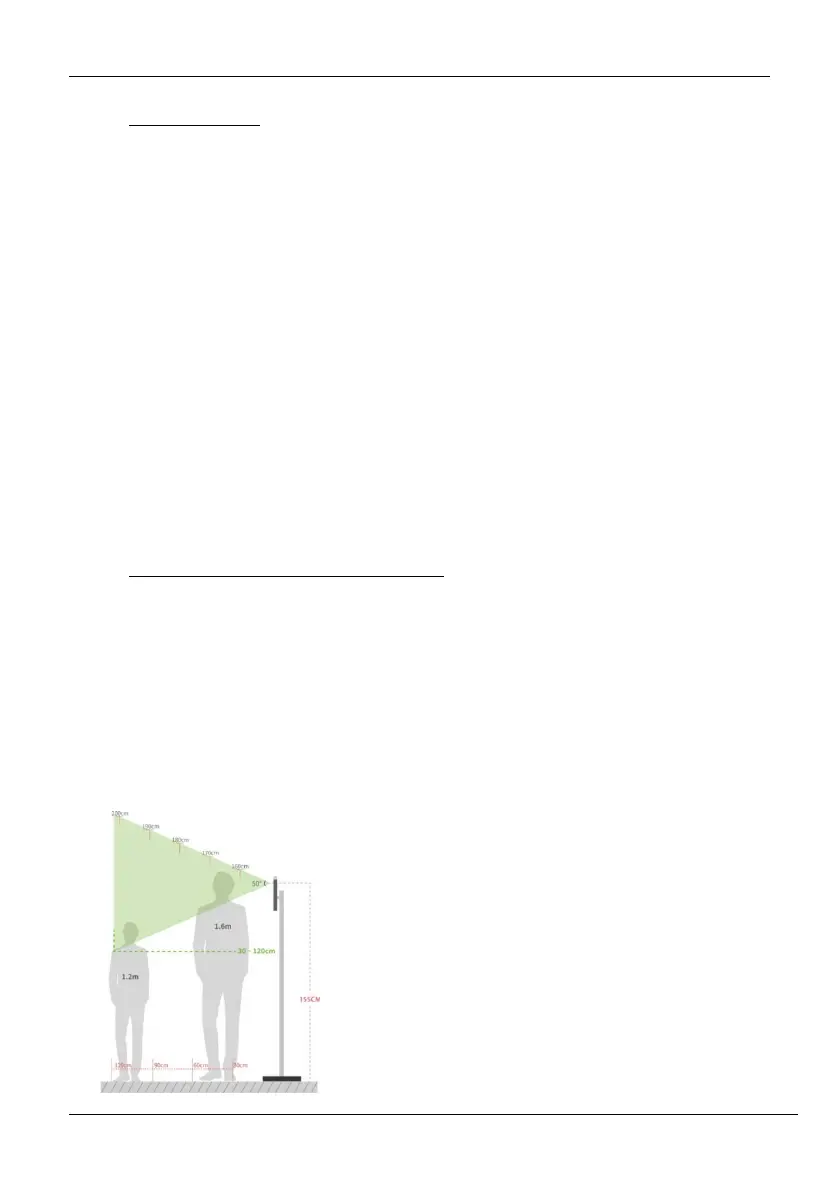
2.1 Standing Position, Posture and Facial Expression
The recommended distance
The distance between the device and a user whose
height is in a range of 1.55m to 1.85m is
recommended to be 0.3 to 2.5m. Users may slightly
move forward or backward to improve the quality
of facial images captured.



 To Next Page