NG-MB1/NG-MB2 User Manual
Page | 24 Copyright©2022 NGTeco. All rights reserved.
5.1 New User Registration
New users in an organization can be added to the device by an Administrator. It includes
simple steps that can be performed without much effort. The steps to add a new user are
given below:
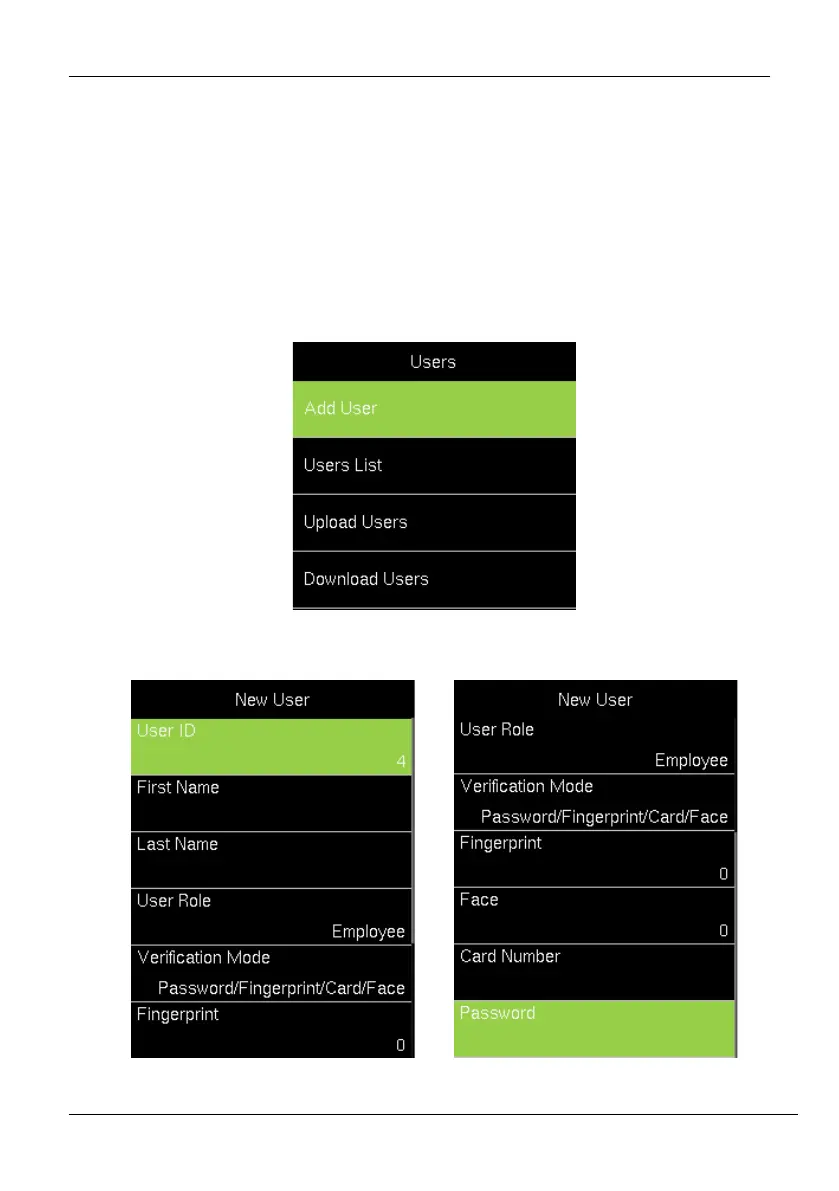
1. Go to [Users] and navigate to [Add User] by pressing the respective navigation key.
The Interface to add a new user will be displayed as shown below:
2. Enter the following details:



 To Next Page