NG-MB1/NG-MB2 User Manual
Page | 77 Copyright©2022 NGTeco. All rights reserved.
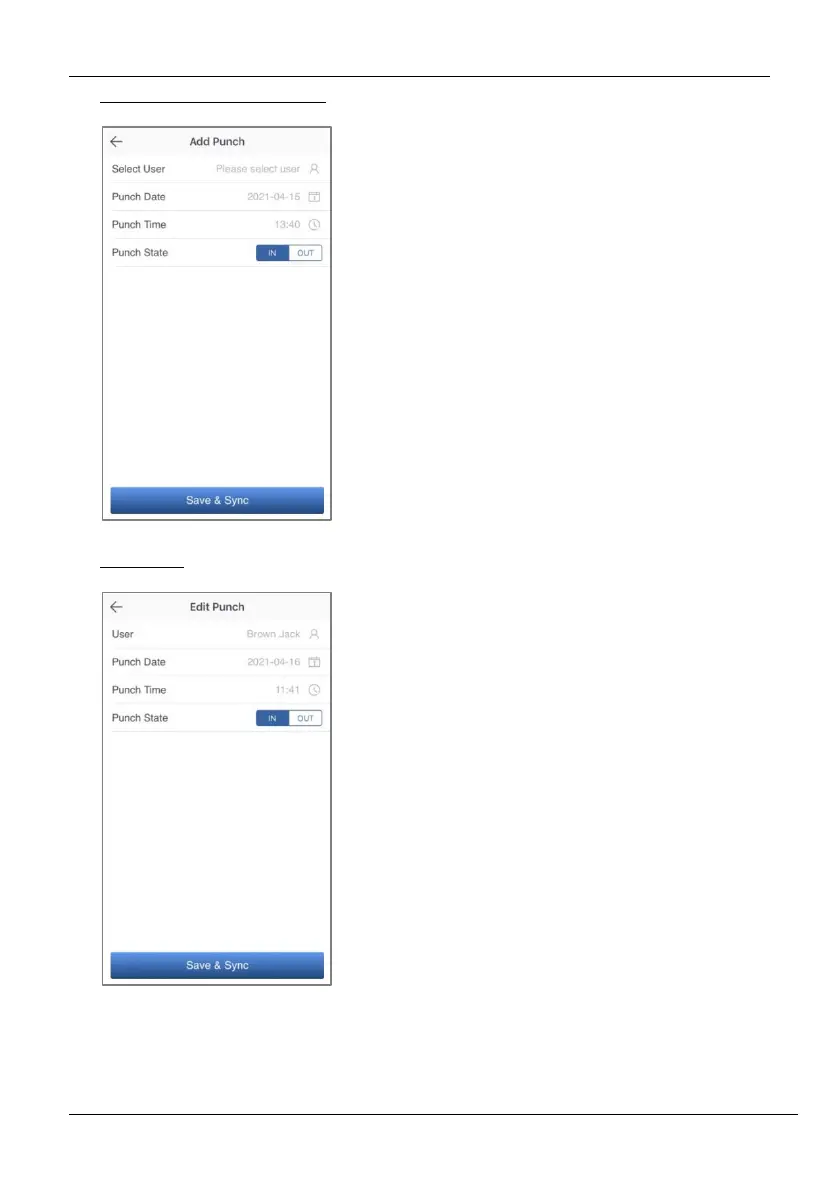
Add Missing Punch from App
Edit Punch
1. Go to Attendance menu.
2. Click the Add Punch icon.
3. Select the user to add the missing
check-in/out.
4. Select the Punch Date and Time.
5. Select the Punch State.
6. Click Save & Sync to sync the
attendance details to the device.
1. Go to Attendance menu.
2. Select the user record you want to
edit, and click the Edit Punch icon.
3. Select the Punch Date and Time.
4. Select the Punch State.
5. Click Save & Sync to sync the
attendance details to the device.



 To Next Page