ENGLISH – 49
10.1.10 ELECTRIC LOCK
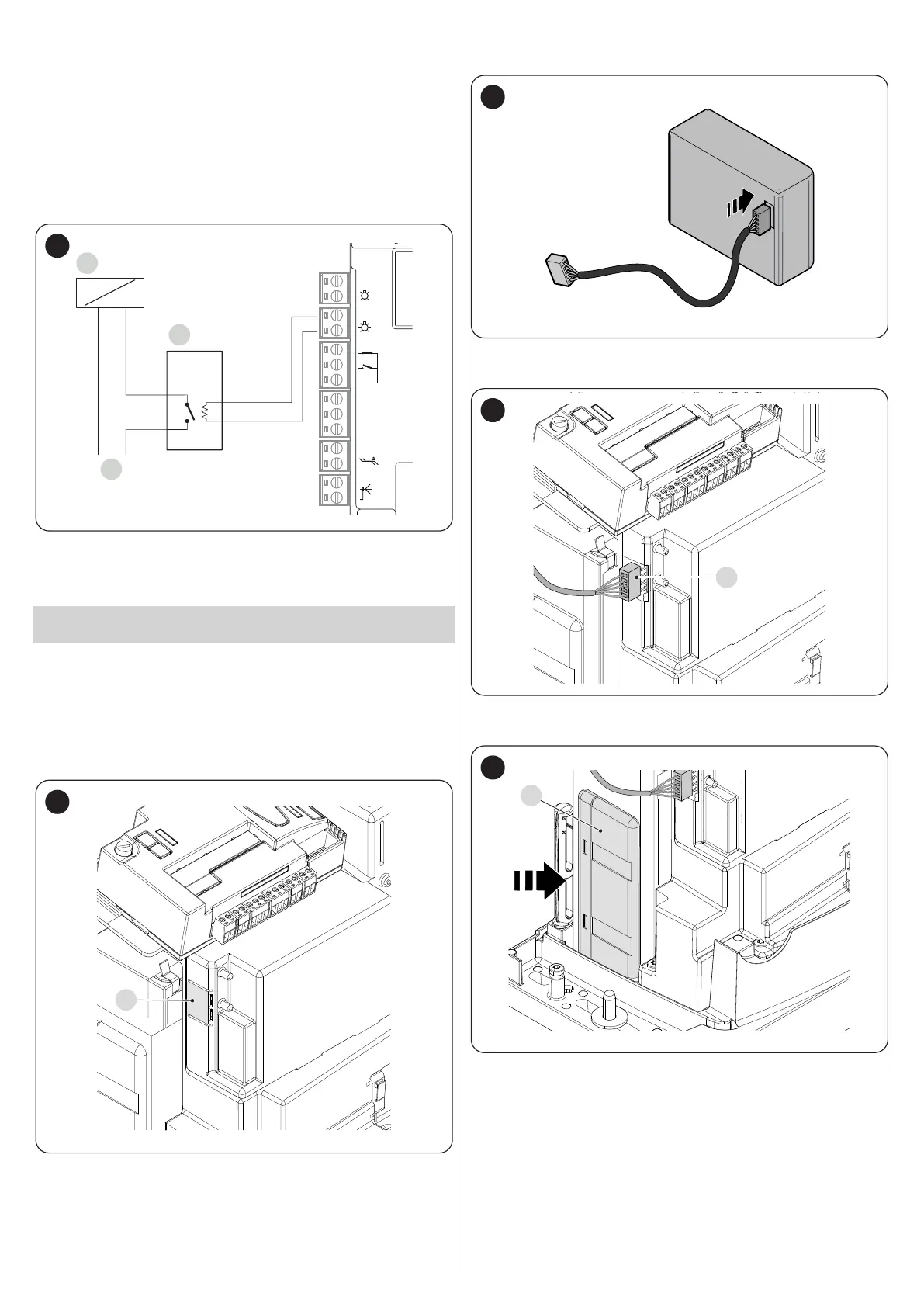
The OGI output is by default enabled for the OGI (Open Gate Indicator)
function, but can be programmed for controlling an electric lock (refer to
the “Level 2 programming (adjustable parameters)” paragraph on
page 33).
At the start of the opening movement, the output is activated for 2 sec
-
onds, while during the closing manoeuvre it is not activated, therefore the
electric lock must reset mechanically.
The output cannot control the electric lock directly, but only loads of 24 V
c 10W.
The output must be interfaced with a relay, as shown in the gure.
A
C
B
24V
+ -
12V OSE
Bluebus
Aerial
GND
Stop
Flash
Photo
OGI
SbS
67
A Electric lock
B 24 V c support relay
C Electric lock power supply
10.2 CONNECTING AND INSTALLING THE
EMERGENCY POWER SUPPLY
f
The electrical connection of the battery to the control unit
must be made only after completing all the installation
and programming stages, as the battery is an emergency
power supply.
To install and connect the battery:
1. remove the pre-detachment element (A) (“Figure 68")
A
68
2. connect the appropriate cable to the connector of the back-up bat-
tery (PS124) (“Figure 69")
69
3. insert the relative connector (C) on the connector emerging from
the motor compartment (“Figure 70")
C
70
4. insert the back-up battery (D) into its housing inside the motor body
(“Figure 71").
D
71
a
Warning! In the back-up battery is used, the “All” stand-
by function must not be used.



 To Next Page