NORDAC LINK (SK 250E-FDS ... SK 280E-FDS) – Users Manual for Frequency Inverters as Field Distributors
52 BU 0250 en-3021
3 Display, operation and options
Pos: 136 /Anleitungen/ Elektronik/F U und Starter/1. Allgemeine s/Sicherheits- und I nstallationshin weise und Warn- Gefahrenhin weise/neu/W arn- und Gefahrenhinwei se/WARNUNG - Elektrischer Schlag (E1) [SK xxxE-FDS] @ 29\mod_15 51967497732_388.doc x @ 2499450 @ @ 1
Electric shock
Touching the circuit board below the transparent screw cap on option slot E1 can result in an electric
shock which may cause serious or fatal injury.
• The screw cap for option slot E1 must only be opened when the frequency inverter is switched off.
• After switching off the frequency inverter wait for at least 5 minutes before opening the screw cap.
Pos: 137 /Anleitungen/ Elektronik/F U und Starter/3. Anzeige, Bedi enung und Optionen/Anzei ge, Bedienung und Op tionen_01 [SK xxxE-FDS] @ 12\mod_1466489338572_388.d ocx @ 331110 @ @ 1
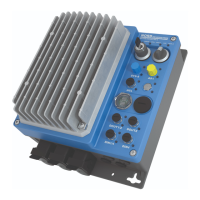
The FI is equipped with LED indicator lights LED indicator lights are directly assigned to the option
slots H1 and H2 as well as to M1 to M8. These are used to indicate the signal statuses of the relevant
option slot. In addition, on option slot E1 there are further, externally visible LED indicator lights for
status messages.
Alphanumeric display and control modules ( Section 3.2 "Control and parametrisation options ") can
be used for simple commissioning by changing parameters. For more complex tasks, connection to a
PC system can take place with the aid of the NORD CON parameterisation software.
Connection of such a parameterisation option is made via option slot D1. The screw cap must be
removed for this. Communication is via RS 232 or RS 485 to an RJ12 connection (standard).
Alternatively, a USB port can be installed as an alternative to the RJ12 connection. However, in this
case it is only possible to connect a PC system for use of the NORDCON software.
Pos: 138 /Anleitungen/ Elektronik/F U und Starter/3. Anzeige, Bedi enung und Optionen/Anzei gen_01 [SK xxxE-FDS] @ 50\mod_1600863753872_388. docx @ 2672267 @ 255 @ 1
3.1 Displays
LED display version Use/Meaning
– single colour
– static
Indication of the signal status (“ON” / “OFF”) or the associated function of the
IOs.
– single or dual colour
– static or dynamic
Indication of operating statuses on the inverter or communication level.
H1 and H2
• If switching options are used, the LEDs indicate the corresponding switch
setting (left/right). If the switch is in centre position, the LEDs are off
(Yellow colour)
• Option slot H2: If an illuminated pushbutton is installed here (optional), the LED
signals for “Device status/Error” (see option slot E1) are also displayed via this
button.


 To Next Page
 Loading...



