MCTRL660 PRO Independent Controller
User Manual
6 Home Screen
Sending Card Mode
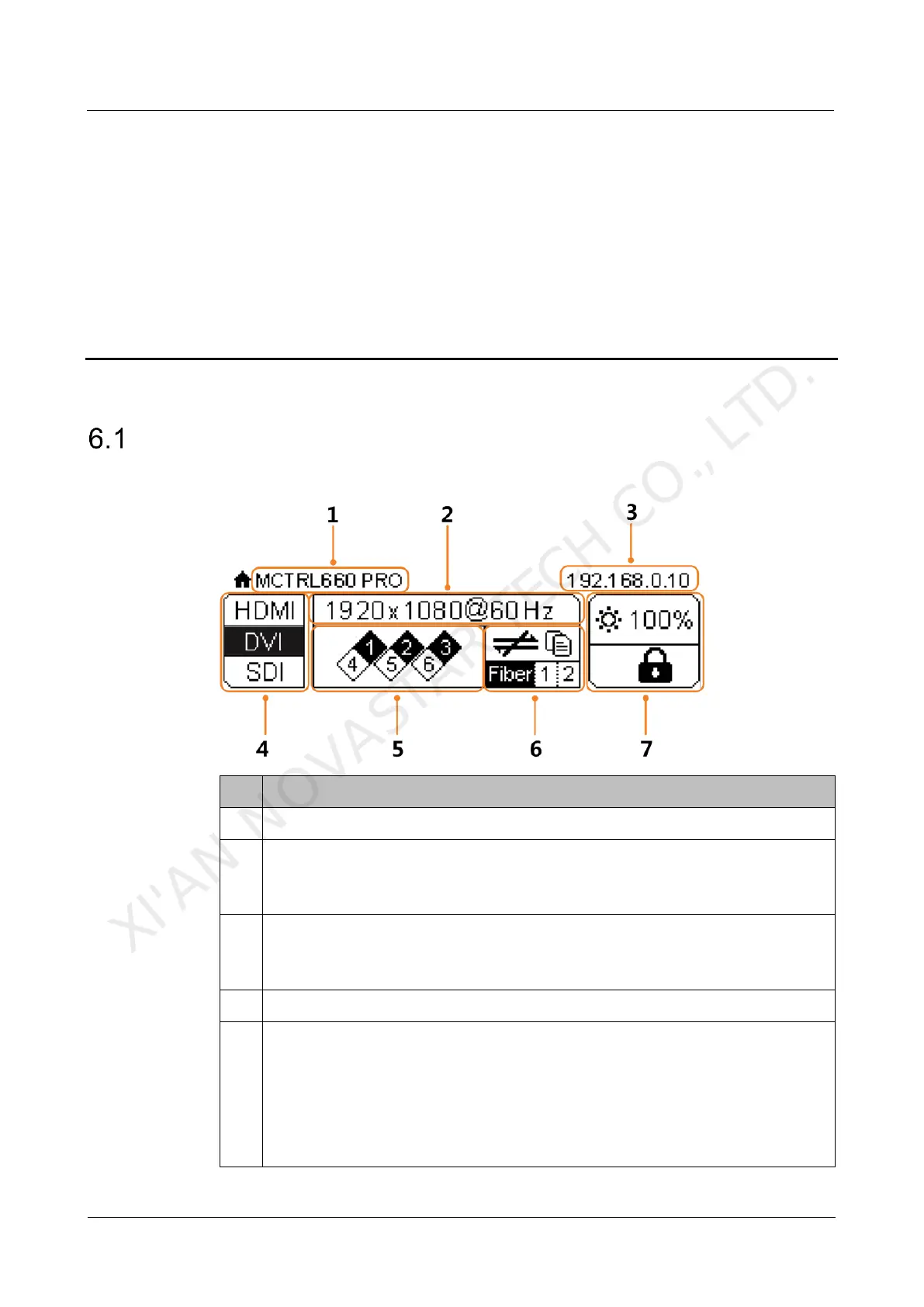
In the sending card mode, the home screen of the MCTRL660 Pro is shown below.
Alternatively display the resolution and color depth of the current input source
when there are input sources accessed.
Display the display control status when there is no input source.
Display the device IP address and sending card name alternatively.
The sending card name can be customized in NovaLCT. See 8.5 Customizing
Sending Card Name.
Different types of video sources and their connection statuses
Ethernet port connection status
Always on: The Ethernet port connection works and the port serves as master.
Off: The Ethernet port is not connected or the connection does not work.
A mark (not flashing) on top corner of icon: The Ethernet port is in redundancy
status, but the redundancy has not taken effect.
A mark (flashing) on top corner of icon: The Ethernet port is in redundancy
XI'AN NOVASTAR TECH CO., LTD.



 To Next Page