MCTRL660 PRO Independent Controller
User Manual
3 Applications
The MCTRL660 PRO can work as a sending card or fiber converter, meeting multiple
application needs.
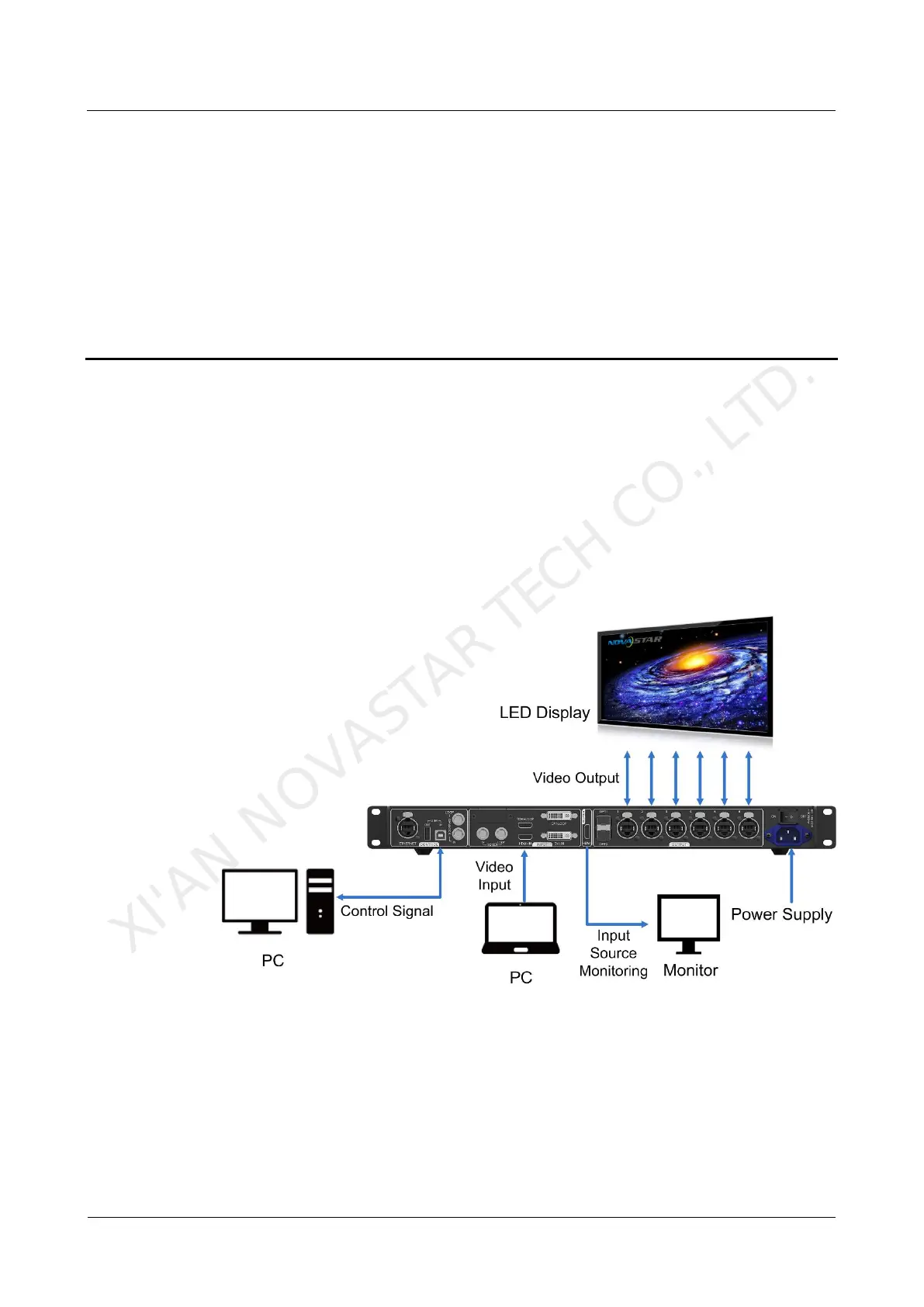
Scenario 1: Application of Sending Card Mode
On the OLED menu screen, choose Working Mode > Sending Card. This mode
uses the optical ports or Gigabit Ethernet ports to output video signals.
Figure 3-1 Application of sending card mode
Scenario 2: Application of Fiber Converter Mode
Set the working mode for the two devices respectively, as shown in Figure 3-2.
Device 2 uses the optical ports (for input/output) and Gigabit Ethernet ports (for
output/input) to realize optical and electric signal conversion, which allows for long-
distance signal transmission.
XI'AN NOVASTAR TECH CO., LTD.



 To Next Page