MCTRL660 PRO Independent Controller
User Manual
Sending Card Mode
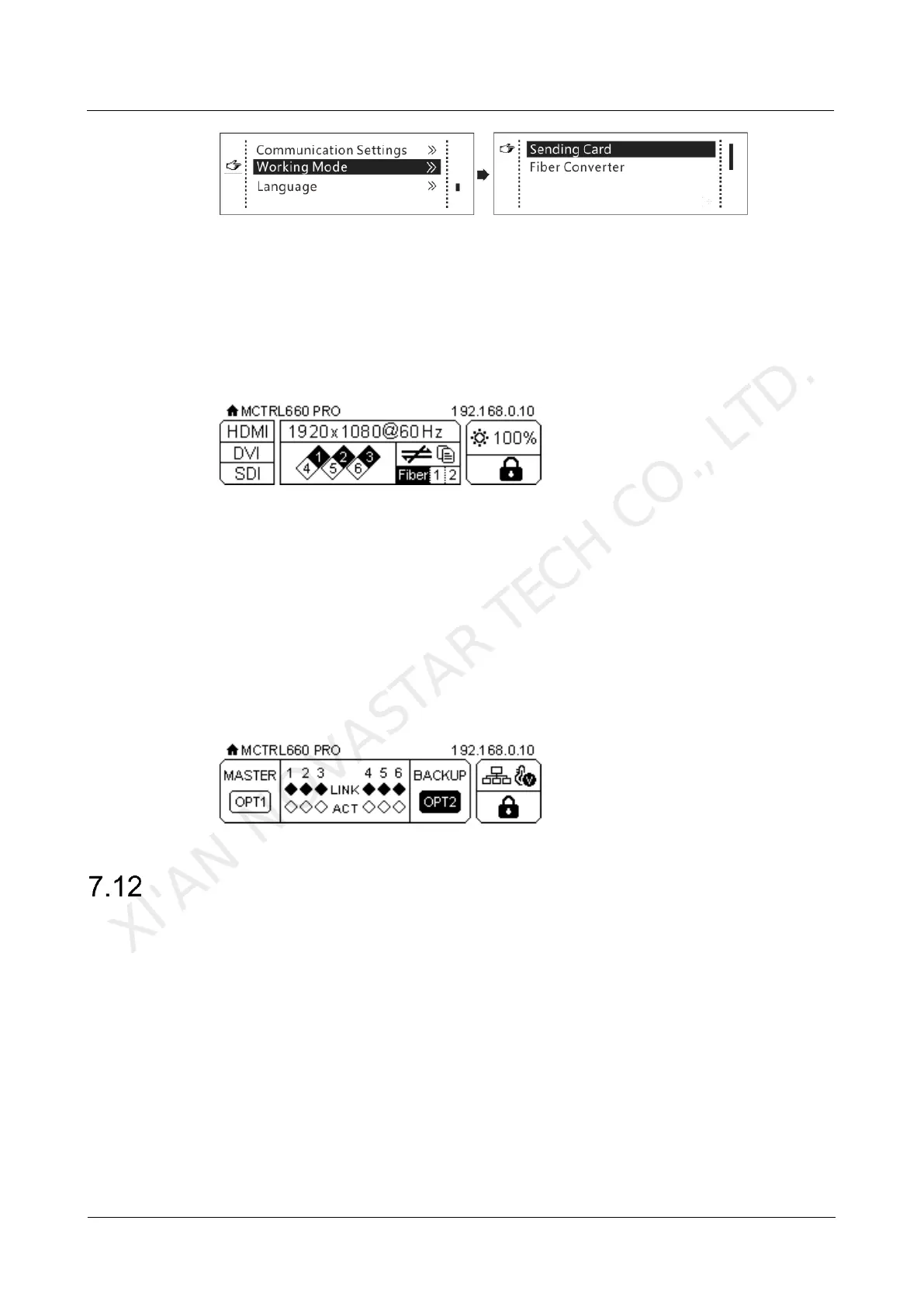
On the OLED menu screen, set the working mode as Sending Card. Both the optical
ports and Gigabit Ethernet ports can work as output ports to output video signals.
You can refer to Scenario 1: Application of Sending Card Mode. The home screen in
sending card mode is shown below.
Figure 7-26 Home screen in sending card mode
Fiber Converter Mode
Only communication settings and working mode settings are available.
The temperature and voltage alarm ranges are the same as their last settings.
On the OLED menu screen, set the working mode as Fiber Converter. The optical
ports (for input/output) and Gigabit Ethernet ports (for output/input) are used to
realize conversion between optical and electric signals. You can refer to Scenario 2:
Application of Fiber Converter Mode. The home screen in fiber converter mode is
shown below.
Figure 7-27 Home screen in fiber converter mode
Language
Change the user interface language of the OLED menu screen.
XI'AN NOVASTAR TECH CO., LTD.



 To Next Page