MCTRL660 PRO Independent Controller
User Manual
status and the redundancy has taken effect.
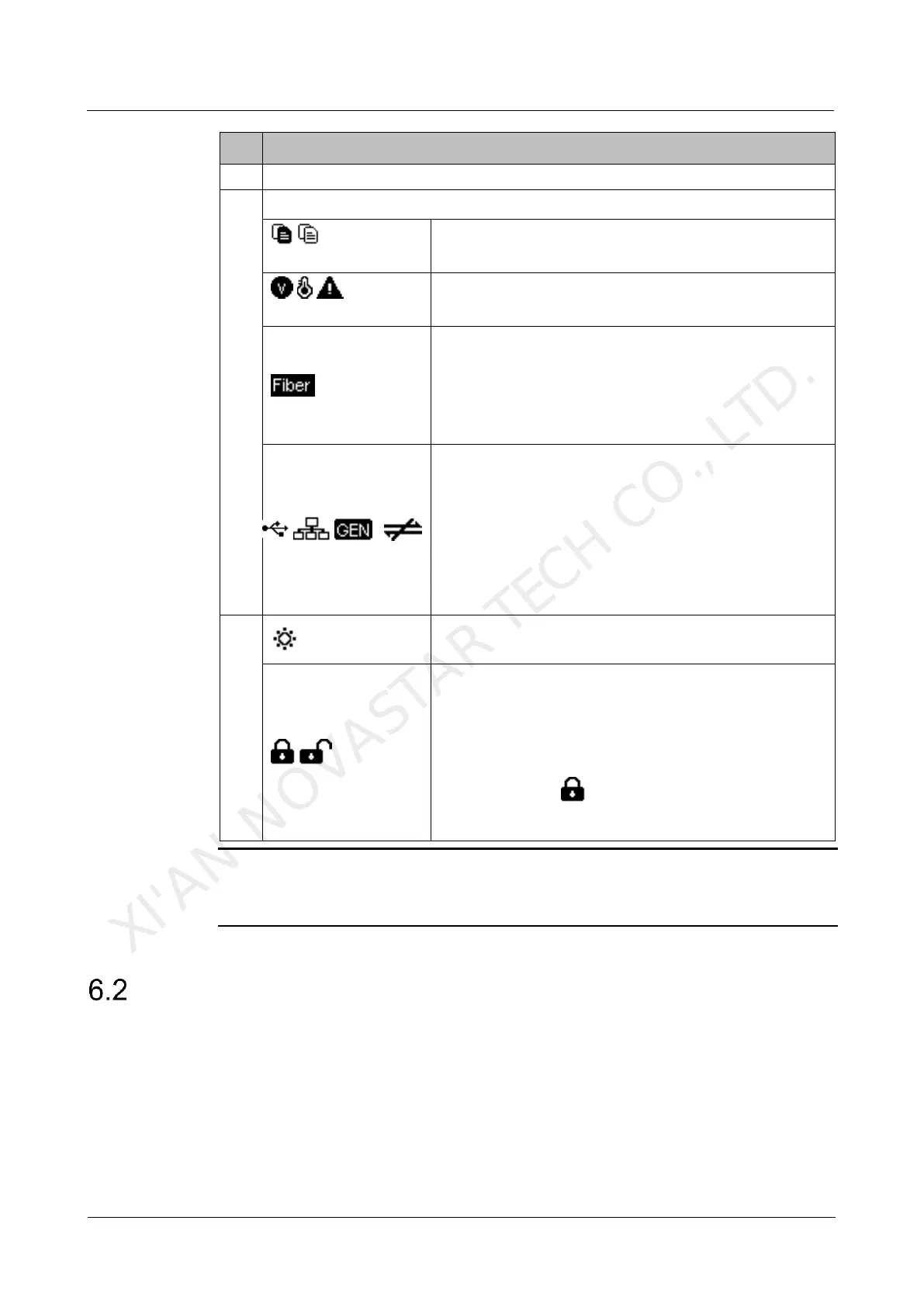
The system configuration file is backed up/not backed
up.
Voltage alarm/Temperature alarm/Voltage and
temperature alarms
Optical port connection status:
Always on: The optical port connection works and the
port serves as master.
Off: The optical port is not connected or the
connection does not work.
Connection status of control ports: USB
connected/Ethernet connected/GENLOCK
connected/Not connected
When USB port, Ethernet port and GENLOCK
connector are all connected to the control computer,
their priority in control is GENLOCK > USB >
ETHERNET.
Buttons on the front panel are locked/unlocked.
Hold down the knob and
BACK
button simultaneously
for 3 seconds to lock or unlock the buttons. When the
buttons are locked, any button operations will be
disabled and the icon will appear on the home
screen.
Note:
The voltage alarm status, temperature alarm status and backup status are displayed
in the same position on the home screen and the alarm statuses have priority.
Fiber Converter Mode
In the fiber converter mode, the home screen of the MCTRL660 Pro is shown below.
XI'AN NOVASTAR TECH CO., LTD.



 To Next Page