MCTRL660 PRO Independent Controller
User Manual
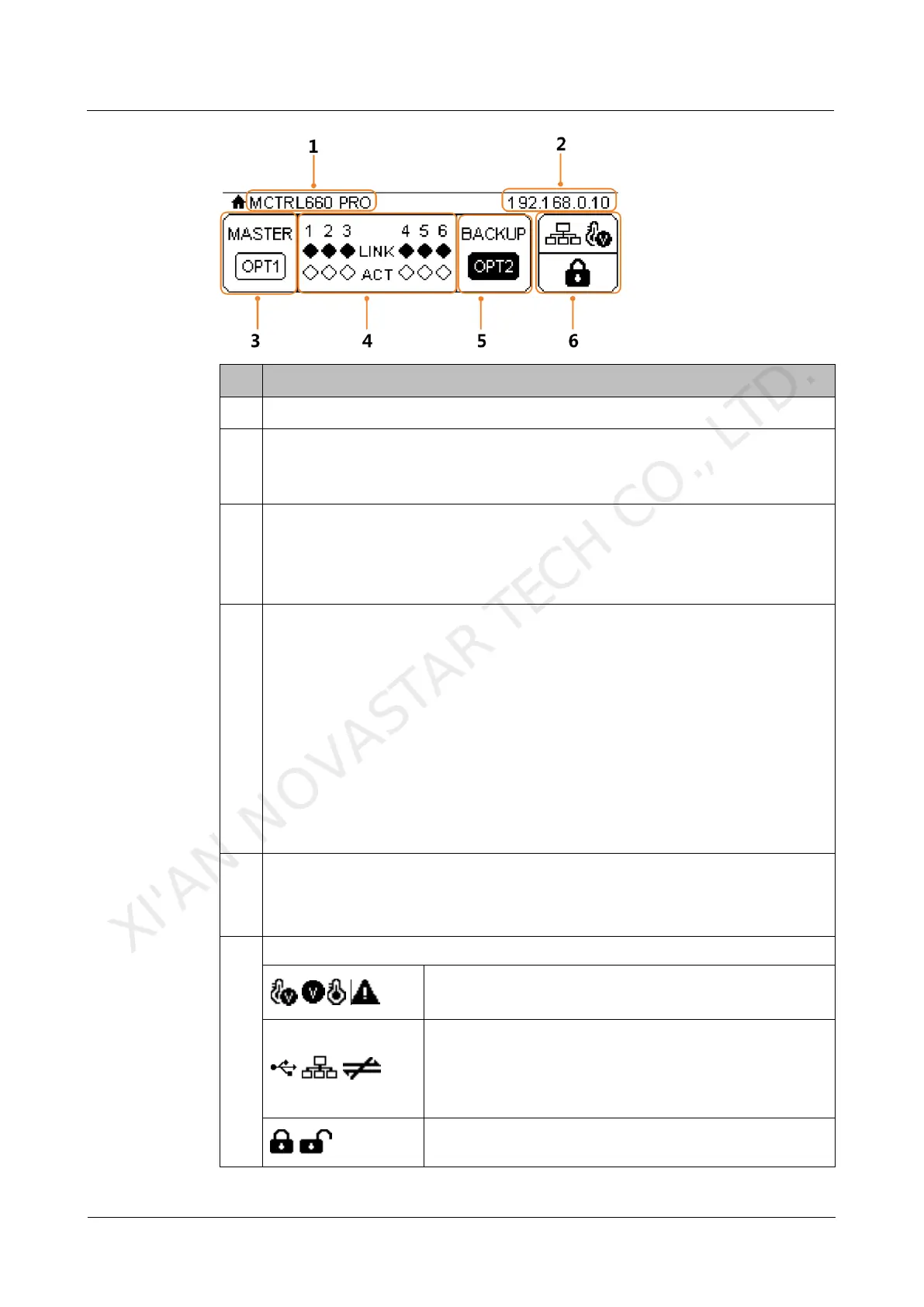
Display the device IP address and sending card name alternatively.
The sending card name can be customized in NovaLCT. See 8.5 Customizing
Sending Card Name.
The OPT1 port is the master input/output optical port, corresponding to the 6
Gigabit Ethernet ports. The OPT1 icon has different statuses:
− Always on: The OPT1 port connection works.
− Off: The OPT1 port is not connected or the connection does not work.
1–6: Indicate Ethernet ports 1–6.
LINK: Ethernet port connection status
The following diamond icon status indicates the Ethernet connection status.
− Always on: The Ethernet port connection works.
− Off: The Ethernet port is not connected or the connection does not work.
ACT: Signal transmission status of Ethernet port
The following diamond icon status indicates the signal transmission status of
Ethernet port.
− Flashing: The Ethernet port is transmitting signals.
− Off: The Ethernet port is not transmitting signals.
The OPT2 port works as the backup input/output port of OPT1.
Always on: The OPT2 port connection works.
Off: The OPT2 port is not connected or the connection does not work.
Normal voltage and temperature / Voltage alarm /
Temperature alarm / Voltage and temperature alarms
Connection status of control ports: USB
connected/Ethernet connected/Not connected
When both USB and Ethernet ports are connected to the
control computer, USB port has the priority in control.
Buttons on the front panel are locked/unlocked.
Hold down the knob and
BACK
button simultaneously for
XI'AN NOVASTAR TECH CO., LTD.



 To Next Page