Kronos Series 3
25
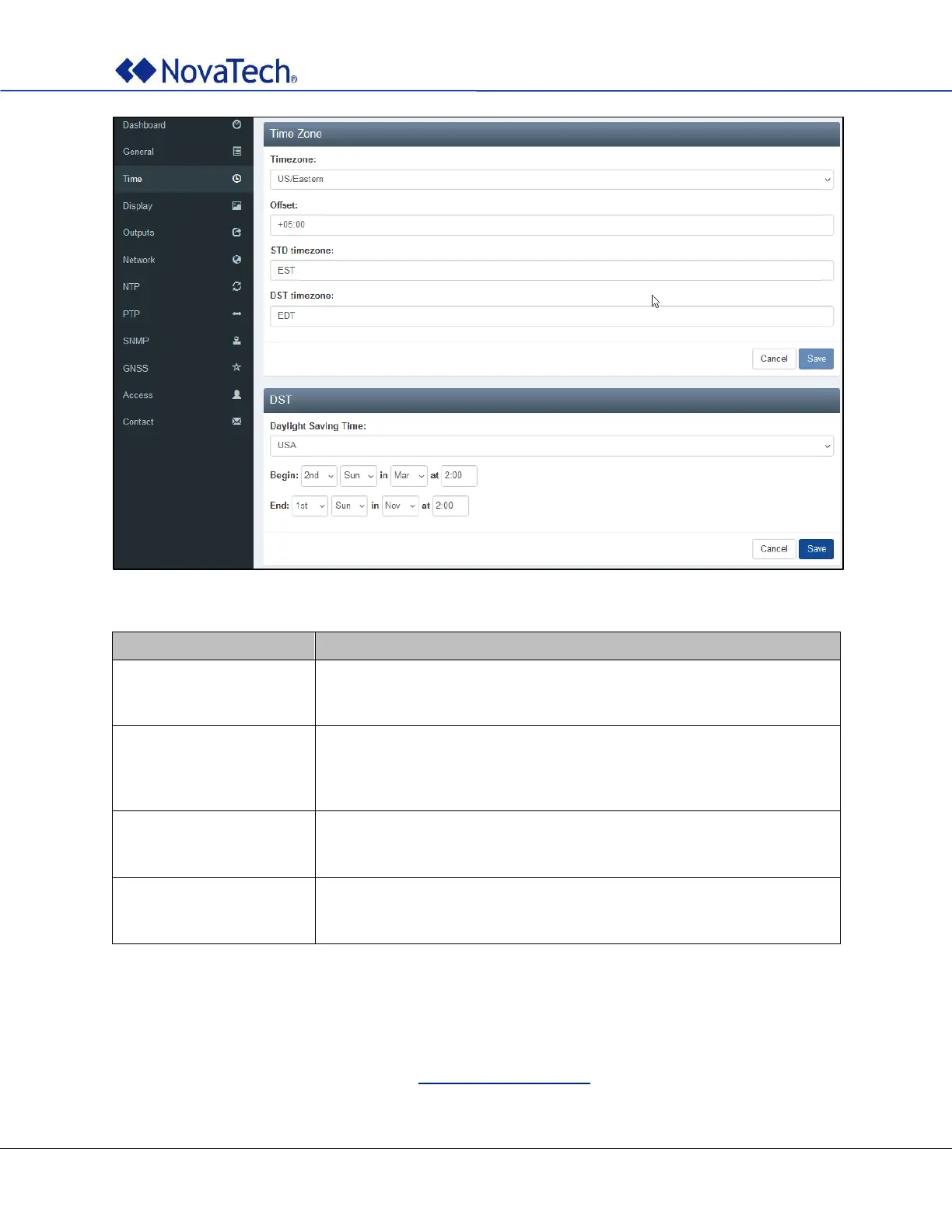
Figure 15: Time settings
Select UTC or the time zone in which the clock is installed. Then the fields
Offset, STD timezone, and DST timezone display the UTC offset, the
standard time zone name, and the daylight saving time zone name.
Select the desired daylight saving time. The available selections are
Custom, Off, Eastern Europe, Central Europe, Western Europe,
USA, and Brazil. If your selection is not listed, select Custom and set the
daylight saving begin and end in Begin and End.
Specify the desired weekday, month, and time when the daylight saving
time begins. If a defined value such as USA is selected in Daylight
Saving Time, the values in Begin are preset but can still be customized.
Specify the desired weekday, month, and time when the daylight saving
time ends. If a defined value such as USA is selected in Daylight Saving
Time, the values in End are preset but can still be customized.
Table 5: Time settings
4.3 Display Settings (Online)
The display settings determine how the time is shown on the display at the front of the clock. The same
settings can be made offline as described in Display Settings (Offline).



 To Next Page