EasyManua.ls Logo

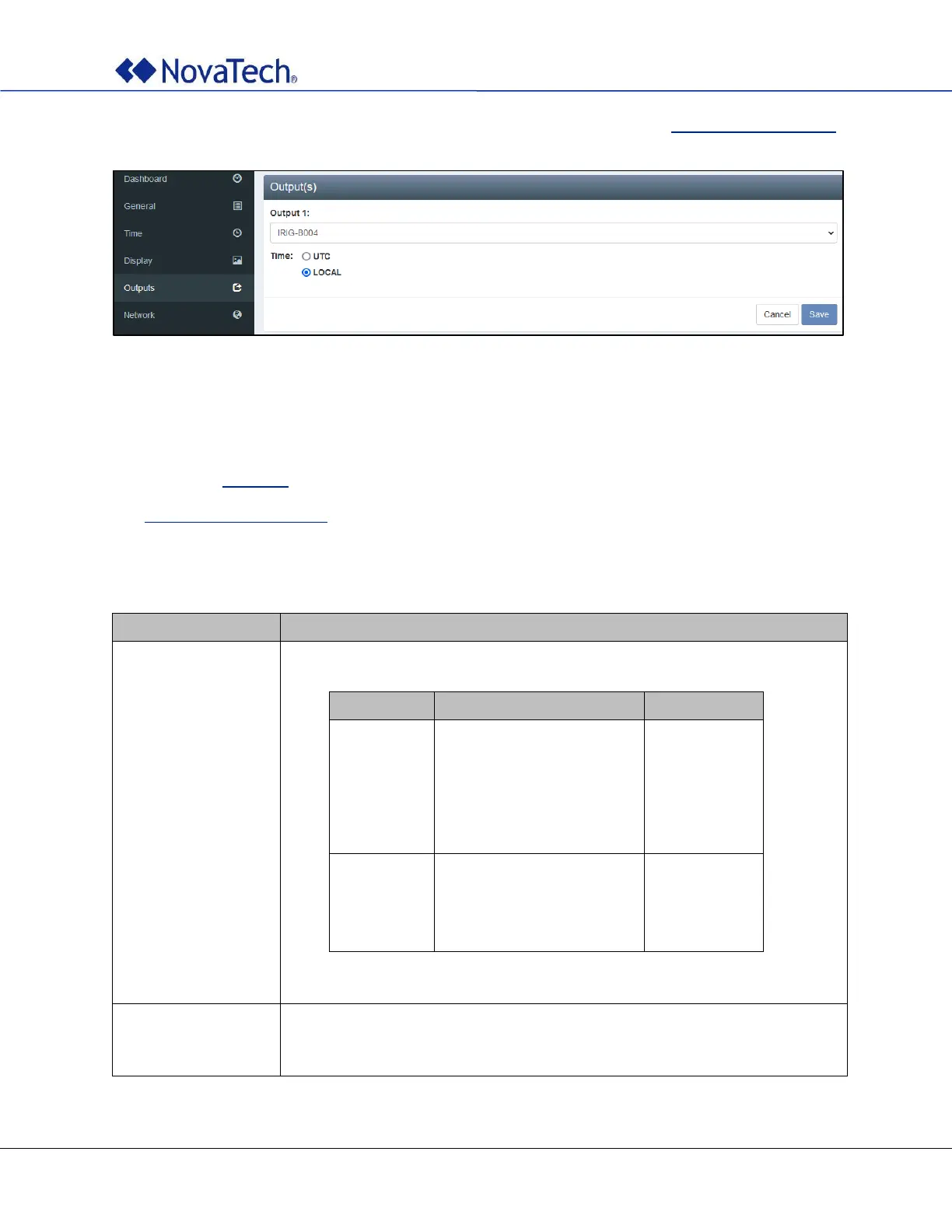
Novatech Kronos 2 Series - Figure 17: Outputs Settings; Table 7: Outputs Settings

Novatech Kronos 2 Series
72 pages
Print Icon
To Next Page IconTo Next Page
To Previous Page IconTo Previous Page
Loading...
Kronos Series 3
27
Note: The polarity (normal, inverse) can only be configured offline as described in Output Settings (Offline).
Figure 17: Outputs settings
The single unmodulated output cart (-1) has one output. The dual unmodulated output card (-2), the dual
modulated output card (-A), and the fiber output card (-F) have two outputs each. The quad unmodulated
output card card (-4) has four outputs.
The example in Figure 17 shows a Kronos Series 3R with one -1 output card.
See Appendix A – Options List for information about how to interpret the part number and determine the
number and type of outputs available in your unit.
For each output, the output type and the time setting can be configured.

Item
Description
Output type
Depending on the card, the following output types can be selected:
Card Name
Card Type
Signals
-1
-2
-4
-F
Single unmodulated output
Dual unmodulated outputs
Quad unmodulated outputs
Dual fiber outputs
OFF
PPM
PPS
IRIG-B000
IRIG-B002
IRIG-B004
IRIG-B006
-A
Dual modulated outputs
OFF
IRIG-B120
IRIG-B122
IRIG-B124
IRIG-B126
Default: OFF
Time
UTC
Local
The output can be set to send either UTC time or local time.
Table 7: Outputs settings

Table of Contents