Kronos Series 3
40
5.4 Display Settings (Offline)
This section configures the information presented on the dot matrix display. The same settings can be made
in the webpage as described in Display Settings (Online).
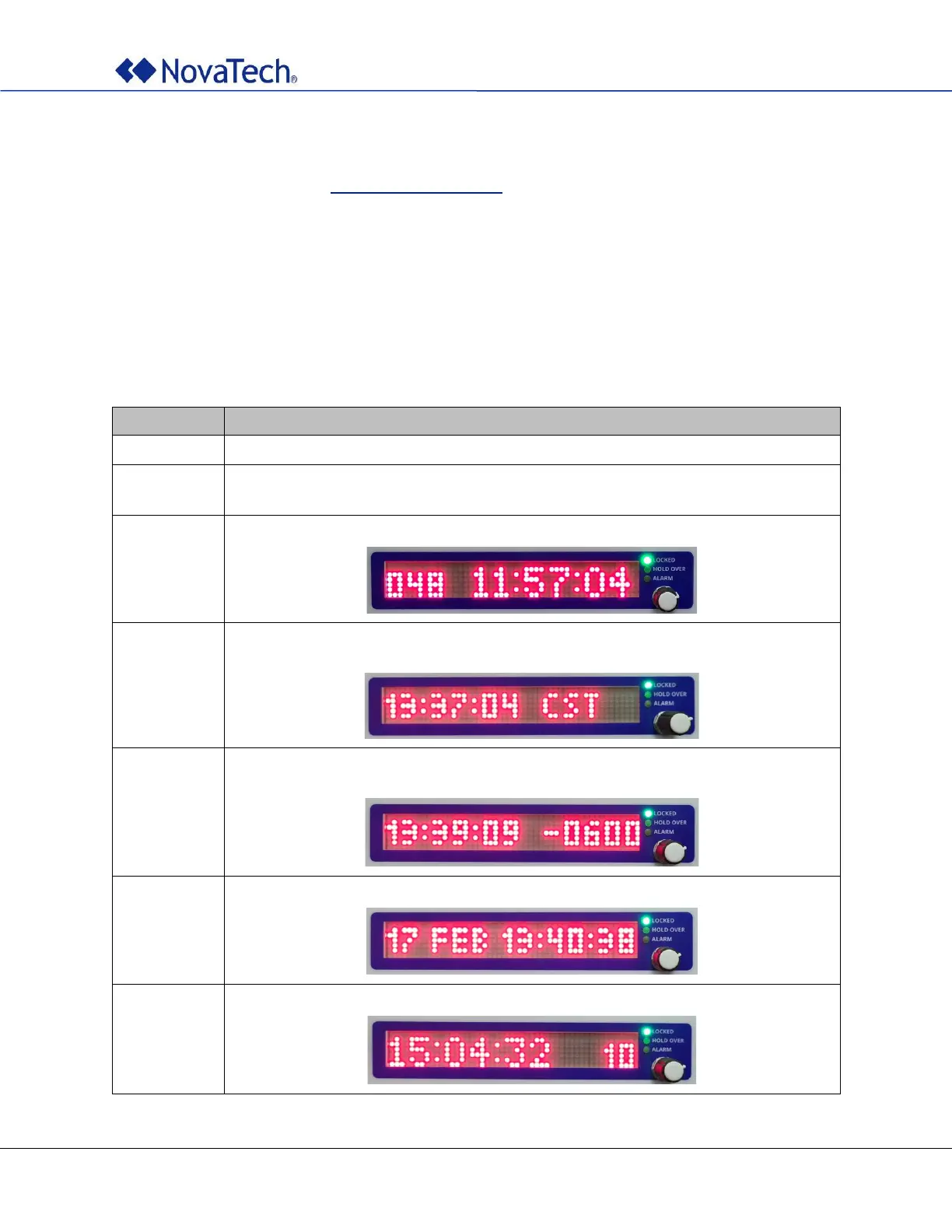
# Selects what is shown on the unit's dot matrix display. MODE can be:
# 1: day-of-year (001 to 356) + HH:MM:SS
# 2: HH:MM:SS + STD_NAME/DST_NAME of TIMEZONE
# 3: HH:MM:SS + TIMEZONE OFFSET
# 4: dd mmm HH:MM:SS
# 5: HH:MM:SS + number of satellites used in solution
[DISPLAY]
MODE = 4
The settings are in section [DISPLAY].
Selects the information that is shown on the dot matrix display during normal operation.
Default: 1 (Day-of-year + HH:MM:SS).
Displays day-of-year (001 to 366) and local time:
Displays local time and the appropriate time zone abbreviation (STD_NAME during
standard time, DST_NAME during daylight saving time):
Displays local time and the current time zone offset (OFFSET during standard time,
OFFSET plus one hour during daylight saving time:
Displays day-of-month, month, and local time. This is the default setting.
Displays local time and the number of satellites used for time calculation:
Table 20: Display settings



 To Next Page