GPS related parameters are defined in section [GPS].
Value (in nanoseconds) that corresponds to the delay introduced by the antenna
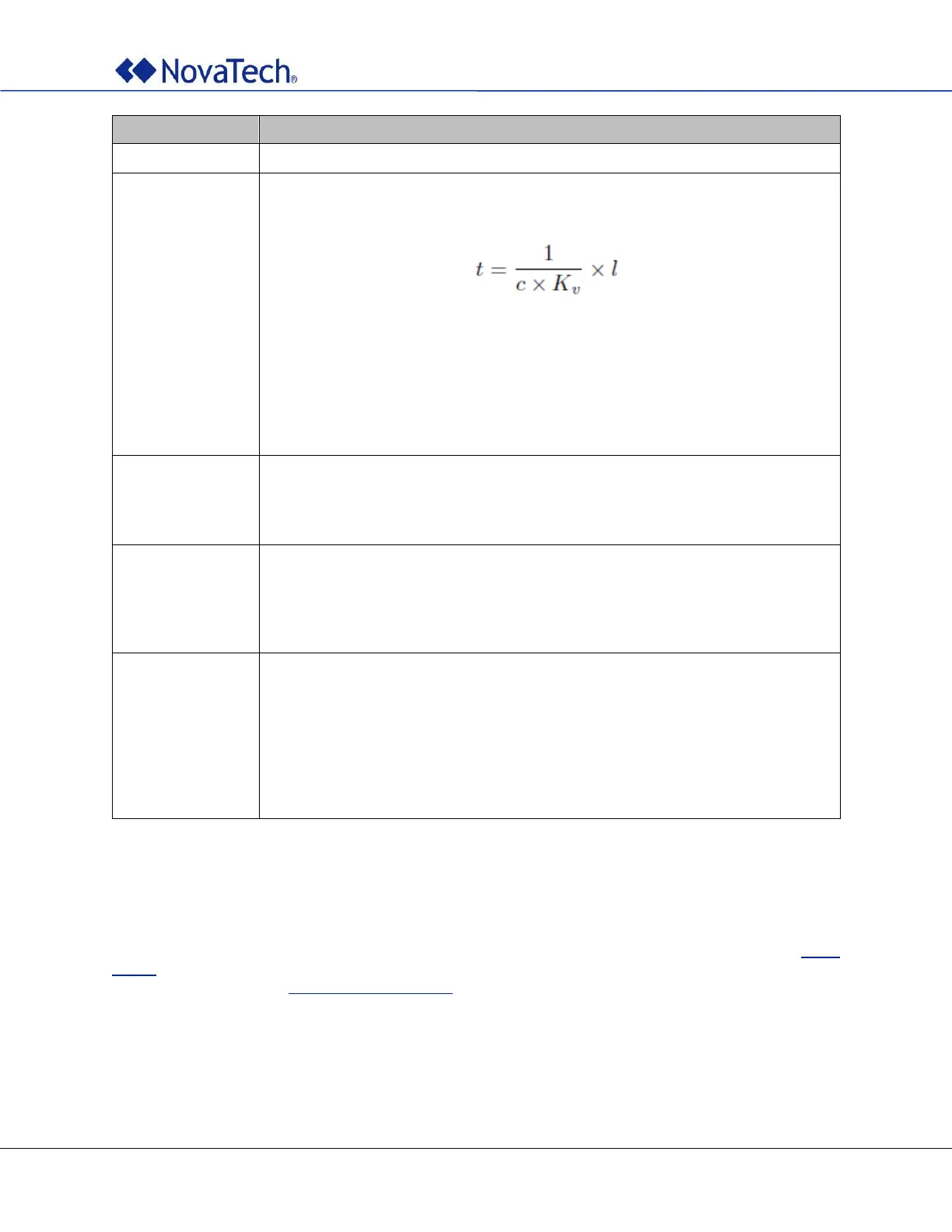
cable, typically 1.2ns/ft (4ns/m). The exact delay can be computed by:
where
c = 3 x 10
8
m/s is the light speed
K
v
is the velocity factor of the cable being used
l is the cable length in meters.
K
v
is 0.82 for the Aircell 5 cable and 0.85 for the Ecoflex 10 Plus cable. For
other cables, refer to the corresponding datasheet.
Default: 60ns (equivalent to 50ft (15m) antenna cable)
Use of these satellite systems can be enabled if desired by setting the respective
value to TRUE. GLONASS and BeiDou cannot be enabled at the same time. Note
that GPS is always enabled. The default value for each is FALSE.
If TRUE, antenna connection and reception of satellite signals is simulated by the
unit.
Note: The time reported by the clock will not be correct if FAKE_GPS is TRUE.
Make sure to set FAKE_GPS to FALSE before normal operation. Alternatively,
delete or comment out the line from the configuration file.
If a date and time are entered, the clock uses and displays the entered date and
time and counts up time from there instead of using the satellite signal. This is
useful for testing.
Example: 2023-01-01 12:00
Note: The time reported by the clock will not be correct if date and time are
entered for FAKE_TIME. Make sure to remove date and time for normal
operation. Alternatively, delete or comment out the line from the
configuration file.
Table 27: GPS receiver settings
5.11 Out-of-bound Limits (Offline)
The parameters in this section configure the user defined out-of-bounds limits. All values are in
milliseconds. Valid values are from 0.001ms (1 microsecond) to 4000ms (4 seconds). See section Clock
States for an explanation of how these limits affect clock operation. The same settings can be made in the
webpage as described in GNSS Settings (Online).
# User defined out-of-bounds limits (in miliseconds)
# Valid values are from 0.001 (1 microsecond) to 4000 (4 seconds)
[LIMITS]
LOWQUALITY = 2
BADTIME = 500



 To Next Page