Kronos Series 3
30
4.6 NTP Settings (Online)
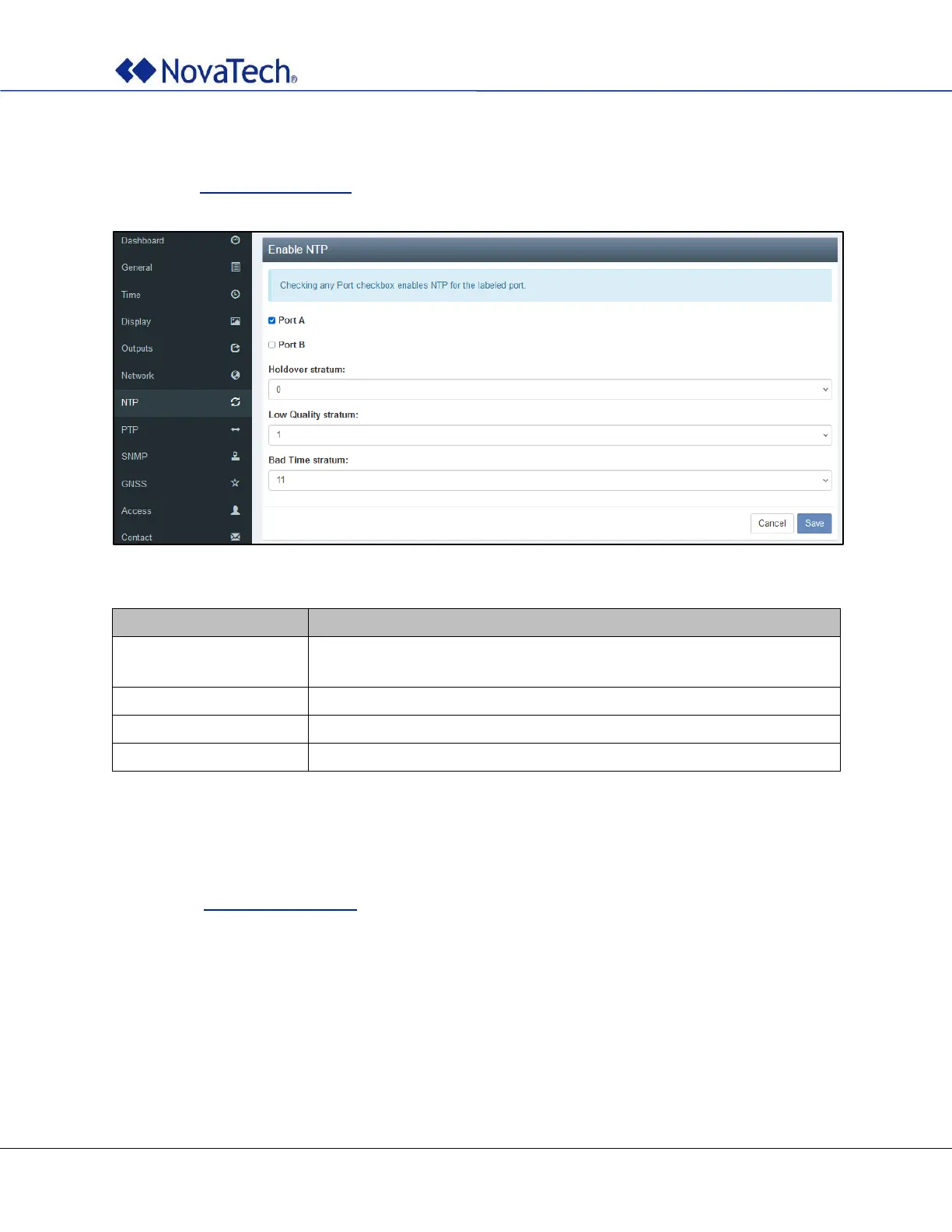
The NTP settings are configured on the following webpage tab. The same settings can be made offline as
described in NTP Settings (Offline).
Figure 21: NTP settings
To use NTP on any of the ports, check the respective box.
The supported values are 0 to 5.
The supported values are 0 to 9.
The supported values are 0 to 14.
Table 10: NTP settings
4.7 PTP Settings (Online)
The PTP settings are configured on the following webpage tab. The same settings can be made offline as
described in PTP Settings (Offline). However, it is recommended to make the settings on the webpage
since selecting the desired profile automatically sets all related parameters.



 To Next Page