Kronos Series 3
iv
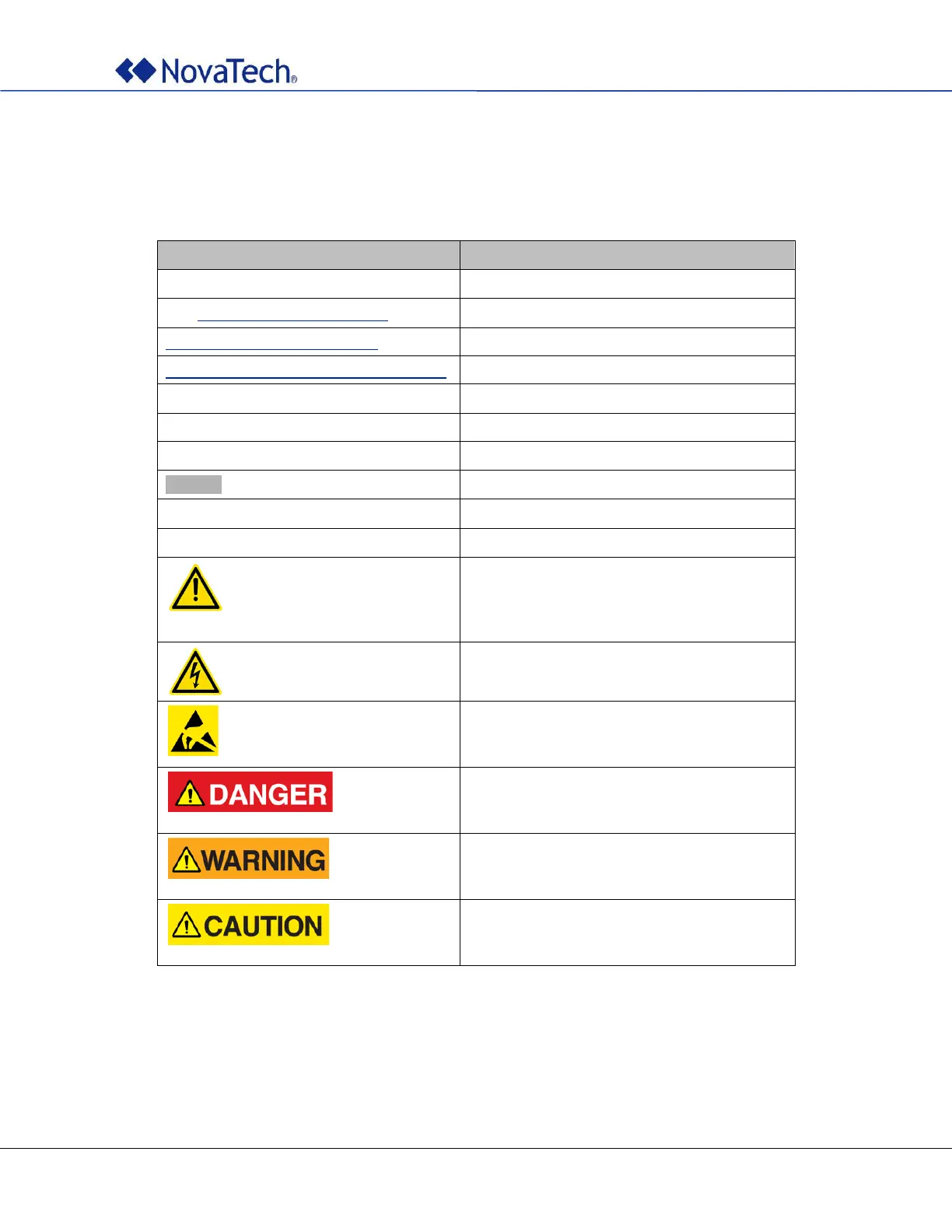
Styles and Symbols
In this document, fonts, text styles and symbols are used to distinguish standard text from keyboard input,
program text, GUI messages, and hyperlinks as follows. Warnings and safety notices are indicated with
ANSI symbols.
See Access Passwords (Online)
Hyperlink to text in same document.
www.novatechautomation.com
orion.support@novatechautomation.com
Clicking this link starts email client on the PC.
See Kronos Series 3 User Manual
Menu item or text displayed by software.
Text to be entered in input field or window.
GUI button to be clicked.
This yellow triangle indicates a warning that
must be observed by the users in order to
avoid possible equipment damage or personal
injury.
This yellow triangle indicates an electrical
hazard.
Electrostatic sensitive device requires proper
handling and grounding procedures to avoid
equipment damage.
DANGER indicates an imminently hazardous
situation which, if not avoided, will result in
death or serious injury.
WARNING indicates a potentially hazardous
situation which, if not avoided, could result in
death or serious injury.
CAUTION indicates a hazardous situation
which, if not avoided, may result in minor or
moderate injury.
Note that depending on the Windows
®
display settings on the computer running NCD, some of the screen
shot details may appear differently than shown in this manual. The screen shots in this manual have been
taken using Windows 10
®
.



 To Next Page