Import Existing Projects
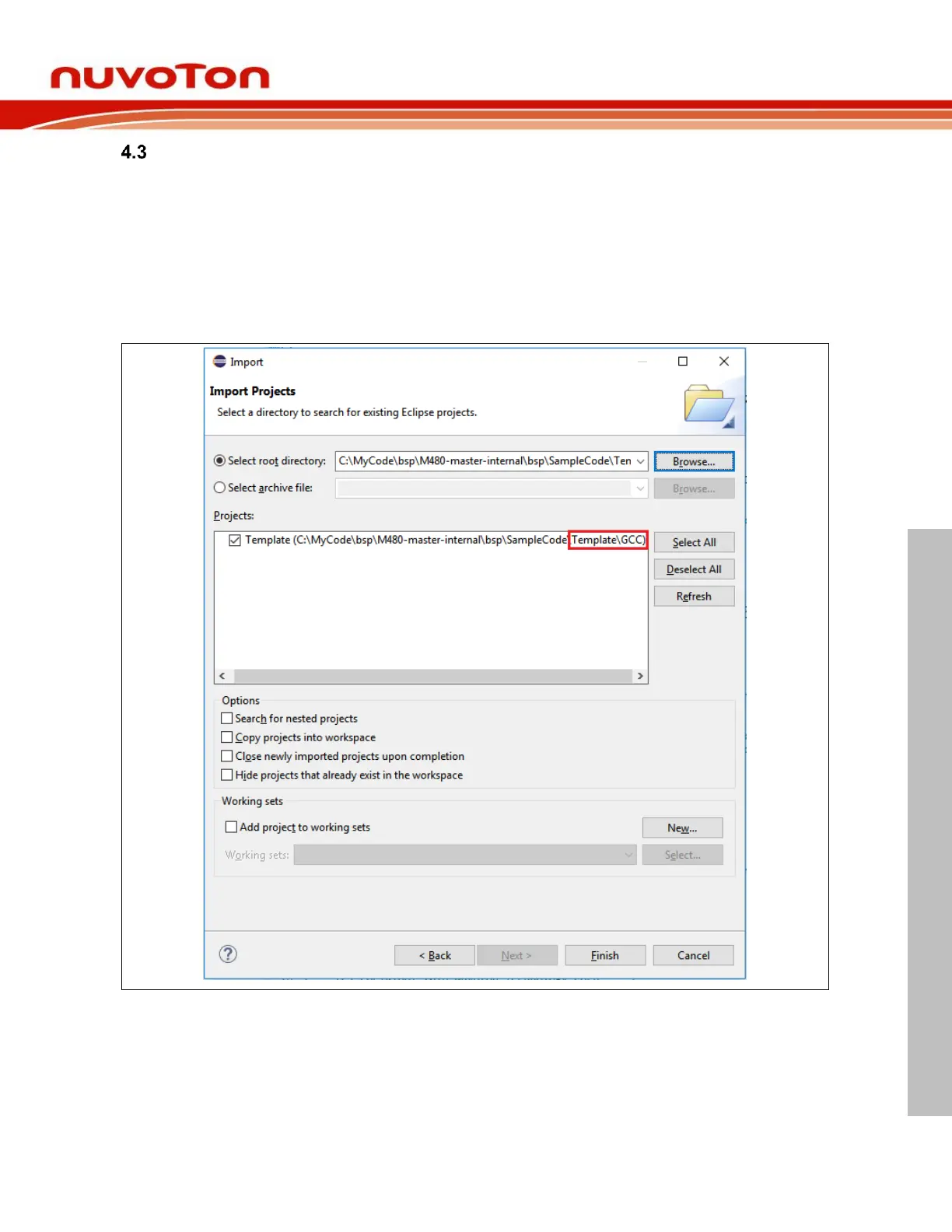
When BSP projects are available, we can import them into the workspace using the following steps:
1. From the main menu bar, select File > Import. The Import wizard shows up.
2. Select General > Existing Project into Workspace and click Next.
3. Choose either Select root directory or Select archive file and click the
associated Browse to locate the directory or file containing the projects. In the Nuvoton BSP, the
Eclipse projects are stored in the GCC folder.
4. Under Projects select the project or projects which you would like to import and click Finish.



 To Next Page